WhatsApp business cost in 2026 depends on which layer a company uses—the free WhatsApp Business App for basic one-to-one messaging, a paid Meta Verified subscription for verification and multi-device access, or the WhatsApp Business Platform (API) where Meta charges on a per message basis since July 1, 2025, not per conversation.
Each layer carries a different pricing model, and understanding where your business falls determines what you actually pay.
Most API users also pay a Business Solution Provider (BSP) on top of Meta’s fees, so total cost equals Meta’s rate card plus provider charges—setup fees, monthly subscription, per-message markups, and agent seats.
This guide covers the full cost breakdown without comparing individual BSPs; for provider-specific detail, see the dedicated WhatsApp API provider resource.
Table of Contents
- How WhatsApp Business Pricing Works in 2026
- WhatsApp Business App Cost (Free WhatsApp Business App)
- Meta Verified Cost and What You Get
- WhatsApp Business Platform (API) Cost Structure
- Meta’s Per-Message Pricing Model (2025–2026)
- WhatsApp Pricing by Recipient’s Country
- Utility and Authentication Messages, Volume Tiers, and Discounts
- Example WhatsApp Business Cost Scenarios
- Hidden WhatsApp Business Costs (App and API)
- How to Estimate Your WhatsApp Budget
- How to Manage and Reduce WhatsApp Business Platform Costs
- Key Takeaways
- FAQ
- Is the WhatsApp Business App completely free to use?
- Are incoming customer messages ever billed on the WhatsApp Business Platform?
- Do I pay for every template message even if it fails to deliver?
- How much more expensive are Marketing messages compared with Utility or Authentication messages?
- What happens to my WhatsApp budget if I expand into new countries?
How WhatsApp Business Pricing Works in 2026
WhatsApp business pricing now hinges on four message categories, each with its own cost rules and discount eligibility—understanding these categories is the first step to forecasting spend accurately.
The four categories are:
Marketing
Promotions, offers, general outreach. Marketing messages are the most expensive type to send in nearly every market, and they require explicit opt-in from the recipient before your business can send them outside the free 24-hour customer service window.
Utility
Transactional updates like order confirmations, shipping alerts, and invoices. These reactive, non-promotional messages typically run inside automated workflows and are eligible for the volume-tier discounts covered later in this guide.
Authentication
OTP codes, login verification, and two-factor flows. Authentication is usually the cheapest of the four categories, triggers automatically as part of login and verification flows, and isn’t affected by regional marketing pauses like the one currently in place in the US.
Service
Replies and support messages within the customer service window (becoming billable October 1, 2026). They’re free today as long as they fall inside that 24-hour window, but once the shift hits, they’ll be billed at the same flat rate as Utility and Authentication messages in that country.
Overall WhatsApp business pricing is the sum of three cost layers:
- Meta’s per-message fees (determined by message category and recipient’s country)
- BSP/platform fees for API access—setup, subscription fees, and per-message markups
- Internal operational costs—staffing, automation tools, compliance, and template management
Together, these three layers determine your true WhatsApp business cost—Meta’s fees are only the starting point.
WhatsApp Business App Cost (Free WhatsApp Business App)
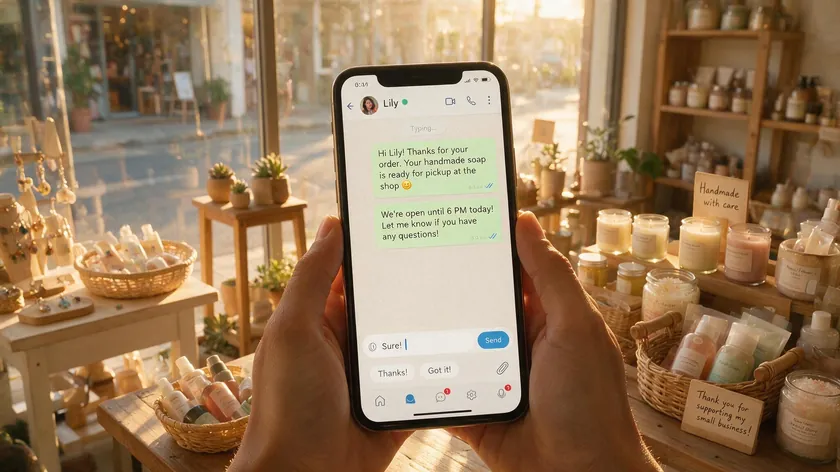
The WhatsApp Business App for iOS and Android remains free to download and use worldwide in 2026. Messages sent from the WhatsApp Business App are free—Meta charges no per-message or monthly subscription fees. The free business app is designed for small businesses handling modest volumes from a single device.
What “free” covers:
- Unlimited one-to-one chats and free form messages with customers
- Free voice calls (standard data charges apply)
- A simple business profile with hours, address, and description
- Quick replies for common responses and basic automation
- Product catalog tools accessible from a single owner WhatsApp account
The main limitation is that the free WhatsApp Business App is tied to one primary device with only light multi device access, making it impractical for teams that need several agents responding simultaneously.
Hidden costs for growing businesses include:
- Manual message handling that increases staff hours as messaging volume climbs
- No advanced reporting or analytics, so optimization decisions rely on guesswork
- No native CRM integrations or external tools, translating into lost leads and slower response times
- Inability to send template messages or run structured campaigns
The app uses the same data and calling charges as regular WhatsApp. Because Meta does not bill for app messages, there is no built-in way to forecast or control a WhatsApp budget—costs sit entirely in labor and opportunity.
Meta Verified Cost and What You Get
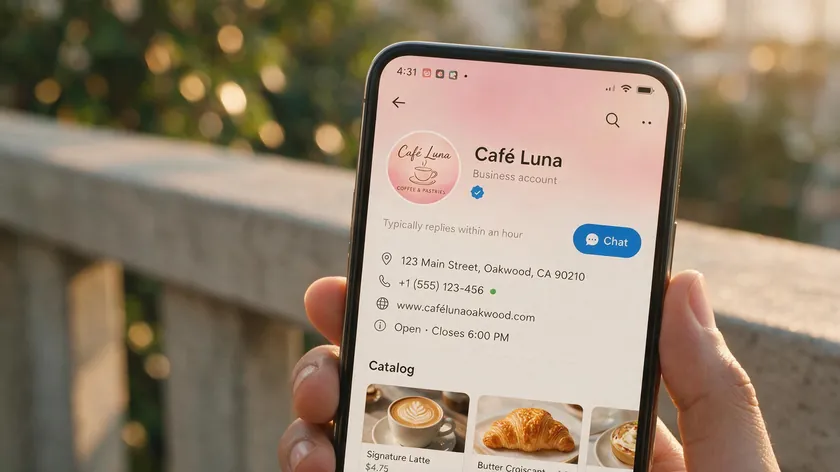
Meta Verified is a subscription upgrade layered on top of the free WhatsApp Business App. It provides a verified badge (blue tick), impersonation protection, enhanced account support, and improved multi device access—Meta Verified offers multi-device support for a subscription fee without requiring the full API.
There are multiple Meta Verified business plans. A basic tier verifies only the WhatsApp account, while higher tiers bundle verification across Instagram and a Facebook page. Pricing is a monthly subscription whose exact amount depends on the recipient’s country and platform bundle.
As of this writing, Meta has not published official WhatsApp-specific Meta Verified rates—the published tiers ($21.99–$34.99/month range) apply to Facebook and Instagram bundles, not WhatsApp, so businesses should confirm current WhatsApp pricing inside Meta Business Manager before budgeting.
Key points to keep in mind:
- Meta Verified does not change per message pricing—there are still no message fees on the app
- It does not add WhatsApp API features like chatbots, WhatsApp Flows, or CRM integrations
- Availability is uneven—Meta Verified for WhatsApp is rolled out gradually and may not be present in every market, so businesses must confirm eligibility inside Meta Business Manager
- It is best suited for businesses that want credibility and basic multi-device support but do not yet need advanced automation or high-volume template messaging
For most growing teams, Meta Verified is a stepping stone rather than a destination—it solves identity and multi-device access, but businesses that need automation, CRM integration, or multi-agent workflows will still need to move to the WhatsApp Business Platform.
WhatsApp Business Platform (API) Cost Structure
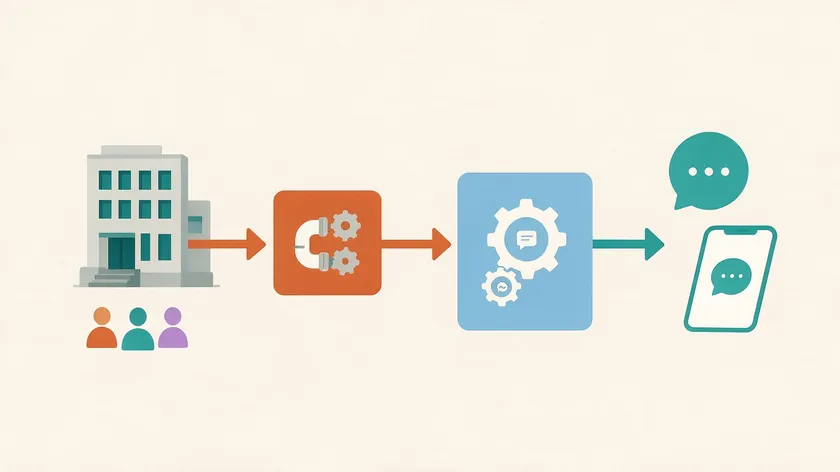
The WhatsApp Business Platform—often called WhatsApp Business API or Cloud API—is the option for medium and large businesses that need advanced automation, template messages, CRM integrations, and multi-agent workflows. This WhatsApp API supports automation and CRM integrations for high-volume messaging at scale.
The WhatsApp Business API requires a Business Solution Provider (BSP) for access rather than direct signup from Meta. A BSP handles number provisioning, template approvals, dashboards, and platform access. Businesses connecting to the WhatsApp API may incur additional costs from third-party software providers beyond what Meta itself charges.
Typical 2026 BSP cost ranges (without naming specific providers):
- Setup fees: $0–$1,000 per account, depending on complexity and enterprise requirements
- Monthly subscription: roughly $50–$500 depending on seats, channels, and automation features
- Per-agent seat fees: $15–$100+ per agent per month
- Per-message markup: some BSPs add 10–30% over Meta’s base rate or a small fixed fee per message
API pricing includes setup fees, monthly subscriptions, and per-message charges—all stacked on top of Meta’s own rates. On top of BSP platform costs, businesses pay Meta per message fees for every billable template or service message, with total cost driven by messaging volume and message category mix.
For readers evaluating providers, the dedicated WhatsApp API provider guide covers selection criteria in depth. If you are specifically exploring Twilio, see the Twilio WhatsApp pricing breakdown.
Meta’s Per-Message Pricing Model (2025–2026)

Meta shifted from conversation-based pricing to a strict per message pricing model on July 1, 2025, for the WhatsApp Business Platform. This change applies globally—every outbound business message is now billed individually rather than bundled into 24-hour conversation windows.
Meta charges per message for WhatsApp Business services, and Meta charges for messages sent through the WhatsApp Business API. Official rates and category definitions are published on Meta’s own developer documentation.
How each outbound business message is classified:
Free customer service replies
Non-template messages are free within a 24-hour window after a user initiated message. Service messages sent within 24 hours are not charged.
Billable categories
Marketing, Utility, Authentication, or Service template messages sent outside free windows are charged per delivery.
Free entry points
A 72-hour free engagement period opens when WhatsApp users contact a business through click to WhatsApp ads or a Facebook page call to action button.
Template messages must be pre-approved by Meta and are required for any business initiated outbound message outside the customer service window. They are billed on a per message basis upon successful delivery. Utility and authentication messages incur charges outside a service window.
From October 1, 2026, service messages also become billable at the same flat per-message rate as Utility/Authentication templates in the recipient’s country, with no volume discounts. This makes it critical to distinguish between free in-window replies and paid proactive service conversations.
Meta exposes a Pricing Analytics API and status webhooks—including pricing objects and “free_customer_service” flags—so technical teams and BSPs can calculate WhatsApp pricing programmatically and connect WhatsApp cost data to internal dashboards.
WhatsApp Pricing by Recipient’s Country
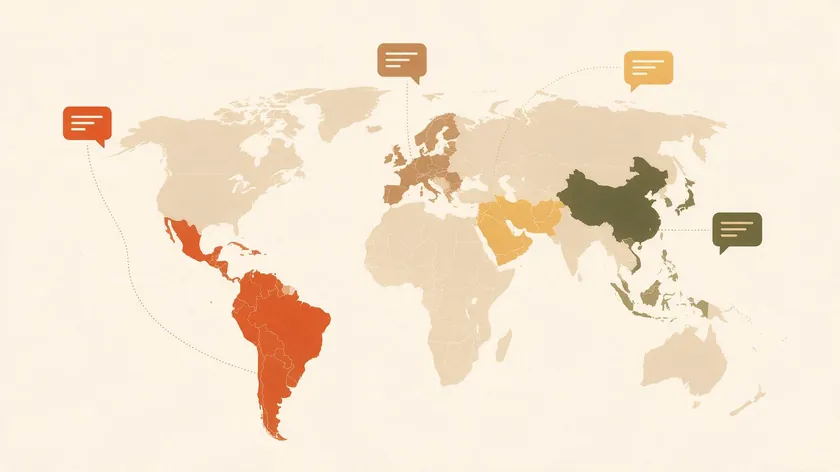
WhatsApp charges per message based on the recipient’s country code, not the sender’s location. This means a business in New York sending messages to customers in the United Arab Emirates pays UAE rates, while the same message to a user in India uses India’s rate card. Charges vary by recipient’s country and message category.
Countries are grouped into regions—Latin America, Europe, Middle East, Asia-Pacific—each with specific USD-equivalent rates and local currency options. Brazil and India have special billing localization rules, with mandatory migration to local currency (INR by end of 2026 for India, BRL by end of 2027 for Brazil).
International authentication rates apply for cross-border messages—certain “authentication-international” corridors carry a materially higher authentication international rate, which can significantly shift budget calculations for businesses verifying users across borders.
Here is an indicative rate comparison for selected markets in 2026:
| Country | Marketing (per msg) | Utility (per msg) | Authentication (per msg) |
|---|---|---|---|
| India | ~$0.010 | ~$0.0014 | ~$0.0014 |
| United States | Paused | ~$0.006 | ~$0.004 |
| United Arab Emirates | ~$0.050 | ~$0.016 | ~$0.016 |
| United Kingdom | ~$0.048 | ~$0.020 | ~$0.020 |
Rates are approximate and based on published 2026 rate card data. Actual fees depend on volume tier and currency.
Marketing messages are typically the most expensive type to send—often 2× to 10× higher than Utility or Authentication in the same market. The US has paused marketing template messages entirely since April 2025, blocking promotional use in that corridor.
Utility and Authentication Messages, Volume Tiers, and Discounts

Utility messages cover transactional content—order updates, invoices, shipping alerts, appointment reminders. Authentication messages handle OTP codes, login verification, and two-factor authentication template messages. Both categories serve essential, non-promotional purposes and carry lower per-message rates than marketing and authentication templates used for promotions.
Meta has offered volume tiers for utility and authentication messages since July 1, 2025. Volume tiers reduce per-message costs as more messages are sent—once a business passes specific monthly thresholds, the marginal rate drops.
Discounts typically range from 5% to 25% off list rates depending on volume. Authentication messages typically carry a lower per-message tier rate than Marketing in most markets. Utility messages are eligible for volume-tier discounts, and volume-based discounts apply as message counts increase.
The first tier applies from message one up to a volume cap, with per-message prices decreasing at higher tiers. Meta notifies accounts of tier changes via account_update webhooks. WhatsApp offers volume-based discounts for high message volumes across these two categories.
Service messages do not receive volume discounts and are always billed at a flat rate after October 1, 2026. Businesses should avoid overusing service templates for routine notifications that could be handled by a single utility template message instead.
Using utility and authentication messages efficiently—for example, consolidating multiple updates into one utility template—can significantly lower the effective WhatsApp business cost per user. Costs for WhatsApp Business messaging depend on the volume and structure of messages you send each month.
Example WhatsApp Business Cost Scenarios

This section walks through how per-message pricing, the recipient’s country, and message type combine to shape real WhatsApp budget outcomes. Marketing messages are the most expensive category across nearly every scenario.
| Use Case | Main Category | Volume/Month | Avg Meta Fee/Msg | Est. Meta Cost/Month |
|---|---|---|---|---|
| Indian e-commerce—utility order updates to Indian customers | Utility | 100,000 | ~$0.0014 | ~$140 |
| European SaaS—authentication OTPs to UK users | Authentication | 20,000 | ~$0.020 | ~$400 |
| Global D2C—marketing templates across UAE + India | Marketing | 50,000 (20K UAE, 30K India) | Weighted avg ~$0.026 | ~$1,300 |
BSP platform fees must be added on top of these Meta-only estimates. A monthly subscription of $100–$300 plus per-agent seats and any per-message markup from your provider can easily double the total for smaller senders. Additional fees for advanced automation features, analytics dashboards, or AI-powered routing add further to the bill.
Before launching a campaign or scaling a support channel, combine Meta’s public rate cards with your internal forecasted volumes to build a realistic WhatsApp budget by quarter or by campaign. Model conservative, expected, and aggressive scenarios to avoid surprise overruns.
Hidden WhatsApp Business Costs (App and API)

“Hidden costs” are expenses that never appear in Meta’s price lists—labor, tools, missed opportunities, and compliance—but they heavily influence the real WhatsApp business cost your organization bears.
App-specific hidden costs:
- Single-device limitations force workarounds when more than one agent needs to manage WhatsApp customer conversations
- Manual responses increase staff hours linearly as customers message at higher volumes
- Lack of analytics leads to poor campaign optimization and slower decision-making
- No native CRM or marketing tool integration means fragmented processes and duplicate data entry
API-specific hidden costs:
- Technical implementation time for connecting the WhatsApp Business API to your stack
- Additional tools for analytics, data warehousing, or a meta business agent layer
- Occasional template rejection and rework—each failed submission wastes developer and staff time
- Training staff to use new workflows, app based solutions, and automation rules
Data privacy and compliance can be a material hidden expense, especially in healthcare or finance where audit trails, data retention controls, and regional storage requirements demand extra configuration or third-party tools.
While the free WhatsApp Business App has no subscription, growing teams often outgrow it and end up paying more in staff time and fragmented processes than they would with a properly configured WhatsApp Business Platform setup that a business relies on daily.
How to Estimate Your WhatsApp Budget
Estimating your annual or quarterly WhatsApp budget requires a structured approach rather than guesswork. Here is a practical framework.
Step-by-step approach:
- Estimate monthly outbound messaging volume—count only messages your business initiates (not incoming WhatsApp user messages, which are never billed).
- Break volume down by message category—separate Marketing, Utility, Authentication, and Service. Only messages in billable categories count toward Meta spend.
- Map volumes to key recipient countries—since the number of messages per country determines your rate, group customers by calling code.
- Multiply volumes by Meta rates per category-country pair—this gives your estimated Meta spend. Then add your BSP’s monthly subscription, per-seat fees, and any per-message markup to get total platform access cost.
- Model multiple scenarios—conservative, expected, and aggressive growth—especially when marketing template messages or authentication flows could spike volume during peak seasons.
Businesses leveraging the WhatsApp Business Platform can monitor real-time usage through their BSP dashboard or Meta analytics, adjusting their messaging strategy to keep spending aligned with revenue goals. Treat your WhatsApp budget as a living forecast, not a one-time calculation.
How to Manage and Reduce WhatsApp Business Platform Costs

WhatsApp Business Platform costs can scale quickly with higher traffic. Proactive design of flows, templates, and automation is essential for keeping customer engagement high while controlling spend.
Consolidate information into fewer messages
Combine an order confirmation and tracking link into one utility template instead of sending multiple service-style follow-ups. Each message you eliminate removes a billable event.
Use WhatsApp Flows for structured data collection
Using WhatsApp Flows can reduce the number of billable messages by replacing multi-message back-and-forth with a single interactive experience that collects all required fields at once.
Leverage the 72-hour free engagement period
When users contact a business through click to WhatsApp ads or a Facebook page call to action button, a 72-hour window opens where you can send more messages without extra per-message charges. Use this window for richer support and product discovery.
Route low-value queries to automation
FAQ-type questions can be handled by basic automation or AI chat widgets on your website, so expensive marketing or service messages are used sparingly—only when they add clear value to customer engagement.
Segment marketing campaigns tightly
Because marketing messages carry the highest rates, send marketing template messages only to well-segmented, high-intent audiences. Broad, untargeted blasts drain budget fast with diminishing returns.
Applied together, these five tactics can meaningfully lower your WhatsApp Business Platform costs without cutting into message quality or response time.
Key Takeaways
- The free WhatsApp Business App has zero direct fees but real hidden costs once message volume grows—one device, manual handling, and no CRM integration.
- Since July 1, 2025, Meta bills the WhatsApp Business Platform per message, not per conversation, with separate rates for Marketing, Utility, Authentication, and Service messages.
- Starting October 1, 2026, Service messages also become billable at the same rate as Utility/Authentication templates in that country—plan for this shift in your budget.
- Total WhatsApp Business pricing always combines Meta’s per-message fees with your BSP’s setup, subscription, and feature charges—Meta’s rate card alone is never the full picture.
- Message cost depends on the recipient’s country and category, and volume discounts (in place since July 2025) apply only to Utility and Authentication messages, never to Marketing or Service.
- Choosing between the free App, Meta Verified, and the full Business Platform should come down to message volume, need for automation/CRM, and your actual WhatsApp budget.
If your team has outgrown the free WhatsApp Business App, try w.app‘s Multi Agent—it lets multiple team members handle one WhatsApp Business number at once, no BSP subscription or API setup required.
FAQ
The questions below cover common edge cases and cost nuances not fully detailed in the sections above. Answers are kept concise—two to four lines each.
Is the WhatsApp Business App completely free to use?
Meta does not charge any download, subscription, or per-message fees for the WhatsApp Business App. The only direct costs are mobile data or Wi-Fi and standard phone charges if you use the WhatsApp Business calling API over a cellular network.
However, businesses may still incur indirect costs like staff time to handle chats manually or third-party tools layered on top of the app for features it lacks natively.
Are incoming customer messages ever billed on the WhatsApp Business Platform?
Messages sent by WhatsApp users to businesses are never billed by Meta. This includes replies during the 72-hour free engagement period after users click on click to WhatsApp ads or page call to action buttons. Charges only apply when the business sends outbound messages that fall into billable categories—Marketing, Utility, Authentication, or Service—after the relevant free conditions are no longer met.
Do I pay for every template message even if it fails to deliver?
Meta generally charges only for successfully delivered template messages. Non-delivered messages—due to blocking, invalid numbers, or technical errors—do not incur the standard per-message fee. However, some BSPs may apply their own small processing fees for failed attempts, so review your provider’s billing policies alongside Meta’s rules before forecasting spend.
How much more expensive are Marketing messages compared with Utility or Authentication messages?
Marketing templates are priced significantly higher than Utility and Authentication templates in Meta’s rate cards—sometimes by 2× to 10× depending on the country.
Businesses should reserve marketing campaigns for well-segmented, high-intent audiences and rely on lower-cost utility messages and authentication templates for transactional updates and verification flows to keep WhatsApp business cost manageable.
What happens to my WhatsApp budget if I expand into new countries?
Expanding into new regions may significantly increase or decrease your average per-message costs because WhatsApp pricing is tied to the recipient’s country code, not where the business is located. Before launching campaigns in new markets—especially high-cost corridors in Latin America, Europe, or the United Arab Emirates—recalculate forecasts using Meta’s latest regional rate cards and factor in any local billing migration requirements for countries like India or Brazil.