
WhatsApp has 2.8 billion active users globally, and 98% of messages sent through the platform are opened. For businesses, that reach translates into customer support, marketing, sales, and transactional messaging at a scale no other channel matches.
But accessing the WhatsApp Business Platform at scale requires more than downloading an app. You need a WhatsApp API provider, and the one you pick shapes your costs, your team’s daily workflow, and how customers experience your brand.
This article breaks down what a WhatsApp Business Solution Provider actually does, how to compare providers against each other, and what to look for before signing a contract. It includes a comparison table, a selection checklist, and practical advice for teams of all sizes.
Table of Contents
- What Is a WhatsApp API Provider (BSP) in 2026
- WhatsApp Business App vs Business API vs Provider Platform
- Core Criteria for Choosing the Best WhatsApp API Provider
- How WhatsApp API Access and Onboarding Actually Work
- Key Features to Look For in a WhatsApp API Provider
- Comparing Major WhatsApp API Providers in 2026
- Deep-Dive: Strengths and Tradeoffs of Popular BSP Types
- Evaluating Developer Experience and API Quality
- Customer Support, SLAs and Reliability for High Volume Messaging
- Security, Compliance and Data Residency Considerations
- Using Multi-Agent Workspaces Instead of Managing a BSP Yourself
- Practical Checklist for Selecting the Best WhatsApp API Provider
- Key Takeaways
- FAQ
- How do I verify if a WhatsApp API provider is an official Meta BSP?
- Can I switch WhatsApp API providers without changing my WhatsApp number?
- Do I need developers to use a WhatsApp API provider?
- How do WhatsApp API providers support click to WhatsApp ads?
- What happens if my WhatsApp message quality rating drops?
What Is a WhatsApp API Provider (BSP) in 2026
A WhatsApp API provider is a third-party partner approved by Meta that gives businesses WhatsApp Business API access, handles phone number setup, and layers on tools like dashboards, AI agents, and CRM integrations. These companies are listed in Meta’s official partner directory and go by several names: “Business Solution Provider,” “BSP,” “Meta Solution Partner,” or simply “API provider.” All refer to the same role.
Businesses use WhatsApp for various purposes such as customer support and marketing, but most cannot access the WhatsApp Business Platform directly. Meta’s Cloud API allows businesses to programmatically send and receive messages, yet the raw API has no interface, no inbox, no analytics.
Providers supply the technical infrastructure to send and receive messages at scale, plus manage backend complexity such as server uptime and API version updates. API providers can also help businesses earn the official green checkmark badge on WhatsApp.
The terminology matters in one practical way: if a company claims to be a WhatsApp API provider but does not appear in Meta’s partner directory, it is not officially authorized. Avoid “unofficial” providers that rely on QR code mirroring of the WhatsApp Business app.
These methods violate Meta’s terms of service and risk sudden, permanent bans with no appeal path. Similarly, since Meta deprecated the on-premises API on October 23, 2025, any provider still offering on-prem hosting is running deprecated infrastructure.
WhatsApp Business App vs Business API vs Provider Platform
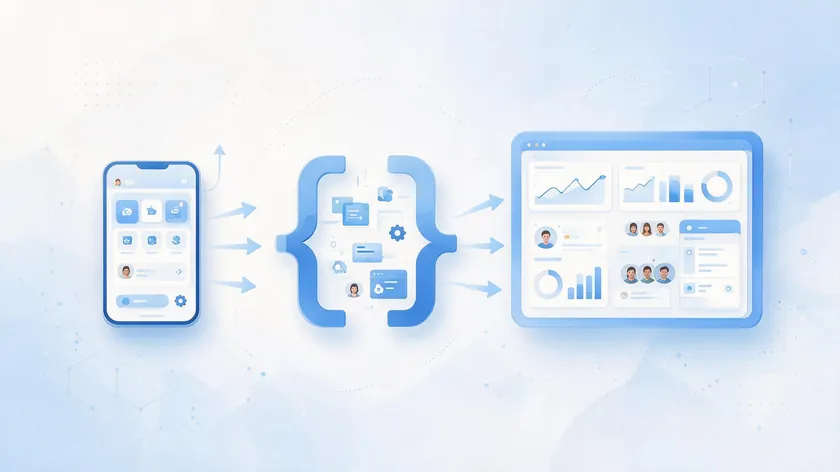
Many teams confuse the free WhatsApp Business app with the WhatsApp Business API and with full provider platforms. Each serves a different scale and workflow. Here is when to consider upgrading from one to the next.
The WhatsApp Business App
The WhatsApp Business app is free, runs on a single phone, and offers basic automation features like labels, quick replies, and a product catalog. Broadcast reach is capped at roughly 256 contacts per list. The app itself supports linking up to 5 devices, but it lacks official API access, multi-agent collaboration, or structured template management.
For local businesses handling a handful of daily WhatsApp conversations, it works. Once your team exceeds two or three people, or daily chat volume passes a few dozen, the app becomes a bottleneck.
The WhatsApp Business API
The WhatsApp Business API has no native interface. It is accessed via HTTP APIs or SDKs and supports automation, approved message templates, webhooks, and high volume messaging across regions. WhatsApp API allows access on multiple devices simultaneously, and an API connection allows businesses to send thousands of messages simultaneously.
Automated messaging is available with WhatsApp Business API, and it supports unlimited users for broadcasts. WhatsApp Business API offers unlimited broadcast reach to users, making it suitable for medium and large teams that need to send and receive WhatsApp messages at scale.
Provider Platforms Built on the API
Provider platforms are built on top of the raw API. They add a shared inbox for multi-agent customer support, contact profiles and segmentation, CRM integrations, AI agents, workflow builders, analytics dashboards, and click to WhatsApp ads routing.
These platforms turn the API from a developer tool into an operational system that marketing, sales, and support teams can use without writing code.
Concrete upgrade triggers include: hitting hundreds of daily chats, needing 5+ simultaneous agents, scaling click to WhatsApp ads, wanting AI agents for triage, or needing strict audit logs and integrations with tools like HubSpot, Salesforce, or Shopify.
Core Criteria for Choosing the Best WhatsApp API Provider
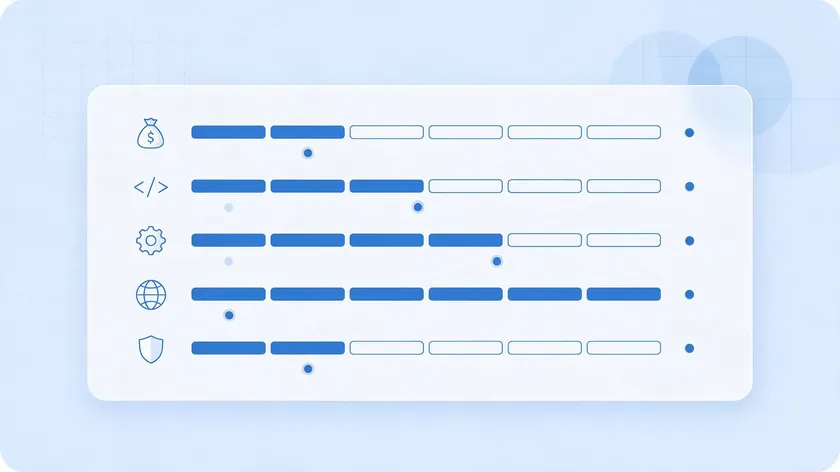
Before comparing brand names, define your evaluation criteria. Choosing a WhatsApp API provider requires evaluating pricing models and automation tools, but those are only two dimensions. Below are five concrete factors to score each candidate on.
Cost Model and Markup Over Meta Fees
Markup models vary widely, and they sit on top of Meta’s own per-message rates (see our full breakdown of WhatsApp business cost for the Meta side of the equation). 360dialog charges a flat €49–€249/month with zero markup on Meta’s per-message fees—you pay Meta’s rate directly. Others build a markup into the per-message price: a 360dialog cost analysis at 70,000 monthly messages found Infobip pricing about 40% higher than 360dialog on marketing messages and Interakt charging roughly 5x more for authentication messages.
Compare flat license vs per-message vs per-seat models against your own forecast volume before committing.
Developer Experience
Check API quality, SDK coverage (Node.js, Python, PHP, Java, Go), documentation clarity, and sandbox availability. How fast can you go from signup to first test message? Some providers offer a sandbox where you can send and receive messages without incurring Meta fees.
Operational Features for Customer Engagement
Shared inbox, assignment rules, multi-agent collaboration, SLA and escalation tools, and support for high volume messaging and WhatsApp broadcasts are table stakes for customer engagement at scale. Look for collision detection (preventing two agents from replying to the same chat) and routing logic for distributing customer messages across support teams.
Multichannel Reach
If you plan to expand beyond WhatsApp, evaluate whether the provider handles SMS, email, Instagram, Messenger, voice APIs, verification, and AI routing from the same platform. A unified channel mix saves you from managing multiple vendors later.
Compliance and Reliability
Verify that the provider is an authorized Meta partner for compliance and reliability. Check data residency options (EU, US, India), uptime SLAs (99.9% or higher), and certifications. Look for high uptime guarantees and adherence to local privacy laws when choosing providers.
Score each provider 1 to 5 on these criteria to build an objective shortlist of best WhatsApp API providers for your specific situation.
How WhatsApp API Access and Onboarding Actually Work
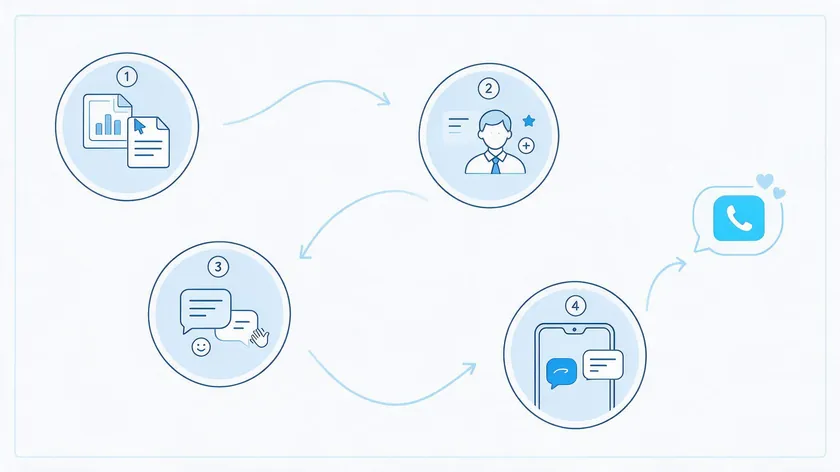
Many buyers underestimate the practical steps from “sign contract” to “first customer reply.” Here is what the path looks like.
- Create or connect a Meta Business Manager. Verify the business through Meta’s process, which checks domain ownership and legal information. Businesses need a verified phone number to apply for WhatsApp API. Providers assist with customer onboarding and connection of business phone numbers.
- The provider handles number registration. Your BSP registers the phone number with WhatsApp and connects it to the Cloud API. You remain responsible for business policies, template management, and opt-in compliance.
- Set up webhooks, API credentials, and message templates. Before launching campaigns, you need approved message templates in each category (utility, marketing, authentication) and working webhook endpoints to capture delivery events. You will also need an API key for authentication.
- Timelines vary by complexity. WhatsApp API integration can be completed in about 30 minutes for simple setups with a mature BSP. Full automation, CRM sync, and AI agents typically take one to four weeks depending on team size and customizations.
Ask each provider for a detailed onboarding checklist, a migration plan (if switching from another provider), and example timelines for companies similar in size and industry.
Key Features to Look For in a WhatsApp API Provider
Beyond WhatsApp Business API cost, features determine whether your team can execute campaigns, handle customer support, and run automation without constant developer help.
Official WhatsApp Business API Access
This is non-negotiable. Confirm the provider holds Meta partner status and supports current template categories (marketing, utility, authentication) under Meta’s July 2025 pricing model. Providers help manage approved message templates for WhatsApp, including submission, review tracking, and category compliance.
Shared Inbox and Multi-Agent Capabilities
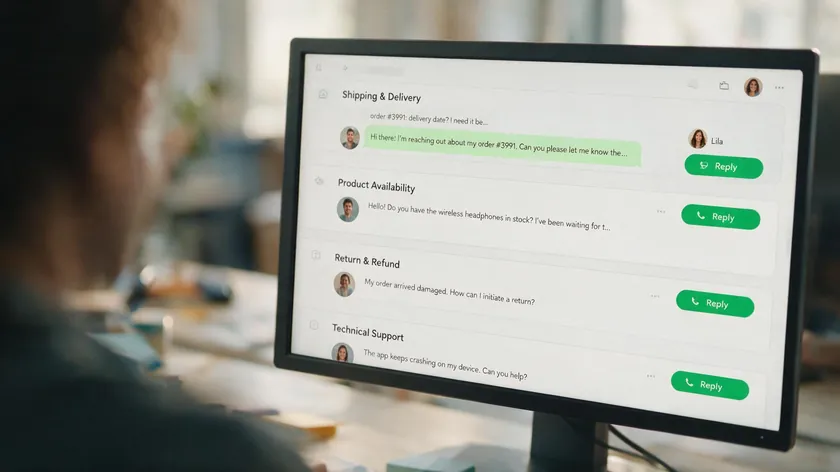
Providers typically offer a shared team inbox for managing chats with a single phone number. Look for per-conversation assignment, collision detection, internal notes, agent presence indicators, and role-based permissions so multiple team members and large support teams can collaborate without stepping on each other’s conversations.
AI and Automation Depth
Providers enable the deployment of AI-powered chatbots and automation workflows. Rule-based flows handle simple automation like appointment reminders and timely reminders, while AI agents can qualify leads, respond to FAQs, and hand off to humans with a summary.
You can automate messages like order confirmations using WhatsApp API, and businesses can send automated notifications for order confirmations as part of the customer journey. When automation fails on edge cases, seamless handover to a human agent with full customer context is critical.
Analytics and Reporting
WhatsApp API providers offer automation and analytics capabilities for message tracking. WhatsApp Business API provides advanced analytics for campaign performance, including funnel metrics on click to WhatsApp ads, template message performance, agent response times, CSAT scores, and revenue attribution.
Integrations
WhatsApp API supports integration with CRMs like HubSpot and Salesforce. WhatsApp Business API allows integration with CRMs and other software, including e-commerce platforms (Shopify, WooCommerce), helpdesks (Zendesk, Freshdesk), and marketing tools (Zapier, Make). The goal is unified CRM data and customer data across systems.
High Volume Messaging Features
For teams running WhatsApp broadcasts or large-scale campaigns, look for send throttling, queue management, delivery status dashboards, quality rating monitoring, and campaign controls. These features keep message volume healthy and compliant with Meta’s policies, which penalize low-engagement sends.
Comparing Major WhatsApp API Providers in 2026
This section presents an at-a-glance comparison of several widely used BSPs so you can quickly see which ones match your priorities. Markup and pricing are described qualitatively; for exact per-country rates, consult each provider’s pricing page.
| Provider | Channels Covered | Markup / Pricing Style | Ideal Customer Profile |
|---|---|---|---|
| 360dialog | WhatsApp only | Flat monthly license (starts at €49/mo), no per-message markup | High-volume WhatsApp-first operations needing transparent pricing and clean pass-through costs |
| Infobip | Omnichannel: WhatsApp, SMS, email, voice across 190+ countries | Quote-based for enterprise; markup on templates and service messages | Large enterprises with global multichannel messaging needs |
| Twilio | Omnichannel: SMS, voice, email, WhatsApp | Flat $0.005 per message over Meta fees | Developer-led teams already using Twilio for other channels |
| Telnyx | WhatsApp, SMS, MMS, voice, verification | No subscription; low per-message markup (~$0.004 over Meta rates) | Operations needing voice APIs, SMS fallback, and verification under one roof |
| Gupshup | WhatsApp, SMS (select regions); strong automation | No subscription in many tiers; one of the lowest per-message markups at $0.001 | E-commerce and marketing-heavy brands needing advanced automation and WhatsApp flows |
| Wati | WhatsApp only; includes shared inbox and chatbot builder | Monthly plan + per-agent seats; 20% markup on WhatsApp messaging costs | Small to mid-sized businesses with few agents wanting no-code setup |
| AiSensy | WhatsApp only; SMB and e-commerce focus | Budget monthly plans; varying markup on templates | SMBs with low to moderate volume. |
| Interakt | WhatsApp only; Shopify integration focus | Tiered monthly plans with per-message fees | Small e-commerce teams on Shopify wanting quick WhatsApp commerce setup |
| Respond.io | WhatsApp, Instagram, Messenger, email, SMS (via integrations) | Per-seat pricing; connects to underlying BSP for WhatsApp | High-volume B2C teams needing multichannel support and sales CRM |
Three patterns emerge from this comparison. First, omnichannel CPaaS providers (Infobip, Telnyx, Twilio) serve enterprises that want a single vendor for multichannel messaging, including voice APIs and SMS fallback. Second, WhatsApp-first platforms (360dialog, Gupshup, Wati, AiSensy, Interakt) deliver better per-message economics for teams focused on WhatsApp capabilities and don’t yet need other channels.
Third, application-layer tools (Respond.io) excel at user experience and agent workflows but depend on an underlying BSP for WhatsApp API access and connectivity.
The right WhatsApp API provider depends on where your business sits across these three categories. A fintech sending authentication codes across 40 countries has different needs than a local D2C brand sending WhatsApp broadcasts to 10,000 opted-in customers.
Deep-Dive: Strengths and Tradeoffs of Popular BSP Types

Instead of brand-by-brand reviews, grouping providers into archetypes helps you decide which “type” to evaluate first.
Omnichannel CPaaS Providers
Providers like Infobip, Bird (formerly MessageBird), Twilio, and Telnyx bundle WhatsApp with SMS, voice, and email. Infobip supports messaging in over 190 countries with quote-based pricing. The strength is one vendor for all customer communication channels.
The tradeoff: more configuration complexity, often higher platform fees, and dashboards that may feel generic for WhatsApp-specific workflows.
WhatsApp-First Platforms
360dialog offers a flat monthly license with no per-message markup, making it the lowest-cost option at scale. Gupshup has one of the lowest per-message markups at $0.001 and strong automation tooling. Wati and AiSensy cater to small businesses with no-code chatbot builders.
The tradeoff: limited or no SMS/voice support, which means adding a second vendor if your channel mix expands.
Application-Layer Inboxes and CRMs
Tools like Respond.io, Kommo, and SleekFlow aggregate WhatsApp and other channels into a unified inbox but do not operate their own network. Respond.io is ideal for high-volume B2C teams needing multichannel support.
They charge per seat and focus on sales/support workflows. The tradeoff: your SLA and data residency depend on the underlying BSP they connect to, and hidden fees can accumulate as you add agents.
Choose an archetype first based on your growth plans. Then compare individual BSPs within that group against the criteria from earlier sections.
Evaluating Developer Experience and API Quality
For teams planning custom integrations, the best WhatsApp solution often means best API and docs, not just best UI. Check whether the provider offers modern REST APIs, clear rate limit documentation, and language SDKs in at least Node.js, Python, PHP, and Java.
Verify that the provider supplies a testing environment or sandbox where you can send and receive messages without touching real customers. Look for copy-pasteable code samples, webhook examples, troubleshooting sections, and GitHub repos with recent commits (2025 or 2026 dates).
Build a small proof of concept on two or three shortlisted providers. Send a welcome template message, capture webhooks, and see objectively whose API is easiest to work with. This test costs a few hours and saves months of frustration. A WhatsApp account connected to a sandbox lets you validate the entire flow before going live with real conversations.
Customer Support, SLAs and Reliability for High Volume Messaging
High volume messaging and mission-critical customer support demand more than an API endpoint. Support and operational tooling are important factors beyond just pricing when choosing a provider. Providers offer technical support when issues arise with WhatsApp integrations, but the quality varies.
Key questions to ask each provider:
- Is support available 24/7 or business hours only?
- What channels does support use (email, chat, phone, WhatsApp)?
- What are first-response time targets? (Some BSPs commit to 30 minutes on critical issues.)
- Do you get a named account manager above a certain spend threshold?
- Is there a public status page showing historical outages?
Look for formal SLAs with uptime commitments of 99.9% or higher, incident communication processes, and maintenance window schedules. “Good support” in practice means help with template rejections, advice on quality ratings, guidance on click to WhatsApp ads setup, and proactive alerts when Meta changes policies.
Collect references from businesses with similar message volume (100,000+ monthly messages) to validate that a provider handles your scale reliably.
Security, Compliance and Data Residency Considerations
Handling real conversations and customer messages means handling personal data. Your choice of API provider has direct security and compliance implications.
Look for ISO 27001, SOC 2 Type II, and GDPR alignment for EU customers. Some providers offer data residency in the EU, US, India, or Brazil, which may be required by local laws or corporate policies. Using an authorized provider ensures adherence to data privacy laws like GDPR, but you should confirm specifics rather than assume compliance from the label alone.
Check how the provider stores message content, media, and logs. Ask what encryption is used in transit and at rest, and how long data is retained by default. Ensure opt-in compliance for WhatsApp marketing messages, correct handling of unsubscribe requests, and alignment with WhatsApp’s commerce policies in every market you operate.
Using Multi-Agent Workspaces Instead of Managing a BSP Yourself

Some teams do not want to deal directly with BSP selection or API complexity. They prefer a multi-agent workspace that abstracts away the underlying provider and lets non-technical staff manage customer engagement from day one.
A multi-agent WhatsApp workspace is a web-based interface where multiple users can log in, share one or more WhatsApp numbers, and handle chat, sales, and support with routing and collaboration tools.
Multi-agent access allows several team members to manage customer chats from a single phone number. w.app’s Multi Agent feature is an example of this approach: businesses plug in their approved WhatsApp connection and then manage all agents, WhatsApp conversations, and simple automation from one place.
This model works for small businesses and mid-size teams that want lead generation, customer support, and sales collaboration over WhatsApp without writing code or managing API infrastructure. You can route conversations between agents, track response times, and scale from a handful of chats per day to thousands without switching the underlying BSP.
Practical Checklist for Selecting the Best WhatsApp API Provider
This section turns earlier concepts into a step-by-step process you can share with stakeholders.
- Define requirements. Estimate monthly WhatsApp messages, number of agents, markets served, need for AI agents, channels beyond WhatsApp, and internal developer resources.
- Build a shortlist. Pick 3 to 5 candidate BSPs from Meta’s partner directory that match your region and use case (e-commerce broadcasts, B2B support, fintech notifications).
- Run a technical proof of concept. Send a template, capture webhooks, test the shared inbox, and measure how long onboarding takes.
- Request a live demo. Walk through your specific workflow: how does routing logic work? Where does customer context appear? What happens when automation fails?
- Compare markup models. Strip out Meta fees and compare only what the BSP adds. Account for setup fees, platform fees, and per-seat costs over 12 months.
- Score on a matrix. Rate each provider 1 to 5 on cost transparency, API quality, AI/automation depth, multichannel support, support quality, and compliance. Choose the one with the best overall fit, not just the lowest starting price.
- Plan for the future. Pick a provider that fits now but can support your 12 to 24 month roadmap, including expansion into other messaging or voice channels.
Work through this list with your team before signing anything—a 30-minute exercise now saves months of frustration later.
Key Takeaways
- A WhatsApp API provider (BSP) is the intermediary that gives you Business API access, adds tooling like inbox, AI agents and analytics, and choosing the wrong one can lock you into bad workflows and costs.
- The “best WhatsApp API provider” is not universal; it depends on your message volume and markup over Meta fees, the developer and onboarding experience, your technical resources, channel mix beyond WhatsApp (SMS, email, voice, AI), and automation needs.
- Official Meta Business Solution Providers differ in markup models (flat license, per-message, per-seat), support quality, AI automation depth, and how quickly they can get you from signup to first template going live.
- Official Meta BSP status and strong compliance posture are non-negotiable, especially for regulated industries handling sensitive customer data.
- Teams who don’t want to deal with BSP evaluation can instead use a multi-agent WhatsApp workspace (like w.app‘s Multi Agent feature) layered on top of an approved connection to share one number safely across sales and support, without owning every technical detail.
Choosing a WhatsApp API provider is rarely a one-time decision—plan for growth, not just today’s message volume.
Map your requirements using the checklist above, then test one or two providers, or try w.app‘s Multi Agent if you’d rather skip managing a BSP altogether.
FAQ
How do I verify if a WhatsApp API provider is an official Meta BSP?
Search the provider’s name in Meta’s official “WhatsApp Business Platform partners” directory and confirm they appear as a Business Solution Provider for your region. You can also ask the provider for a direct link to their listing.
Avoid vendors that rely on QR code mirroring of the WhatsApp Business app or promise “unlimited messaging” without approved message templates, as these are not authorized by Meta.
Can I switch WhatsApp API providers without changing my WhatsApp number?
In most cases, you can migrate a WhatsApp-enabled phone number from one BSP to another through an official migration process managed by Meta and both providers.
Plan carefully: confirm number eligibility, handle template re-creation or transfer, test webhooks and automation on the new platform, and schedule the cutover during low-traffic hours to avoid missed customer messages.
Do I need developers to use a WhatsApp API provider?
It depends on the platform. Developer-centric BSPs expect you to handle HTTP requests, webhooks, and custom apps. No-code and low-code platforms let business teams manage templates, WhatsApp broadcasts, and simple workflows without engineering.
Even with no-code tools, having a developer available helps for deeper CRM integration, custom reporting, or complex multi-system automations.
How do WhatsApp API providers support click to WhatsApp ads?
Good providers integrate directly with Meta ads so that when someone taps a click to WhatsApp ad, the conversation opens in the provider’s shared inbox and is automatically routed to the right agent, queue, or AI agent.
Check whether the provider offers attribution reporting that connects WhatsApp ad campaigns, templates, and downstream conversions (purchases, booked demos) back to specific ads and audiences.
What happens if my WhatsApp message quality rating drops?
A declining quality rating limits how many new customers you can message per day and can slow template approvals. WhatsApp controls this rating, not the BSP.
Choose a provider that surfaces quality ratings in their dashboard, alerts you to issues, and helps you adjust templates, targeting, and send volumes to restore healthy engagement metrics before the restriction impacts your customer communication.