Most businesses outgrow “one phone, one WhatsApp account” the moment a second person needs to answer customer messages. Maybe it’s a co-founder jumping in during peak hours or a new hire who needs access to the same WhatsApp business number. Either way, the default single phone setup breaks fast.
The good news: WhatsApp Business does support multiple users on a single number, but the how depends entirely on which tier you use. A two-person bakery linking two devices is a different problem from a 15-agent support team that needs individual logins, chat assignments, and reporting.
With 15% of Gen Z already preferring messaging apps for support, getting this right matters more every quarter.
This article focuses on the technical limits and options—what the free WhatsApp Business app, Meta Verified, and the WhatsApp Business Platform actually allow for multiple users. All device caps and feature details reflect what’s live as of August 2026.
Table of Contents
- WhatsApp Business App Limits For Multiple Users
- Meta Verified And WhatsApp Business Premium: What Changes For Multiple Devices
- Multi‑Device vs Multi‑Agent: Why The Distinction Matters
- How To Use WhatsApp Business On Two Devices And Across Linked Devices
- WhatsApp Business With Multiple Users On The Free App: When It Still Works
- The WhatsApp Business Platform And API For Multiple Agents
- Device And Agent Limits Compared: App vs Meta Verified vs WhatsApp Business API
- How To Set Up WhatsApp Business For Multiple Users With The API
- Choosing Between App, Meta Verified, And API For A Business With Multiple Users
- Key Takeaways
- FAQ: WhatsApp Business With Multiple Users
- Can I log into the same WhatsApp Business account on two phones with two SIM cards?
- Do customers see which agent answered them on WhatsApp?
- Can I keep my existing chats when moving from the app to the WhatsApp Business API?
- Is WhatsApp Business Premium required before I can use the WhatsApp Business API?
- What happens if my business grows beyond 10 devices on Meta Verified?
WhatsApp Business App Limits For Multiple Users
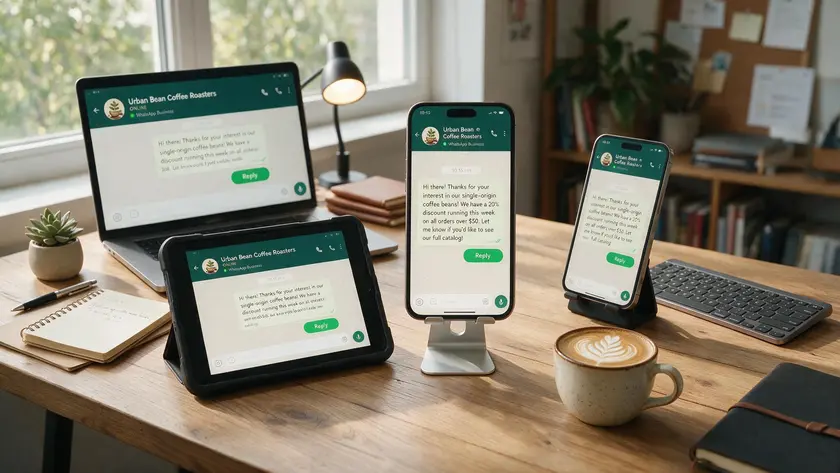
The standard WhatsApp Business app ties one WhatsApp account to one phone number. You register on a single phone—your primary device—and that phone becomes the source of truth for the entire account.
From there, the multi-device feature connects up to four additional devices via Companion Mode. That gives you five devices total: one primary phone plus up to four devices like WhatsApp Web sessions, desktops, or tablets. Multiple users can access one WhatsApp Business account simultaneously across these linked devices.
Here’s what all those linked devices share:
- The same WhatsApp business number and business profile
- The same chat history (though some linked devices may only show up to one year of messages)
- The same identity—customers never see which user or device replied
The WhatsApp Business app provides basic features without advanced chat routing capabilities. There are no per-agent permissions, no reporting by user, and no way to assign conversations. The free WhatsApp Business app is free to use with limited features, which works fine for a two-person shop but creates coordination problems as soon as volumes grow or a third team member joins.
Meta Verified And WhatsApp Business Premium: What Changes For Multiple Devices
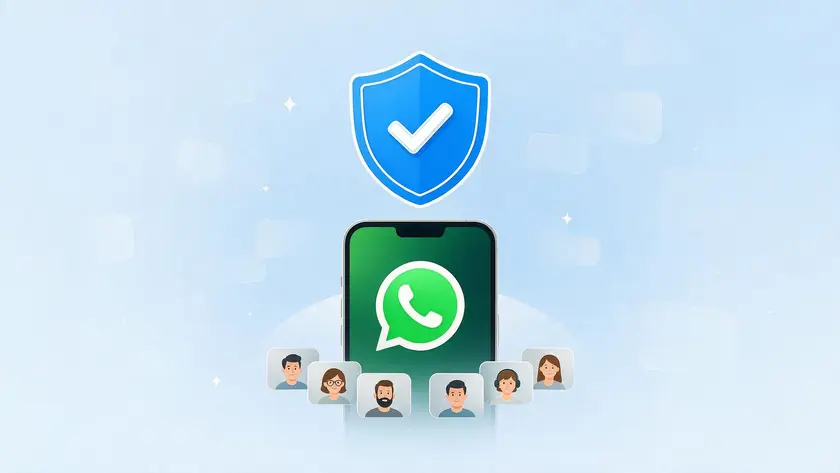
Meta Verified for WhatsApp Business rolled out across markets in 2025–2026 as a paid subscription that extends the app’s capabilities without converting it into the full WhatsApp Business Platform. WhatsApp Business Premium supports linking up to ten devices under this tier, doubling the free app’s cap.
More importantly, Meta Verified unlocks the official “multi-agent” feature inside the business app. With it, a single WhatsApp Business number can be shared across multiple linked devices with specific agent names.
Admins can assign chats to agents and see which agent or device sent each message—all inside the same app interface. Customers still see only one unified business identity; internal agent names are never exposed externally.
Before Meta Verified
On the standard free app, every linked device shares the exact same identity — there’s no way to tell devices or team members apart from the customer’s side. Before: 5 devices, no agent identification, no chat assignment. Whoever picks up the conversation replies simply as “the business,” and nothing in the app tracks who actually sent a given message or assigns it to a specific person.
After Meta Verified
Once Meta Verified is active, the same WhatsApp number supports a real, if basic, team structure without changing anything customers see. After: up to 10 devices, named agents, chat assignments, per-agent message tracking. Admins can tell at a glance which agent handled which conversation, assign incoming chats directly, and keep that visibility even as the team grows past the free app’s original five-device ceiling.
A few caveats worth knowing. Availability is region-dependent—some businesses are still on waitlists. If you cancel the subscription, the device cap drops back to five, and only the four most recently active linked devices remain. And the 14-day rule still applies: if the primary phone goes inactive for more than two weeks, linked devices may disconnect.
Multi‑Device vs Multi‑Agent: Why The Distinction Matters
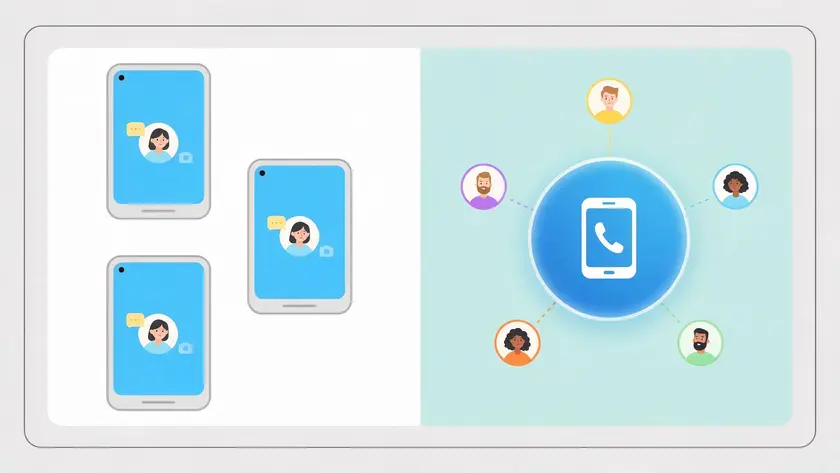
This distinction is the spine of every decision about WhatsApp business with multiple users, so it’s worth defining precisely.
Multi-Device
“Multi-device” means one WhatsApp account mirrored across several devices. Everyone using those devices acts as the same user. There are no separate identities, no assignment rules, no tracking of who did what. Think of a bakery where the owner replies from their phone and an employee replies from a laptop—both are the same “voice.”
Multi-Agent
“Multi-agent” means several identifiable agents working on the same WhatsApp number with separate logins, names, and trackable activity. A 20-seat customer service team where each agent has their own dashboard, assigned customer conversations, and performance metrics—that’s multi-agent.
WhatsApp supports multiple agent functionality for better operational management in customer service scenarios like this.
The reason this matters practically: multiple users can lead to confusion without proper management. Without agent identities, you get double replies, missed messages, and zero accountability.
Those coordination problems are the exact reason businesses eventually need true multi-agent functionality—whether through Meta Verified’s in-app tools or the WhatsApp Business API’s full workspace.
The WhatsApp Business Platform (the API layer) is what enables real multi-agent with unlimited users, CRM integrations, and advanced automation. The app—even with Meta Verified—remains fundamentally a device-mirroring tool with some agent visibility bolted on.
How To Use WhatsApp Business On Two Devices And Across Linked Devices
Setting up WhatsApp Business on two devices takes only a few minutes. Here’s the high-level process:
- Install the WhatsApp Business app on your primary phone (Android or iPhone) and complete registration with your business number.
- On the second device—a laptop, desktop, tablet, or a secondary phone—open WhatsApp Web or download the desktop app.
- On your primary phone, go to Settings → Linked Devices and tap Link a Device.
- Scan the QR code displayed on the second device’s screen.
That’s it. The same flow scales to additional devices: up to four linked devices on the free app, or up to nine linked devices when Meta Verified raises the total cap to 10.
Keep in mind that the primary phone remains the source of record. Some linked devices won’t show the full chat history—web and desktop sessions may display only the most recent year of messages. Real-time location sharing, broadcasts, and status updates are also unsupported on linked devices.
WhatsApp recommends using its official linked devices feature instead of unofficial multi-login tools to prevent account bans. If multiple people share a linked computer, use business-only OS profiles and strong screen locks.
Regular reviews of linked devices are recommended to ensure account security—remove any device that’s no longer in use.
WhatsApp Business With Multiple Users On The Free App: When It Still Works
The free app is ideal for small businesses with tight teams. The best choice for teams of 1–4 is the standard WhatsApp Business app with linked devices—no subscription needed, no API complexity.
Practical patterns that work well at this scale:
- A single shared desktop in a small office where two sales reps take turns replying during their shifts
- One owner on a phone, one assistant on a laptop, both handling the same WhatsApp business account
- A micro-business with two or three people who sit in the same room and verbally coordinate who answers what
On the free app there are no per-agent permissions, no reporting by user, and no way to see who answered which conversation. That’s manageable when everyone is within arm’s reach.
Good Fit Signals
Fewer than 50 new customer chats per day, small teams of 2–3 people, single location, low staff turnover.
Outgrowing The Free App Signals
More than 100 new chats daily, extended operating hours across time zones, a growing team beyond five devices, and customer inquiries going unanswered because nobody knows who “owns” the conversation.
The WhatsApp Business Platform And API For Multiple Agents
The WhatsApp Business Platform—often called the WhatsApp Business API—is Meta’s solution for companies that need multiple agents, advanced automation, and integration with CRMs or helpdesks.
The WhatsApp Business API is designed for medium to large businesses where the free app’s device-based model no longer scales.
The API itself does not have a device limit. It connects your WhatsApp number to a backend, and the WhatsApp Business API allows unlimited user access through your chosen software. Each agent gets their own login and identity.
User roles can be defined in the shared inbox to control access and permissions, and the shared inbox allows features like chat assignments and automated workflows.
The WhatsApp Business API supports chat assignment among multiple users, so conversations route to the right person instead of sitting in a single undifferentiated queue.
The WhatsApp Business API provides advanced automation tools—bots and automation can enhance the functionality of WhatsApp for business communication, handling FAQs or routing inquiries before a human agent ever steps in.
For larger teams needing CRM integration or automated workflows, the API and shared inbox setup is preferred. You typically access the API through a software provider; you can find a detailed breakdown in our WhatsApp API provider guide.
Meta’s per-message fees and total cost of ownership are covered in our dedicated WhatsApp business cost article.
Device And Agent Limits Compared: App vs Meta Verified vs WhatsApp Business API

| Capability | Free WhatsApp Business App | Meta Verified / Premium | WhatsApp Business API |
|---|---|---|---|
| Device limit | 5 total (1 primary + 4 linked) | Up to 10 total | No device cap—agents are software users |
| Agent identity | None—all devices share one identity | Named agents; visible internally only | Full individual logins with roles |
| Chat assignment | Not available | Yes, assign chats to specific agents | Yes—plus routing, queues, automation |
| Reporting by agent | Not available | Basic (which agent sent what) | Full per-agent metrics and analytics |
| Typical team size | 1–4 people | 5–10 people | 10+ agents, no upper limit |
| Best use case | Solo or micro-business, low volume | Small teams wanting visibility | Scaling support and sales teams |
The best setup for WhatsApp Business accounts varies based on team size and operational needs. A solo consultant and a 50-agent contact center both use the same WhatsApp number concept, but the infrastructure behind it is entirely different.
Managing a WhatsApp Business account requires careful consideration of team size and message volume before picking a tier.
How To Set Up WhatsApp Business For Multiple Users With The API
Here’s a step-by-step guide to moving from the app to a multi-agent platform powered by the API:
- Verify your business in Meta Business Manager. You’ll need legal business documents and a functioning website.
- Choose a WhatsApp API provider. Our WhatsApp API provider article walks through how to evaluate and select one—don’t repeat that research here.
- Connect your WhatsApp number to the provider’s platform. If you’re migrating from the app, your existing WhatsApp number can usually transfer, though full chat history from the mobile app typically does not carry over.
- Invite agents with individual logins to the team inbox. Adding users to WhatsApp Business through an API-based inbox typically takes only a few minutes per agent.
Most small businesses can move from the app to an API-based inbox in under a day once business verification is complete. After setup, you manage conversations in a web-based shared inbox where customer messages are assigned to different agents.
The WhatsApp Business Platform can coexist with the WhatsApp Business app in some configurations—messages mirror between the app and API inbox. But long-term, splitting professional communication across two tools creates confusion.
Companies planning Salesforce, Shopify, or other CRM integrations typically go straight to the API layer instead of stretching the free app with additional devices.
Choosing Between App, Meta Verified, And API For A Business With Multiple Users

A simple decision framework:
The Free App
Choose the free app if you have one WhatsApp number, under five occasional users, and low daily chat volume. The app is suitable for small teams at this stage.
Meta Verified
Upgrade to Meta Verified if you need up to 10 devices and basic multi-agent visibility—named agents and chat assignments—without leaving the familiar app interface. This is the sweet spot for small but active teams.
The WhatsApp Business API
Move to the WhatsApp Business API if you need true multi-agent support, reporting, advanced features, and integrations. The API is built for larger businesses scaling customer interactions across a whole team.
Map your expected team size over the next 12–24 months. Migrating from a free app to Meta Verified is seamless. Migrating from app to API requires number migration, new system training, and potential chat history export—manageable, but not something you want to do twice.
Outgrowing the free WhatsApp Business app? Test a true multi-agent setup on the same number your customers already know—same account, no number change, each team member with their own login. Sign up or request a demo and get the whole team routing chats in under an hour.
Key Takeaways
- The WhatsApp Business app supports up to 5 devices; Meta Verified raises this to 10 devices and unlocks basic multi-agent tools; and the WhatsApp Business API enables effectively unlimited agents on one WhatsApp number.
- Multiple devices ≠ multiple agents: shared devices all act as one WhatsApp account, while the WhatsApp Business Platform/API gives each agent their own login and identity, assigning conversations and activity individually.
- The right choice depends mainly on team size, message volume, and integration needs over the next 1–2 years.
- Understanding these technical limits early prevents painful mid‑growth migrations and helps keep response times fast as more people start to use WhatsApp Business.
Outgrowing the free WhatsApp Business app? Test a true multi-agent setup on the same number your customers already know—same account, no number change, each team member with their own login. Sign up or request a demo and get the whole team routing chats in under an hour.
FAQ: WhatsApp Business With Multiple Users
Can I log into the same WhatsApp Business account on two phones with two SIM cards?
One WhatsApp Business account is always tied to a single phone number—you cannot register the same number on two phones as independent SIM-based logins. However, as of August 2026, you can mirror the account to a second phone using Companion Mode, which links it as an additional device.
The second phone acts as a linked device, not a separately registered account, and still counts toward your device cap (5 on the free app, 10 with Meta Verified).
Do customers see which agent answered them on WhatsApp?
No. Customers always see just one WhatsApp Business name and number, regardless of which tier you use. Even with Meta Verified multi-agent or the WhatsApp Business API, internal agent names are only visible inside the business tools.
This keeps customer communication clean and branded; your team collaboration happens entirely behind the scenes.
Can I keep my existing chats when moving from the app to the WhatsApp Business API?
Your phone number can usually be migrated, but full chat history from the mobile app typically does not transfer into an API inbox. Businesses often export key threads for compliance and record-keeping, then start fresh on the new system. Plan for this gap before migrating—it’s a common surprise.
Is WhatsApp Business Premium required before I can use the WhatsApp Business API?
No. Premium and Meta Verified are optional subscription tiers for the mobile app. You can go directly from the free WhatsApp Business app to an API solution without purchasing Premium first.
The API handles multiple agents, multiple devices, and advanced automation through its own infrastructure, independent of the app’s subscription features.
What happens if my business grows beyond 10 devices on Meta Verified?
The 10-device cap is a hard limit for the mobile app, even with a paid subscription. Once you need more agents or different devices than Meta Verified supports—or you need features like CRM integrations, automated routing, or per-agent analytics—the practical path is to move to the WhatsApp Business Platform.
On the API, you are no longer limited by device counts, and multiple phone numbers or multiple WhatsApp Business numbers can be managed from the same business portfolio.