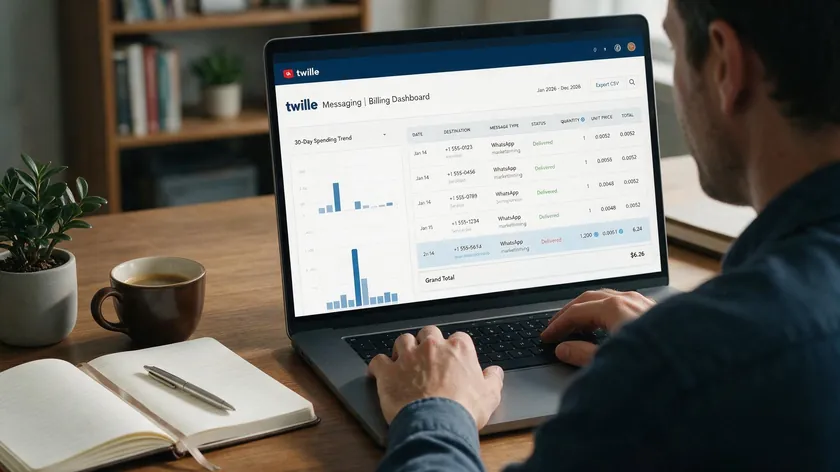
This article breaks down exactly what it costs to send and receive WhatsApp messages through Twilio, split into the two charges that appear on every bill: Twilio’s own flat platform fee and Meta’s separate per-template fee by category and destination country.
All figures are current as of August 2026. WhatsApp’s pricing model changed on July 1, 2025, moving from conversation-based pricing to per-message billing, so numbers from older guides or cached screenshots are likely outdated.
Below, you will find how the two fees stack, a worked monthly example for 50,000 messages, and specific ways to trim the combined cost.
Table of Contents
- How Twilio WhatsApp Pricing Works In 2026 (Fast Overview)
- The New Per-Message Model: Meta vs. Twilio Roles
- Twilio’s Own WhatsApp Fees: The Platform “Markup” Explained
- Meta’s WhatsApp Template Fees: Categories, Windows, and Rates
- Concrete Per-Message Costs: What You Actually Pay
- Worked Monthly Cost Example: 50,000 Messages On Twilio
- How Pay-As-You-Go Billing Appears On Your Twilio Account
- Message Types, Windows, and When You Actually Pay Meta
- Traffic Shaping, Rate Limits, and Deliverability Costs
- When It Makes Sense To Choose Twilio For WhatsApp
- Cost Optimization Tips For Twilio WhatsApp Messaging
- Key Takeaways
- FAQ
- Is there still a free tier for Twilio WhatsApp messages?
- Do I pay Meta for incoming WhatsApp messages on Twilio?
- Are free-form replies inside 24 hours completely free?
- How does WhatsApp pricing differ between the Cloud API and using Twilio?
- Does Twilio charge differently for WhatsApp marketing messages?
How Twilio WhatsApp Pricing Works In 2026 (Fast Overview)
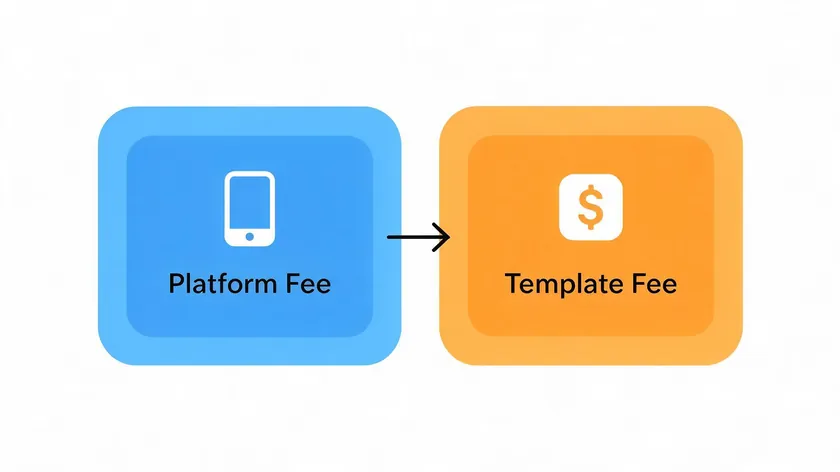
Every WhatsApp message that passes through Twilio carries two separate cost components. Understanding this pricing structure is essential for accurate budgeting.
Twilio’s WhatsApp pricing combines a flat platform fee of $0.005 per message and Meta’s additional fees, which depend on template category and destination country. Twilio provides a Programmable Messaging API for WhatsApp interactions, and the $0.005 applies per message to both inbound and outbound traffic. There is no free tier for production accounts on a live Twilio account.
Meta’s per-template message fees kick in only when you send approved message templates (Utility, Authentication, Marketing) outside a 24-hour customer service window. Utility and authentication templates start at $0.0034/message in many markets as of 2026.
Free-form service replies during an open customer service window incur no Meta charges but still cost $0.005 per message on Twilio.
WhatsApp message costs vary based on geography and message type; a marketing template to Germany costs over 10x more than the same template to India.
The sections below break down categories, the 24-hour window, and a realistic cost scenario using the pay-as-you-go pricing model.
The New Per-Message Model: Meta vs. Twilio Roles
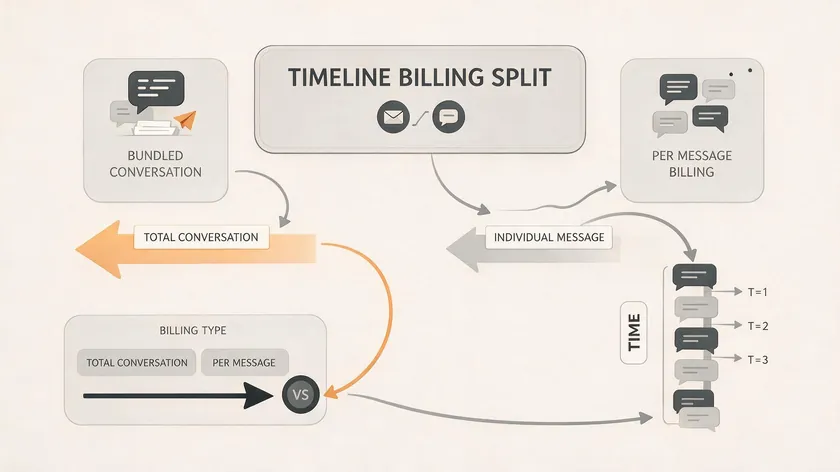
Before July 2025, Meta billed one fee per 24-hour conversation window, regardless of how many messages you sent within it. Since July 1, 2025, Meta’s WhatsApp Business Platform charges per outbound template message through the cloud API. Twilio has always billed per message across its messaging API products, so its side did not change.
Meta’s Role In The Per-Message Model
Meta sets the base cloud API fees, which are different for utility, authentication, and marketing message templates and different per country. Twilio passes those through, then adds its own $0.005 programmable messaging API platform fee on top.
Meta does not charge for incoming messages from users. Meta also does not charge for outbound free-form replies within the 24-hour service window. In those cases, only Twilio’s per-message fee applies.
Twilio’s Role In The Per-Message Model
Think of Meta as the channel owner (setting cloud API rates for each template category and country) and Twilio as the infrastructure layer handling webhook infrastructure, scaling, and multi-channel routing via the Twilio API.
Twilio’s Own WhatsApp Fees: The Platform “Markup” Explained
This is the “Twilio side” of the bill, separate from your overall WhatsApp business cost picture. It is consistent across all message types and destinations.
Base Per-Message Fee
Twilio charges $0.005 per WhatsApp message, inbound or outbound, on pay-as-you-go pricing as of August 2026. Twilio does not use a flat monthly subscription for its WhatsApp API service; there is no monthly minimum and no free tier for production traffic.
That $0.005 applies equally to template sends, free-form replies, and incoming messages. There is no difference in Twilio’s price by category; whether you send a marketing broadcast or an appointment reminder, the platform fee is the same.
WhatsApp traffic sent via the Conversations API (which enables two-way messaging for customer support) or through Flex still pays the same underlying $0.005 per-message WhatsApp channel fee, even if billing is surfaced differently.
Failed-Message Fee
Failure of messages may incur a processing fee of $0.001 from Twilio. This failed message processing fee applies when the message ends in “Failed” status (invalid number, blocked user, etc.), not for successfully delivered messages or most “Undelivered” statuses.
Messaging Engagement Suite Add-On
Optional add-ons raise the effective price. The Messaging Engagement Suite (link shortening, click tracking, scheduling) costs $0.015 per message on top of the $0.005 base, with the first 1,000 messages per month free. Enabling it pushes the Twilio-side cost to $0.020/message before any Meta fee.
Meta’s WhatsApp Template Fees: Categories, Windows, and Rates
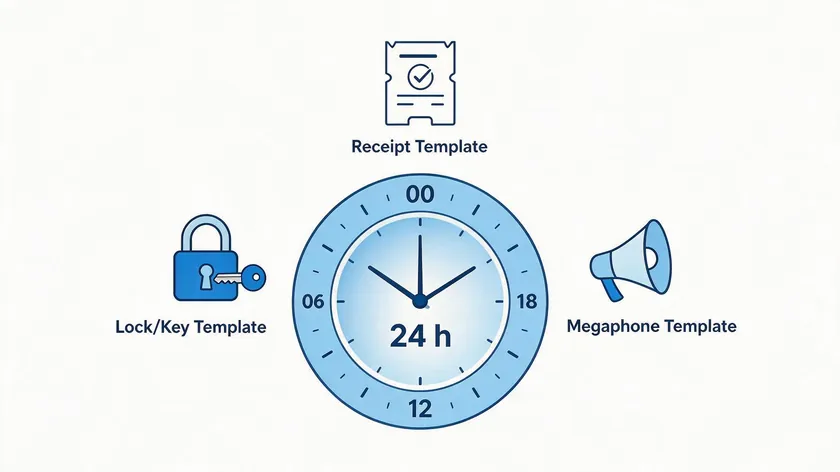
These are the Meta charges that Twilio passes through without extra markup. Meta’s fees vary by country and message type, and the rules differ by template category.
Utility & Authentication Templates
Meta categorizes messages into Marketing, Utility, Authentication, and Service categories. Utility messages confirm transactions like shipping updates and appointment reminders. Authentication templates cover authentication codes such as OTPs and login verifications.
Utility templates are free within a 24-hour service window. That window starts when a user sends a message to your WhatsApp number. During it, you can reply with free-form messages or utility templates without a Meta fee. Twilio’s $0.005 still applies, but the Meta fee of $0.0034+ does not for utility and free-form replies.
Outside the 24-hour window, utility and authentication templates are charged by Meta per message. Baseline cloud API rates start at $0.0034 per message in North America as of the July 1, 2026 rate card, with Germany at roughly $0.0550 and India at $0.0014.
Authentication templates are charged per message sent internationally, and “Authentication-International” rates (when the WABA country differs from the recipient’s) tend to run higher.
Volume discounts apply only to utility and authentication templates at higher monthly volumes; Meta reduces per-message prices across volume tiers as monthly send counts increase.
Utility templates still go through Meta’s standard template review before they can be sent—that approval requirement applies the same way across all three categories; it’s Meta’s per-message fee (not the approval process) that varies by category.
Marketing Templates
Marketing templates are always billed by Meta per message, even inside an open customer service window. There is no “free” window for marketing messages, and marketing messages incur fees without volume discounts.
Meta’s conversation fees vary by message category and recipient’s country; for marketing, Western European rates can exceed $0.13/message while Indian rates sit near $0.01.
Concrete Per-Message Costs: What You Actually Pay
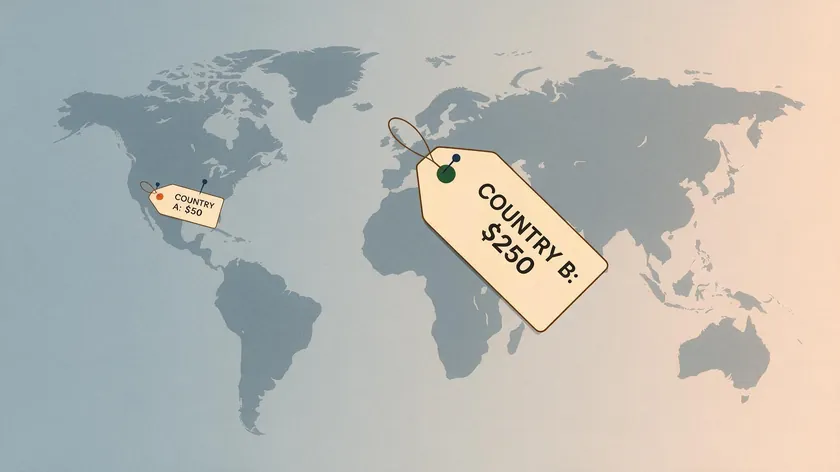
These examples combine Twilio’s flat fee with Meta’s published rate card figures so you can see the total cost per message delivered.
Utility Template Example
A utility template sent outside the 24-hour window to North America, where Meta charges $0.0034/message per its official rate card, costs $0.0034 (Meta) + $0.0050 (Twilio) = $0.0084 per message, excluding optional add-ons.
Utility templates may incur lower fees if sent within a customer service window; inside the window, the Meta portion drops to $0.00, leaving only Twilio’s $0.005.
Service-Window Reply Example
A customer-initiated conversation where your agent sends 5 free-form replies within 24 hours costs 5 × $0.005 = $0.025 to Twilio, with $0.00 to Meta. No template was used, and the window is open, so conversations initiated by users generally have lower costs compared to marketing messages.
Marketing Template Example
A marketing template sent to Germany costs $0.1365 per message from Meta, so the total via Twilio becomes $0.1365 (Meta) + $0.0050 (Twilio) = $0.1415 per marketing message delivered. Contrast that with India, where Meta’s marketing template rate is $0.0118 per message.
The same campaign to Indian WhatsApp contacts costs $0.0118 + $0.0050 = $0.0168 per message delivered. These figures come from Meta’s official per-country rate card, not estimates. Destination country can matter more for total cost than message category does.
Worked Monthly Cost Example: 50,000 Messages On Twilio

Here is a realistic budgeting scenario for a mid-sized business using Twilio’s WhatsApp integration as their messaging API. Follow these steps to model the total cost.
- Define the traffic profile for one month: 20,000 incoming customer messages, 20,000 free-form service replies within the 24-hour window, 8,000 utility templates sent outside the window, and 2,000 marketing templates sent to run marketing campaigns.
- Set example country rates: Utility and authentication templates at $0.0034/message and marketing templates at $0.015/message via the cloud API. These are example numbers; actual rates must be checked for each destination country on Meta’s rate card.
- Calculate Twilio’s platform fees: (20,000 incoming + 20,000 service replies + 8,000 utility templates + 2,000 marketing templates) × $0.005 = 50,000 × $0.005 = $250 in Twilio WhatsApp messaging API fees for the month.
- Calculate Meta’s fees: 20,000 service replies within the 24-hour window are free (no Meta fee). 8,000 utility templates outside the window at $0.0034 = $27.20. 2,000 marketing templates at $0.015 = $30.00. Total Meta charge = $57.20.
- Combined base total: $250.00 (Twilio) + $57.20 (Meta) ≈ $307.20 for 50,000 messages in this profile.
- With Messaging Engagement Suite enabled: The first 1,000 messages per month are free under that add-on, so the calculation is 49,000 × $0.015 = $735 (not 50,000 × $0.015 = $750). This brings the all-in monthly cost to approximately $1,042.20. The free tier matters because it shaves $15 off every month, and at lower volumes (say 5,000 messages) it would cover 20% of the add-on cost entirely.
Costs should be modeled by individual messaging patterns to avoid overspending; your split between service replies, utility messages, and marketing messages will differ from this example.
How Pay-As-You-Go Billing Appears On Your Twilio Account
On a standard pay-as-you-go Twilio account, WhatsApp usage appears under Programmable Messaging, with line items for “WhatsApp” channel messages at $0.005 per message plus any applicable add-on charges.
- Meta’s template fees are not invoiced by Meta directly. Twilio aggregates them and exposes them as “WhatsApp Template” or “Meta WhatsApp Cloud API” pass-through charges in your usage detail, broken down by category and sometimes by country. You configure and review all of this through Meta Business Manager and your Twilio console.
- You will not see separate charges for incoming messages from Meta, because Meta does not bill for those. Only Twilio charges for inbound on a per-message basis.
- Finance teams should export Twilio’s detailed usage CSV monthly and build a simple pivot by channel, template category, and country to understand the split between Twilio platform fees, utility/authentication template costs, and marketing template spending.
Reading the bill this way—Twilio fees separated from Meta’s pass-through charges—is what makes the rest of this article’s math useful in practice, not just in theory. The next question is when those Meta charges actually apply, since that’s the part most teams get wrong.
Message Types, Windows, and When You Actually Pay Meta
Many teams overpay because they do not fully exploit the 24-hour service window. Understanding when Meta bills and when it does not is the single largest lever for cost control on WhatsApp conversations.
| Message Type | When It Applies | Meta Charges? |
| Free-form messages or utility templates | Inside the 24-hour customer service window—opened by an incoming user message and refreshed with each new customer message, so an active back-and-forth can keep it open well beyond the initial 24 hours | No—unlimited free-form messages or utility templates, no Meta fee |
| Utility or authentication templates | Outside the 24-hour window | Yes—Meta’s per-message fee applies; it’s still cheaper than most marketing templates and may be discounted at volume |
| Marketing templates | Any time, regardless of the service window | Yes—Meta bills per template message whether the customer contacted you first or not; Twilio’s $0.005 is added on top in every case |
A cost-aware workflow: send a low-cost utility template (“We tried to reach you; reply YES to continue”) that encourages the user to reply, reopening the free 24-hour service window before you continue with free-form service messages. Some teams use WhatsApp Flows to build interactive reply prompts that achieve this without manual agent effort.
Getting the service window right is the single cheapest lever in this entire pricing structure, since it costs nothing but a bit of message design. Throughput and delivery limits are the next constraint worth understanding, especially for anyone sending at volume.
Traffic Shaping, Rate Limits, and Deliverability Costs
High-volume senders need to consider not only pricing but also how Twilio and WhatsApp handle throughput. Misconfigured sends translate into wasted money.
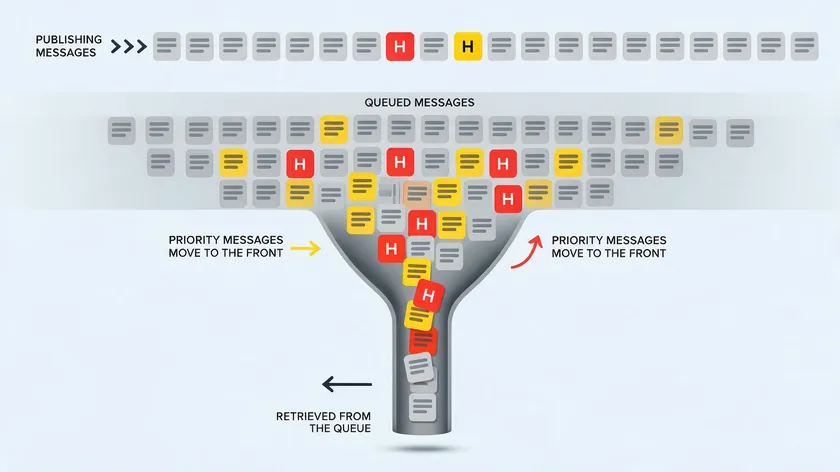
Twilio lets you prioritize message types through traffic shaping: authentication codes and utility messages (OTPs, order updates) can be given priority over lower-priority marketing messages so critical traffic delivers first when throughput is constrained. Typing indicators and read receipts flow separately and do not count toward send limits.
Twilio applies 80 messages per second (MPS) by default per WhatsApp sender for all outbound traffic, scalable up to 400 MPS by request for high-volume senders. This is Twilio’s own published throughput policy.
Meta enforces per-second and per-day sending limits per WhatsApp Business Account. Exceeding those limits causes errors (like error 63018 on Twilio) or delayed delivery, which creates indirect costs: timeouts, retries, and support contacts.
Twilio does not bill extra for traffic shaping itself, but bursts that exceed WhatsApp limits lead to more failed messages. Each failure can trigger the $0.001 failed-message processing fee and waste both Twilio and Meta charges.
Implement queue logic on top of the programmable messaging API to smooth out bursts, especially for marketing campaigns sent to hundreds of thousands of WhatsApp contacts at once. Some teams set up a simple const client wrapper in their send logic to throttle requests below the MPS ceiling.
None of this changes the per-message price, but ignoring it turns a predictable bill into failed sends, retries, and wasted spend. With the cost mechanics and throughput both covered, the remaining question is simply whether Twilio is the right infrastructure choice at all.
When It Makes Sense To Choose Twilio For WhatsApp
Twilio is infrastructure, not a marketing tool. Here is where that infrastructure pays for itself.
Running WhatsApp Alongside Other Channels
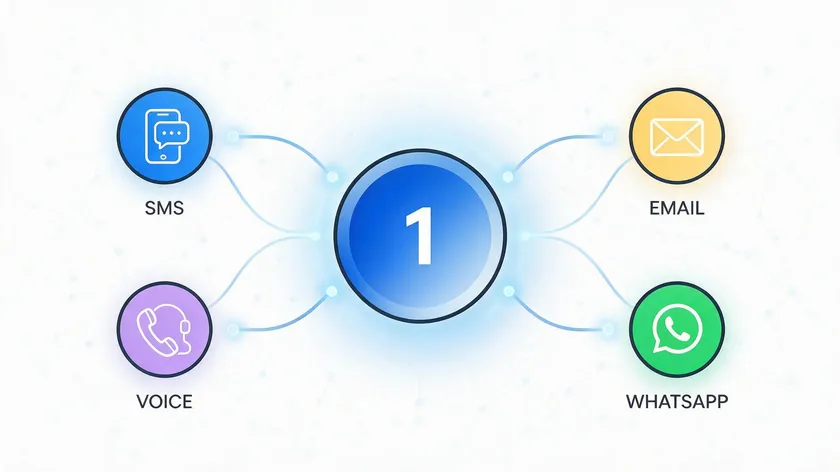
If WhatsApp is one of many channels you run alongside SMS, voice calls, email, or Facebook Messenger, Twilio’s multi-channel programmable messaging API lets you orchestrate all of them from a single backend.
Twilio supports sending alerts, notifications, and marketing messages across these channels, and you can receive SMS and WhatsApp messages through the same webhook. You can also configure SMS fallback for cases where WhatsApp delivery fails.
A Better Fit For In-House Developers Than Non-Technical Teams
Twilio’s WhatsApp integration fits teams with in-house developers comfortable with HTTP APIs, webhooks, and the nuances of message templates and rate limits. Twilio’s API requires programming skills for effective use; code changes to your send logic are routine.
Non-technical marketing teams that want a ready-made GUI instead of building on an API may find a different type of WhatsApp Business Solution Provider a better starting point, though that comes with its own trade-offs and belongs in a separate provider comparison, not a cost article.
Twilio’s API allows sending one-way WhatsApp messages for alerts as well as interactive two-way messaging for support.
When You’re Already Invested In Twilio’s Broader Stack
For organizations already invested in Twilio’s broader stack (SendGrid for email, Segment for customer data, Flex for contact centers), keeping WhatsApp traffic on Twilio reduces integration work even if the $0.005 per-message fee adds overhead versus direct access to the Meta Cloud API, which is cheaper but requires more maintenance and self-hosted webhook infrastructure.
Whichever path fits, the pricing mechanics from earlier in this article—Twilio’s flat fee plus Meta’s category and country-based rates—apply the same way regardless of which specific provider or channel mix a business ends up choosing.
Cost Optimization Tips For Twilio WhatsApp Messaging

- Maximize the 24-hour service window by designing flows that prompt users to reply. The majority of service WhatsApp conversations can then happen via free-form messages that only incur Twilio’s $0.005, not Meta’s per-template charges. WhatsApp newsletters and broadcast lists can include a reply prompt to open the window before follow-up.
- Segment message templates into Utility, Authentication, and Marketing. Use utility templates whenever possible for operational updates like shipping updates and appointment reminders; they are cheaper than marketing templates and benefit from volume-based discounts at higher volumes.
- Track message mix by category in your logs. Tag each call to the programmable messaging API so you can see how much of your spend goes to Meta marketing templates versus lower-cost templates versus Twilio-only service replies. Sticky senders (consistent sender assignment per user) can help attribute costs per conversation thread.
- Run small test campaigns (a few thousand recipients) to benchmark effective cost per engaged user on WhatsApp versus other channels. If marketing messages to high-cost countries exceed your target CPA, reserve WhatsApp for higher-value or more targeted outreach in those markets.
- Optimize content and timing to reduce failed deliveries. Invalid numbers, opt-outs, and blocked users all trigger the $0.001 failed-message processing fee and waste Meta template charges. Cleaning your contact list before a campaign launch directly reduces waste.
None of these tips change Twilio’s flat $0.005 fee or Meta’s category rates—they change how much of your traffic falls into the cheaper buckets versus the expensive ones. That distinction is worth keeping in mind heading into the summary below.
Key Takeaways
- Twilio charges a flat $0.005 per WhatsApp message, inbound or outbound, with no free tier on production accounts, plus a $0.001 fee on messages that fail at the Twilio/WhatsApp level.
- Meta charges separately per template message, varying by category and destination country: utility and authentication templates start at $0.0034/message outside the 24-hour service window and are free inside it; marketing templates are always billed, with no free window and no volume discounts.
- WhatsApp moved from conversation-based billing to per-message billing on July 1, 2025.
- Your real monthly cost depends on the mix of free-form service replies (Twilio fee only) versus templates sent outside the service window (Twilio fee + Meta fee), plus optional add-ons like the Messaging Engagement Suite ($0.015/message, first 1,000 free).
- Once WhatsApp is live on a number provisioned through Twilio, managing message volume across a team is a separate operational question from the pricing one covered here.
Once you know exactly what each message costs, the next question is who answers them. Messages still need to be handled by real people, without duplicate replies or missed chats across agents sharing one number.
That is a workflow problem, not a pricing problem, and it is what a shared team inbox. solves w.app‘s Multi-Agent tool lets your team manage WhatsApp volume from a single number with chat assignment, collision prevention, and full conversation history, so the per-message spend you just calculated actually turns into resolved conversations.
FAQ
Is there still a free tier for Twilio WhatsApp messages?
As of August 2026, there is no WhatsApp-specific free tier on production Twilio accounts. Every WhatsApp message sent or received costs $0.005 on Twilio, plus any applicable Meta template fees. New Twilio accounts may receive generic trial credits for testing, but those credits are account-wide and not a standing free allowance for WhatsApp traffic.
Do I pay Meta for incoming WhatsApp messages on Twilio?
Meta does not charge for incoming messages from end users on the WhatsApp Business Platform. Only Twilio’s $0.005 per-message fee applies for those incoming messages on your Twilio account. Meta fees apply exclusively to outbound messages sent via approved templates (utility, authentication, and marketing) and only under the rules described earlier: utility and authentication outside the 24-hour window and marketing always.
Are free-form replies inside 24 hours completely free?
Free-form replies sent within an open 24-hour customer service window are free from Meta’s perspective, but Twilio still charges $0.005 per message delivered or received. “Free” in most WhatsApp cloud API documentation refers to Meta not billing a template fee; it does not remove Twilio’s own messaging API charges.
How does WhatsApp pricing differ between the Cloud API and using Twilio?
If you connect directly to the WhatsApp cloud API, you pay only Meta’s per-message template rates plus your own hosting and infrastructure costs. With Twilio, you pay those same Meta rates plus Twilio’s $0.005 per-message platform fee and optional add-ons. In exchange, Twilio manages webhooks, scaling, retries, and multi-channel routing under a single programmable messaging API, which can reduce engineering effort compared to self-hosting your own stack — a trade-off worth weighing against other WhatsApp API provider options running on your own US servers or elsewhere.
Does Twilio charge differently for WhatsApp marketing messages?
Twilio’s platform fee is flat at $0.005 per message regardless of whether a message is utility, authentication, or marketing. The difference for marketing messages comes from Meta’s side, where marketing templates are always billed per message and priced higher than utility templates in most countries. Treat Twilio’s fee as a stable per-message “transport cost,” and focus optimization on Meta template usage and your mix between utility/authentication versus marketing for the largest savings.