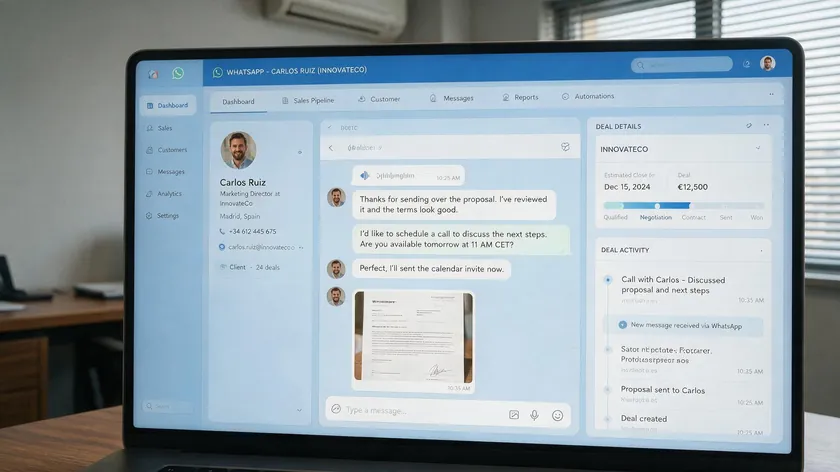
WhatsApp CRM integration is the process of connecting a WhatsApp Business number or API to CRM software so that contacts, WhatsApp messages, and deal data stay synced automatically.
Without this connection, teams lose conversation history, duplicate contacts pile up across systems, and automations cannot trigger based on WhatsApp activity—leaving sales, support, and marketing teams working from incomplete information.
With over 3 billion users relying on WhatsApp for business communication, the channel is too large to manage outside a customer relationship management system.
This guide is neutral and vendor-agnostic. The top-ranking results for this topic are all vendor blogs pushing their own CRM platform, so this article takes a different approach—explaining integration methods, data flows, and trade-offs objectively.
It covers how the integration works technically, the three main integration methods (native, third-party connector, and custom API/webhook), and how to evaluate whether a given CRM with WhatsApp integration is truly native or bolted-on.
Pricing, BSP selection, and shared-inbox mechanics are covered in other w.app resources, so this piece stays focused on integration mechanics and data sync.
Table of Contents
- What WhatsApp CRM Integration Actually Is
- WhatsApp Business App vs WhatsApp Business Platform (API)
- Core Data Flows in a WhatsApp–CRM Integration
- Why WhatsApp CRM Integration Matters for Sales, Support, and Marketing
- Integration Approaches: Native vs Connector vs Custom
- Comparison Table: WhatsApp CRM Integration Methods
- How Native WhatsApp-CRM Integrations Work
- Using Third-Party Connectors and Middleware
- Custom WhatsApp API and Webhook Integrations
- Automation Triggers Based on WhatsApp Activity
- Evaluating Whether a WhatsApp Integration Is Truly Native or Bolted-On
- Common Pitfalls When Integrating WhatsApp with Your CRM
- Data Privacy, Consent, and Compliance Considerations
- Preparing Your CRM for WhatsApp Integration
- High-Level Setup Steps to Connect WhatsApp with Your CRM
- Testing and Monitoring Your WhatsApp CRM Integration
- Choosing a CRM That Plays Well with WhatsApp
- How WhatsApp CRM Integration Affects Reporting and Analytics
- Bringing It All Together: Making WhatsApp Part of Your CRM Strategy
- Key Takeaways
- FAQ
- Can I integrate WhatsApp with a CRM without using the official WhatsApp Business Platform?
- What happens to my WhatsApp data if I switch CRMs later?
- Can WhatsApp CRM integration work if I use multiple CRMs at the same time?
- How do WhatsApp message templates fit into CRM workflows?
- Is it possible to keep WhatsApp conversations private for some teams while still logging them in the CRM?
What WhatsApp CRM Integration Actually Is
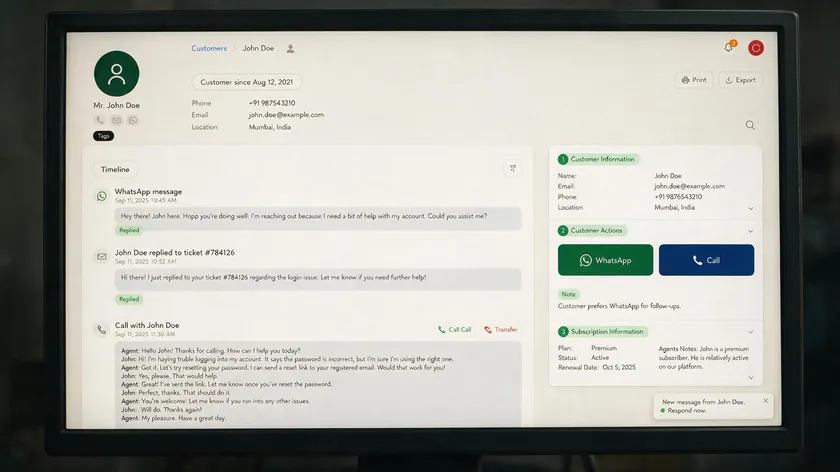
WhatsApp CRM integration means linking a WhatsApp Business number—typically through the official WhatsApp Business API—to a CRM tool so that WhatsApp messages, WhatsApp contacts, and activity data are stored as structured CRM records.
Integrating WhatsApp with a CRM system connects messaging data to customer databases, allowing teams to manage customer interactions from a single dashboard rather than flipping between apps.
The goal goes well beyond replying to chats from your CRM. A proper WhatsApp integration creates a unified customer profile where WhatsApp conversations sit beside emails, phone logs, and pipeline data for each contact.
Every inbound and outbound message appears as a timeline event matched to a specific lead or contact record. WhatsApp CRM automates data transfer from chats to customer records, reducing manual data entry by syncing conversations automatically and providing a unified view of customer interactions.
This is fundamentally different from simply opening WhatsApp Web on a second browser tab. In a non-integrated setup, the CRM holds disconnected notes while WhatsApp Web holds the real conversation.
In a full WhatsApp business integration, the CRM—not the phone—becomes the source of truth for client communication. Most serious implementations in 2026 use the official WhatsApp Business Platform rather than basic QR mirroring, because only the API can support automations, WhatsApp message templates, and reliable data sync.
WhatsApp Business App vs WhatsApp Business Platform (API)
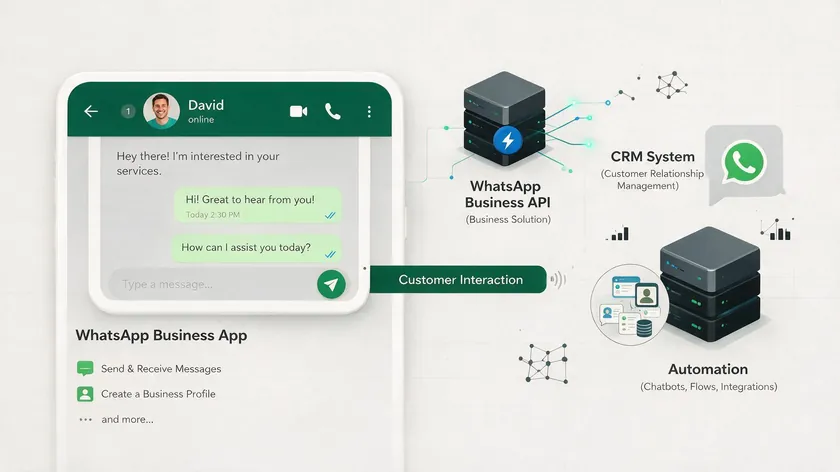
The free WhatsApp Business App and the paid WhatsApp Business Platform (API) are two different products, and which one a business uses determines what kind of CRM integration is even possible. Understanding this distinction is the first practical step before evaluating any WhatsApp CRM software or WhatsApp CRM solution.
WhatsApp Business App: Manual Use, No Native CRM Sync
- The WhatsApp Business App is a free, single-device (or limited multi-device) smartphone app meant for very small businesses handling low message volumes.
- There is no official API access—any “integration” with a CRM is unofficial, relying on browser extensions or QR-code session hijacking, which violates WhatsApp’s terms of service.
- Conversations and WhatsApp contacts stay siloed on the phone, with no automatic contact or chat history sync to a CRM.
Because of these limitations, the WhatsApp app can never deliver real WhatsApp CRM integration as defined above. Automations, contact syncing, message history logging, and workflow triggers all depend on official API access, which the free app simply does not provide.
WhatsApp Business Platform (API): Built for CRM Integration
- The WhatsApp Business Platform is paid, official Meta API access designed for programmatic use—this is what real CRM integrations connect to.
- It supports webhooks, message templates, delivery and read receipts, and multi-agent access, which is what makes contact sync, conversation logging, and automation possible.
- WhatsApp messages allow businesses to send rich media and interactive content through this platform, including images, documents, and structured template messages.
This is the version referenced throughout the rest of this article whenever WhatsApp CRM integration is discussed. If a CRM vendor claims WhatsApp integration, the underlying mechanism almost always requires WhatsApp Business API access through this platform.
From this point forward, the article assumes the WhatsApp Business Platform (API), not the free WhatsApp Business App, since that is the only version a CRM can actually connect to in any meaningful, stable way.
Core Data Flows in a WhatsApp–CRM Integration
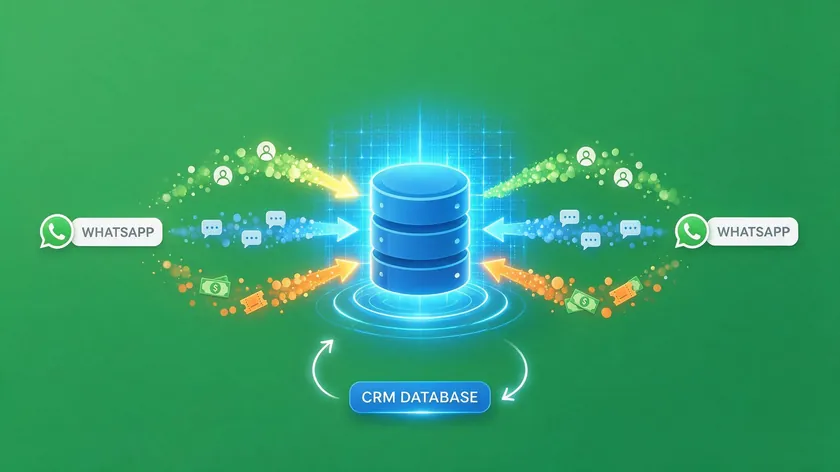
A WhatsApp–CRM integration is really about keeping three types of data in sync—not just “connecting” the two tools. Understanding these flows helps you evaluate whether a given integration actually delivers useful CRM data or just creates a superficial link.
Contact and Profile Data
- Phone number, name, and any custom fields (such as lead source, language preference, tags, or opt-in status) sync from WhatsApp interactions into the corresponding CRM contact or lead record.
- New WhatsApp senders without a matching CRM record typically trigger a new contact or lead creation, depending on how the integration is configured.
Contact syncing is foundational, and getting it right requires normalizing phone numbers to international format, handling edge cases like one number used by multiple people, and mapping custom fields cleanly between WhatsApp and the CRM.
Poor identity mapping causes duplicate records, lost history, and broken automation triggers—problems that are far harder to fix after launch than before.
Conversation and Message History
- Full message threads—text, media, and template messages—log against the contact’s timeline in the CRM, alongside emails and calls. WhatsApp CRM integrates chats into customer records so reps never lose context.
- Message status (delivered, read, and replied) syncs so sales and support reps see WhatsApp activity without leaving the CRM dashboard.
This is where many integrations falter. If history is partial, media attachments are dropped, or status information lags, the CRM timeline becomes misleading. WhatsApp CRM reduces manual data entry by syncing conversations automatically, but only if the sync is comprehensive.
Businesses should explicitly confirm whether their integration handles media files, template messages, and delivery receipts—not just plain text.
Commercial Objects (Deals, Orders, Tickets)
- Some integrations go beyond contact and conversation sync and let WhatsApp activity trigger or update deals, orders, or support tickets tied to that contact.
- This is the deepest level of integration and is usually only available through native connectors or custom API/webhook work, not basic third-party connectors.
Mapping WhatsApp interactions to commercial objects is where downstream impact on the sales process and customer satisfaction is greatest. For example, a customer message saying “I want to buy X” can trigger a deal creation, or a question about a past order can update a support ticket.
But this level of sophistication increases complexity and requires more careful technical design.
Why WhatsApp CRM Integration Matters for Sales, Support, and Marketing

The value of WhatsApp integration differs depending on which team is using it. Sales teams care about pipeline velocity, support teams care about context, and marketing teams care about segmentation and compliance. Here is how each benefits.
For Sales Teams
- WhatsApp conversations tied to deal records mean reps can see pricing discussions or objections without hunting through a separate messaging app.
- Faster follow-up on WhatsApp-originated leads happens naturally since the CRM’s existing pipeline and automation rules apply to them.
For the sales team, integration provides a more accurate understanding of deal stage and faster movement through the pipeline. E-commerce businesses use WhatsApp CRM for abandoned cart recovery, real estate teams utilize it for lead qualification, and travel agencies leverage WhatsApp CRM for customer engagement—all relying on the same principle: when WhatsApp chats are visible alongside deal data, reps respond faster and close more.
For Support Teams
- WhatsApp tickets show full customer history—past purchases, prior tickets—instead of a blank conversation.
- This reduces duplicate work when a customer switches between WhatsApp and other channels mid-issue.
Real-time conversations through WhatsApp can resolve issues faster than waiting for emails, and when those conversations are logged in the CRM, support agents avoid the “tell me again” problem.
Healthcare providers use WhatsApp CRM for appointment management and follow-up, which improves customer satisfaction and first-contact resolution.
For Marketing Teams
- Segmentation and campaign targeting can use WhatsApp engagement data (opened, replied, converted) alongside other channel data stored in CRM contacts.
- Consent and opt-in status recorded once in the CRM apply consistently across multiple channels, including WhatsApp marketing campaigns.
WhatsApp is frequently cited as having open rates far above email—commonly quoted around 98%, though independently measured rates vary widely depending on list quality—which still makes it a powerful channel for promotional messages, but only if marketing teams can measure it.
When WhatsApp engagement data feeds into CRM data alongside email and SMS metrics, marketers can compare ROI per channel and run smarter WhatsApp marketing strategy decisions.
Educational institutions use WhatsApp CRM for student communication, demonstrating that the channel applies far beyond traditional sales.
The underlying reason all three teams benefit is the same: one unified record instead of three disconnected views of the same customer. Without CRM WhatsApp integration, each team works from partial context and scattered histories, which erodes both efficiency and customer experience.
Integration Approaches: Native vs Connector vs Custom
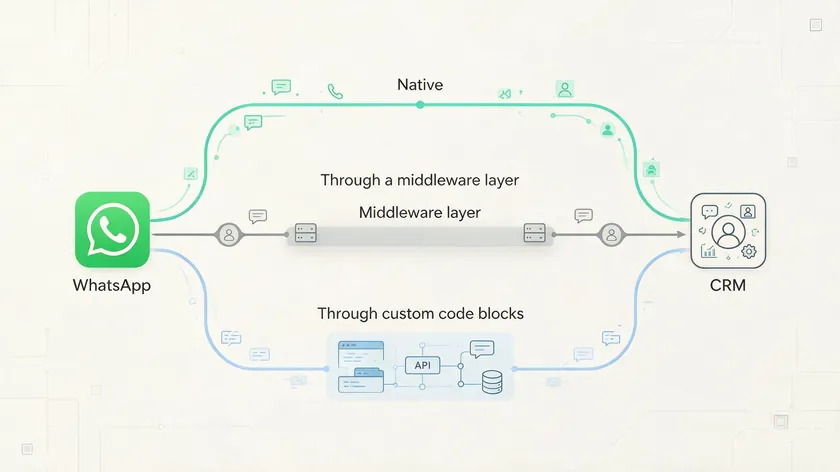
There are three main models for WhatsApp CRM integration in 2026: native integrations built directly into CRM systems, middleware or connector platforms (including no-code tools and iPaaS), and fully custom API/webhook development.
WhatsApp CRM integrations include native and third-party options, plus bespoke builds for enterprises with complex needs.
None of these is universally the best WhatsApp CRM approach—each has trade-offs around control, speed of setup, and long-term maintenance. A native integration inside a CRM like HubSpot or Zoho CRM might take hours to configure, while a custom webhook build might take weeks but gives full control over every data field.
Before choosing, think about internal technical resources, regulatory requirements, WhatsApp message volume, and whether your CRM’s data model can handle WhatsApp events natively.
The next section contains a comparison table summarizing these approaches across several dimensions so you can identify which pattern fits your situation.
Comparison Table: WhatsApp CRM Integration Methods
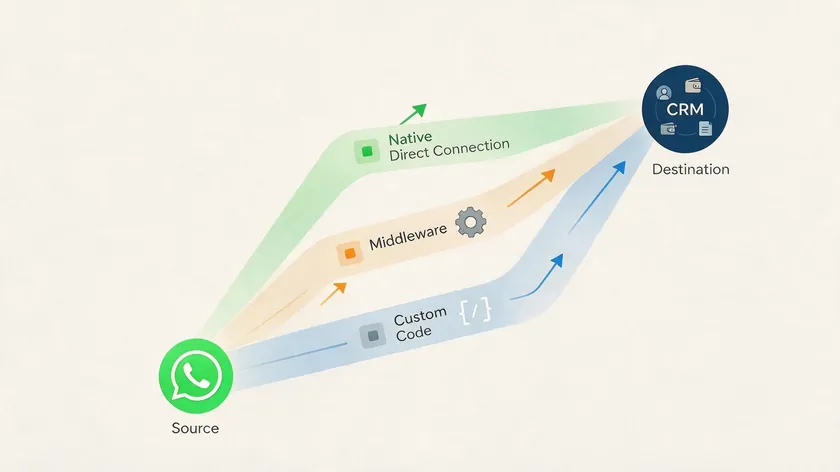
| Integration Method | Setup Time | Technical Skills Required | Data Sync Depth | Flexibility & Customization | Typical CRM Examples | When It Fits Best |
|---|---|---|---|---|---|---|
| Native CRM Integration | Hours to a few days | Basic CRM admin; little coding | High for contacts, messages, templates, basic deal/ticket mapping; usually real-time | Moderate; limited to what the CRM vendor exposes | HubSpot, Zoho CRM, Pipedrive, Freshworks | WhatsApp is one of several channels with modest volume; team prefers minimal setup |
| Third-Party Connector / Middleware | Hours to several days | Moderate; mapping events, handling webhooks, managing logic | Variable; contacts and messages usually supported; media and template approvals sometimes partial | High; supports filters, custom mapping, multi-system routing | Businesses needing WhatsApp events in multiple tools (CRM + helpdesk) | A native option doesn’t exist or doesn’t cover your needs; no engineering team |
| Custom API / Webhook Build | Weeks to months | High-level backend dev, API design, error/retry logic | Full: contacts, messages, media, status, custom objects, bidirectional sync | Very high; anything can be bespoke, including data residency | Enterprises with complex stacks (ERP, legacy CRMs, custom pipelines) | WhatsApp is a core channel, or business has unique objects/compliance needs |
For example, a small business using HubSpot might set up a native WhatsApp integration within the same day and get contact and message sync working immediately but may find that certain custom deal types cannot be mapped.
In contrast, a large firm with a complex Salesforce or Odoo environment may build a custom webhook solution to connect WhatsApp to not only their CRM but also to internal ERP, support ticketing, and billing systems. Some third-party connector platforms advertise that you can connect your WhatsApp number to your CRM in as little as five minutes, though the depth of that connection varies.
If your team’s WhatsApp volume is expected to grow, or if your business processes rely heavily on custom objects, you will lean toward custom or high-end native integrations.
If WhatsApp is an occasional channel among many, native or connector paths are more cost-efficient. Since July 2025, Meta charges per message rather than per conversation on the WhatsApp Business Platform.
For a full breakdown of per-message costs, see our guide on Twilio WhatsApp pricing
Rates vary by template category and recipient country—marketing messages typically cost more than utility or authentication messages, and those sent within the free 24-hour customer service window are free—so the cost of the messaging layer itself is separate from the cost of the integration approach.
How Native WhatsApp-CRM Integrations Work
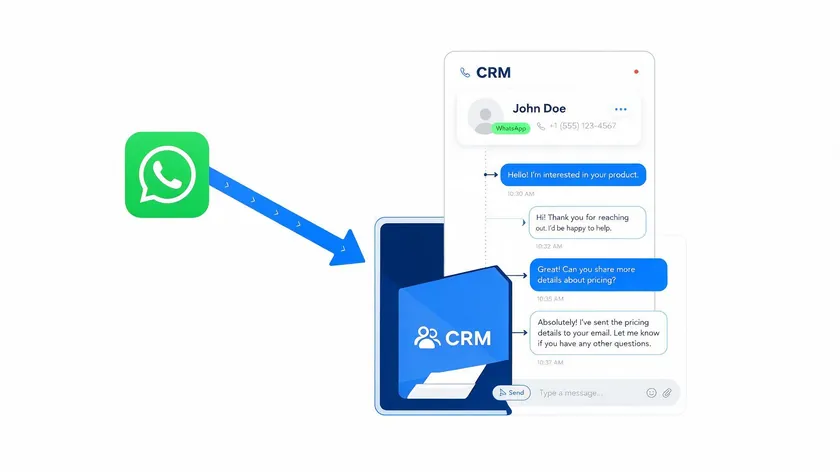
When a CRM vendor offers a native WhatsApp integration, it means the CRM itself orchestrates message sending, receiving, and logging without relying on external middleware. Native integrations connect WhatsApp directly to CRM systems through the CRM vendor’s own codebase and UI.
At a system level, here is what typically happens when a new WhatsApp message arrives: Meta sends a webhook to the CRM’s integration service. The service verifies the payload, identifies or creates a contact record based on the sender’s phone number, logs the message into the contact’s conversation timeline, and updates message status.
If the CRM has automation features, WhatsApp message events can trigger workflows—creating tasks, moving deals to a new stage, or notifying account owners—all without extra middleware. Businesses can automate responses and track performance directly within the CRM platform.
Native approaches shine in simplicity and unified support: the CRM vendor is responsible for maintaining compatibility with WhatsApp API changes, and agents work from a single interface.
Constraints often include limited customization of data flows (only certain fields or object types supported), per-seat costs, and sometimes latency in media or read/delivery status depending on infrastructure.
CRM providers like Zoho CRM now offer two-way WhatsApp messages directly from contact records, illustrating how the native WhatsApp integration model is maturing.
Using Third-Party Connectors and Middleware
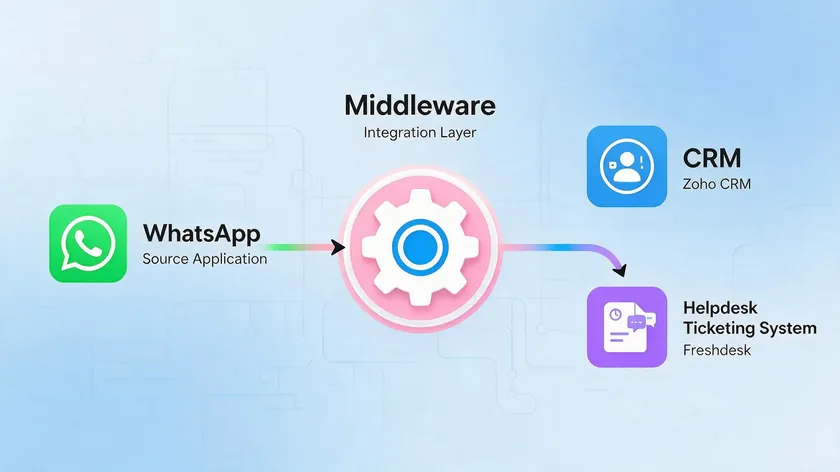
Connector platforms and iPaaS tools listen for WhatsApp events via the API, transform the payload, and push it into the CRM via that CRM’s API. Third-party integrations use Business Solution Providers or middleware layers for WhatsApp connections when the CRM does not offer native support or when data needs to flow to more than one system.
A concrete scenario: a business wants WhatsApp messages to create or update contacts in both its sales CRM and its customer support ticketing system. Or it wants messages containing certain keywords—like “invoice” or “refund”—to automatically create support tickets. Middleware makes this possible by mapping WhatsApp events to CRM actions across multiple endpoints.
Teams juggling those WhatsApp conversations across multiple agents can also use a WhatsApp team inbox to keep conversation ownership clear before that data reaches the CRM.
Configuration typically involves authorizing WhatsApp Business Platform access, connecting the CRM account, mapping fields (phone, name, tags, opt-in status), and defining triggers.
Common limitations include polling delays if the connector does not use real-time webhooks, incomplete media attachments, missing status updates, and cost that scales with transaction volume—sometimes unexpectedly high. Each added middleware layer introduces complexity, latency, monitoring needs, and risk of silent failures.
Middleware is a pragmatic option when native integrations do not exist or do not cover all use cases, but teams should understand exactly where their customer data lives and how many systems sit between a WhatsApp message and its final resting place in the CRM.
Custom WhatsApp API and Webhook Integrations

Custom development is warranted when systems are complex—multiple CRMs, internal ERPs, or custom objects like loan applications or policy records—or when strict data residency rules apply. Custom API integrations offer tailored WhatsApp CRM solutions for larger businesses with requirements that off-the-shelf connectors cannot meet.
A typical architecture involves the company’s backend receiving WhatsApp webhooks from Meta, applying business logic (identity mapping, field resolution, error handling), and using the CRM’s REST API to create or update contacts, activities, and deals. Outbound messages go via Meta’s API through the same backend.
Standard practice for production webhook systems includes building fallback paths—such as polling Meta’s status API when webhook delivery fails—along with message queues, idempotent writes, and observability dashboards to handle spikes during campaigns or outages.
Robust error handling, retry logic, and logging are essential so that WhatsApp messages never silently fail to reach the CRM database. In 2026, many enterprises pair this approach with microservices to handle high-volume WhatsApp traffic gracefully.
Custom builds give maximum control over WhatsApp CRM integration but require serious engineering investment and long-term maintenance handling of Meta API version changes, CRM schema updates, and scaling as message volume grows.
Automation Triggers Based on WhatsApp Activity
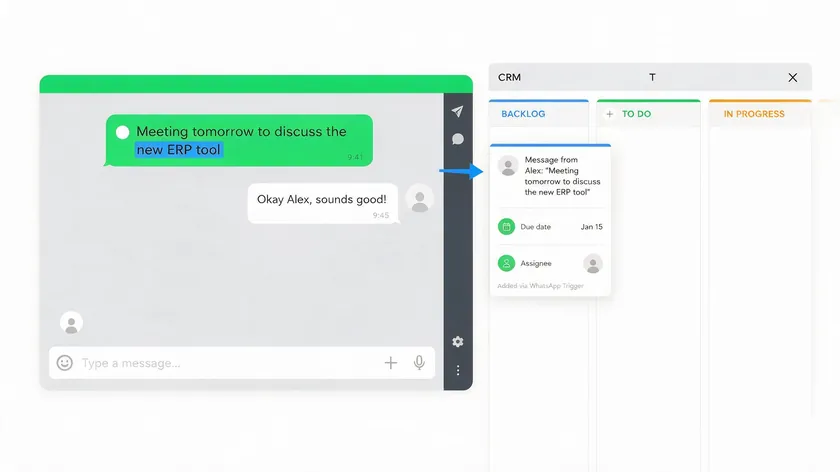
Common trigger types in 2026 include a new inbound WhatsApp message, a message containing certain keywords (such as “refund,” “pricing,” or “urgent”), a message from a particular country code, a change in message status (delivered vs. read), or no response received within a defined time window. Set up automation workflows for WhatsApp messages in your CRM to turn these events into actionable tasks.
These triggers can launch CRM workflows such as creating tasks, moving deals to the “Contacted” stage, sending follow-up WhatsApp templates, or notifying account owners. For example, after an unpaid invoice is detected in the CRM for 48 hours, a workflow can automatically send a payment reminder WhatsApp message using an approved template.
Automation using WhatsApp can include appointment reminders and order notifications—common in healthcare, education, and e-commerce. Automating workflows can significantly enhance customer engagement when designed thoughtfully.
Complex chatbot logic and flow-based lead capture are covered in other w.app articles. Here the focus stays on high-level trigger types and CRM actions.
Start with a small, stable set of automations—like lead assignment and follow-up reminders—and measure error rates and customer response before expanding into more elaborate WhatsApp marketing campaigns. Overcommunication can lead to customer opt-outs, so build in rate limits and human oversight from day one.
Evaluating Whether a WhatsApp Integration Is Truly Native or Bolted-On
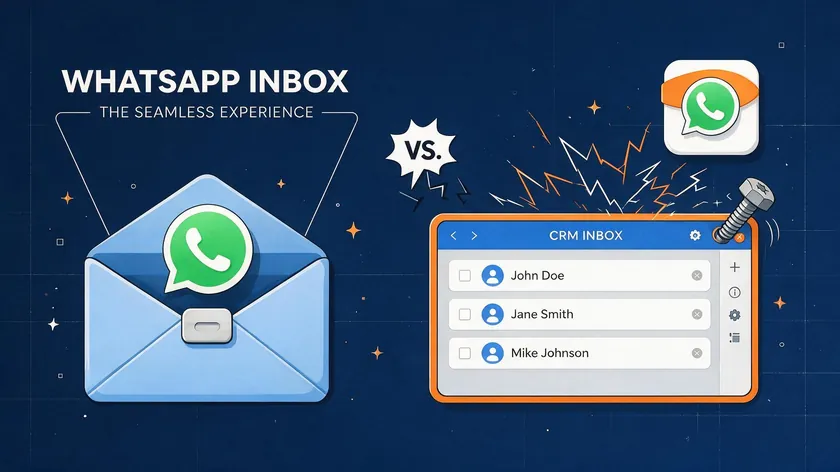
Not all integrations described as “WhatsApp CRM integration” offer the same depth. The label “CRM with WhatsApp” appears on dozens of platforms, but the actual quality of that connection varies from real-time, bidirectional sync to a glorified browser extension. It is worth knowing what to check before committing to a CRM provider.
Signs of a Native Integration
- WhatsApp appears as a first-class channel inside the CRM’s own inbox or activity feed—not a separate embedded widget or external window.
- Real-time two-way sync means a reply sent from the CRM shows up instantly in WhatsApp, and vice versa. Message templates are managed inside the CRM, and WhatsApp events can trigger automated workflows natively.
CRMs that offer native WhatsApp integration typically also surface delivery and read receipts, assignment features, and WhatsApp conversation history directly in the contact timeline. If the integration feels like a natural part of the CRM rather than a bolt-on, that is a strong signal.
Signs of a Bolted-On Integration
- The integration requires a separate browser extension or a middleware tool just to move data between WhatsApp and the CRM.
- Sync happens on a delay—batch imports every few minutes or hours rather than in real time—and features like media attachments or message status are missing or incomplete.
Bolted-on integrations often create fragmented records: WhatsApp conversations live in one system while CRM data lives in another, and neither has the full picture. Assignment and routing may require manual steps, and reporting cannot combine WhatsApp metrics with other channel data.
The simplest test: send a WhatsApp message from a device not connected to the CRM and see how quickly, and where, it shows up in the CRM. Then reply from the CRM and verify the reply appears on WhatsApp. If either direction is delayed, partial, or missing, the integration is likely bolted on, regardless of what the CRM’s marketing page claims.
Common Pitfalls When Integrating WhatsApp with Your CRM
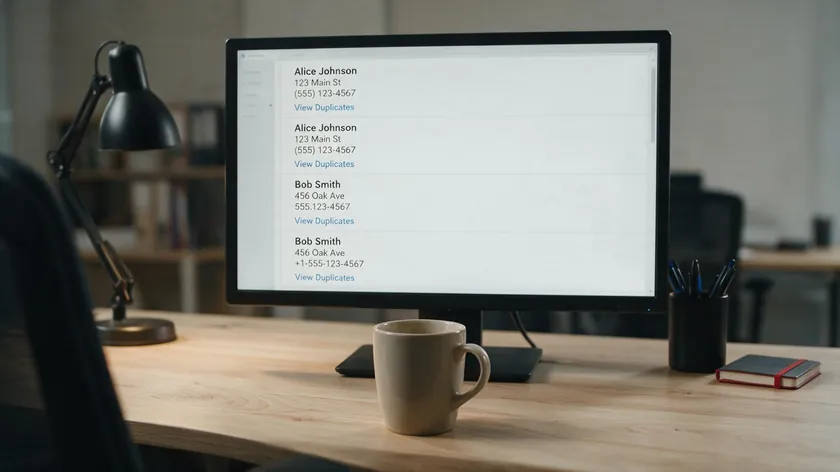
Duplicate Contacts and Improper Phone Formatting
If phone numbers are stored in various formats across the CRM and WhatsApp, matching fails and duplicates proliferate. Normalizing to the international format with a country code is essential.
Split Conversation History
Partial sync of previous messages—especially media or older messages from before setup—causes incomplete customer context in the CRM.
Reliance on QR-Based Connections
These are fragile, with session expiry, missing message history, and no access to delivery receipts or status events. They are not suitable for long-term or enterprise use.
Over-Automation
Running too many workflows off WhatsApp triggers can result in message fatigue, regulatory flags, or template rejections from Meta. Promotional messages sent without proper throttling can damage your WhatsApp account standing.
Most integration failures are process design problems, not purely technical ones. They trace back to design oversights—identity mapping, consent tracking, test pilots, and monitoring—rather than lack of ability.
Many businesses fail by choosing a CRM based solely on price without evaluating how well it handles WhatsApp data. Investing time in planning before go-live prevents the most common and costly mistakes.
Data Privacy, Consent, and Compliance Considerations
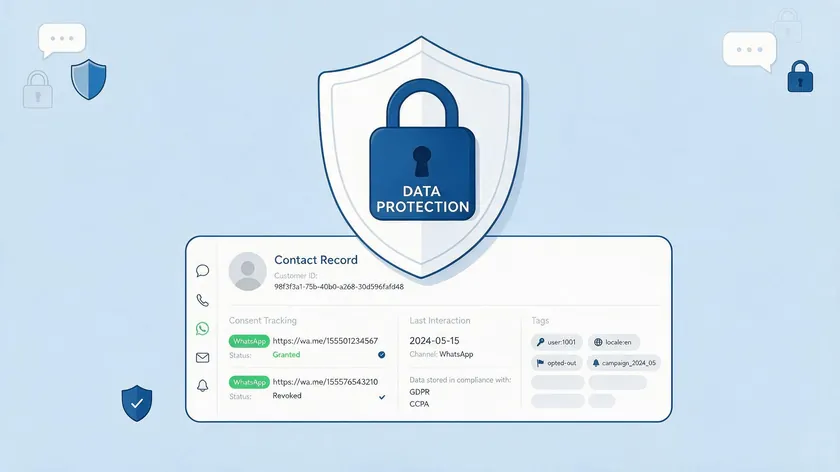
In 2026, regulatory frameworks like GDPR in the EU, LGPD in Brazil, and PDPA in various Asian countries affect how WhatsApp conversations can be stored and processed in a CRM. Personal data—including WhatsApp message content and contact information—must be handled in accordance with data subject rights, purpose limitation, and data minimization principles.
Obtaining explicit customer opt-in is essential for messaging on WhatsApp. The CRM should track consent status and purpose (marketing, transactional, support) and provide easy opt-out mechanisms.
When sending business-initiated messages via templates, opt-in is necessary under Meta’s policy as well. Some businesses have faced template rejections or account suspensions when opt-ins were not tracked correctly.
Data residency matters too: some countries require personal data to remain stored within the region. If the CRM stores WhatsApp message logs in cloud data centers outside the required jurisdiction, that may violate law.
Compliance must be built into the integration architecture from the start—not treated as a checkbox done after WhatsApp campaigns are already running. For finance, healthcare, and public sector organizations, involving legal and compliance teams early is critical.
Preparing Your CRM for WhatsApp Integration
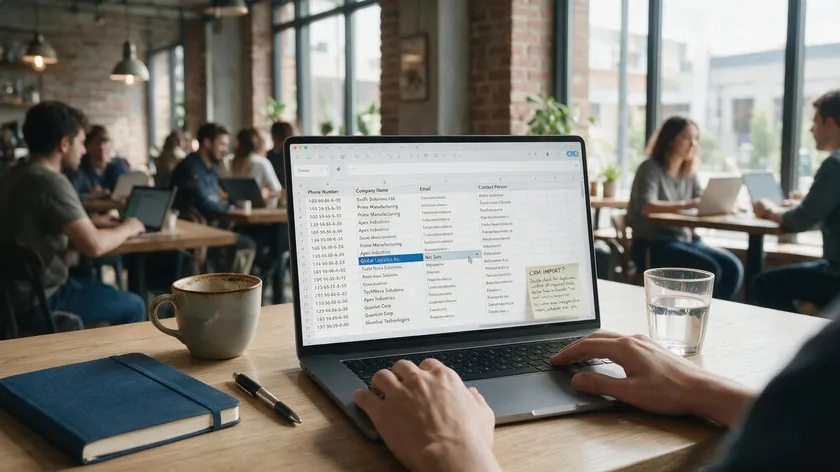
Before connecting WhatsApp to your CRM, concrete preparatory steps can prevent the most common problems.
Clean Phone Number Fields
Standardize all phone numbers to international format with country codes. Remove duplicates and consolidate contacts that share phone numbers.
Define Pipelines and Ticket Types
Decide which pipelines, deal stages, or support ticket categories should receive WhatsApp visibility. Not every team needs every message.
Set Naming Conventions
Establish standard names for WhatsApp tags, stages, and custom fields (for example, “WhatsApp opt-in date 2026-05-01”) so automations remain understandable months later.
Map Customer Journeys
Know where WhatsApp messages should appear and which team is responsible at each step—from lead through qualified opportunity to customer renewal.
This preparation reduces change management shock when WhatsApp suddenly becomes a live channel inside the CRM for multiple departments. Investing time in CRM hygiene before integration leads to smoother WhatsApp data sync, cleaner reports, and fewer duplicate or orphaned records after launch.
High-Level Setup Steps to Connect WhatsApp with Your CRM
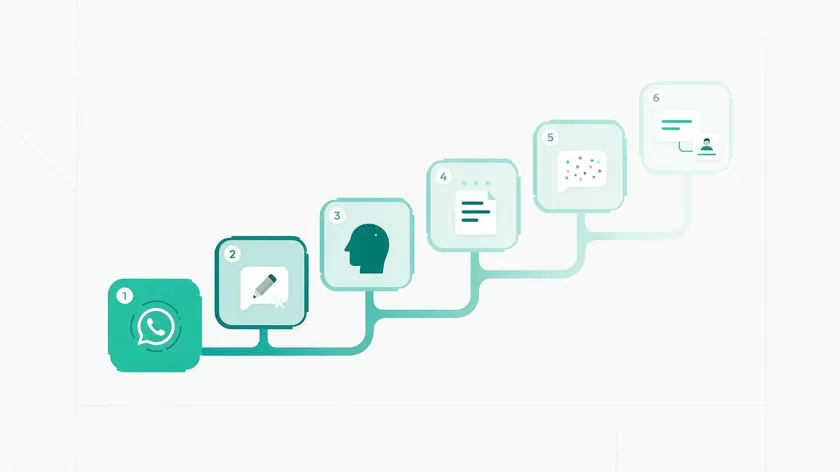
These are the general steps across most integration methods. Exact steps vary depending on whether you are using a native integration, a third-party connector, or a custom API/webhook build.
- Confirm WhatsApp Business Platform access. The business must be on the WhatsApp Business Platform (API), not the free WhatsApp Business App—this is a prerequisite for any real CRM integration. Create a Meta Business Account at business.facebook.com and apply for WhatsApp Business API access through WhatsApp Manager. Meta Business verification can take anywhere from same-day to several business days, depending on the completeness of the business documentation submitted.
- Choose the integration method. Check if the CRM has a native WhatsApp integration first. If not, consider a third-party connector. Custom API/webhook work is the last resort. Choose a Business Solution Provider for your WhatsApp API connection if the CRM does not handle this directly.
- Connect the WhatsApp Business Account. Link your WhatsApp account and WhatsApp Business number to the chosen integration point, following the provider’s authentication and verification flow. Some connectors allow you to connect your WhatsApp number to your CRM in 5–15 minutes.
- Map data fields. Decide how WhatsApp contact fields correspond to existing CRM fields—phone number format, name, tags, lead source, and opt-in status—to avoid duplicate or conflicting CRM contacts.
- Set up message template approval. Submit WhatsApp templates through Meta for approval before using templated outbound messages. This is required for business-initiated WhatsApp conversations and can add days to a rollout timeline.
- Test the sync in both directions. Send and receive a real WhatsApp conversation and verify that contacts, messages, and statuses appear correctly in the CRM before rolling out to the full team.
Steps 4 and 5 are the ones most often skipped, and skipping them is the most common reason integrations “work” technically but produce messy or duplicate CRM data later. Taking extra time here saves significant cleanup effort downstream.
Testing and Monitoring Your WhatsApp CRM Integration

A structured test plan should include sending inbound and outbound WhatsApp messages, attaching media, using templates, and verifying that every item shows up correctly in the CRM timeline.
Log conversations end-to-end and confirm that each message carries correct metadata: sender, timestamp, message type, and delivery status.
Test edge cases: contacts with multiple phone numbers, opt-outs processed mid-conversation, and messages arriving while the CRM is under heavy load or during maintenance windows. These scenarios reveal brittle points that normal testing misses.
Track conversations across channels—if a customer starts on WhatsApp and switches to email, verify the CRM maintains a unified record.
In 2026, set up monitoring using logs and dashboards that track integration health: webhook error rates, average delay from WhatsApp to CRM, and volume by message type. Schedule periodic audits—quarterly at minimum—where you sample WhatsApp threads and verify they match what is stored in the CRM.
Integrations are living systems: WhatsApp policies, CRM APIs, and internal processes change, so continuous monitoring is not optional.
Choosing a CRM That Plays Well with WhatsApp
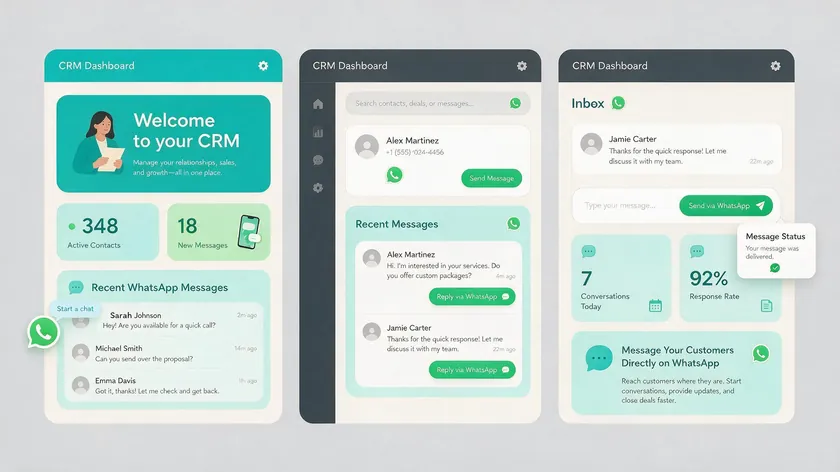
When evaluating mainstream CRM systems—HubSpot, Salesforce, Pipedrive, Zoho CRM, and Odoo—from a WhatsApp integration perspective, focus on specific capabilities rather than marketing claims.
- Official WhatsApp channel availability: Does the CRM offer a native WhatsApp channel, or does it rely on third-party add-ons?
- API robustness: If you need a custom integration, how well-documented and stable is the CRM’s API?
- Custom object support: Can WhatsApp events map to your specific deal types, ticket categories, or order records?
- Automation compatibility: Can WhatsApp message events trigger native automation workflows, or do they require middleware?
- GA vs. beta status: Is the CRM’s WhatsApp business integration documented as generally available, or still in beta? Beta features can change or break during production rollouts.
Talk to reference customers who actually run WhatsApp CRM integration at scale, asking specifically about CRM data quality and support responsiveness. Many businesses fail by choosing a CRM based solely on price without evaluating WhatsApp CRM capabilities.
There is no single best WhatsApp CRM; the best choice is the CRM whose data model and automation layer align with how your teams already work.
How WhatsApp CRM Integration Affects Reporting and Analytics
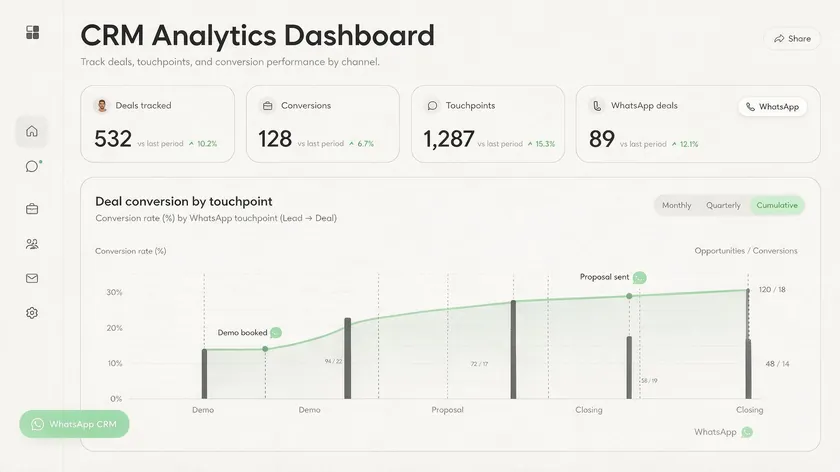
Once WhatsApp is integrated, CRM reports can include metrics like number of WhatsApp conversations per pipeline stage, time-to-first-response on WhatsApp, and conversion rates by WhatsApp touchpoint.
Over 3 billion users on WhatsApp enhance customer engagement opportunities, but that potential only materializes when you can measure it.
Combine WhatsApp metrics with existing CRM data to answer real questions—for example, comparing deals that had at least one WhatsApp interaction in Q2 2026 with those that relied only on email. The quality of these reports depends entirely on consistent logging of WhatsApp activities as structured events, not just free-text notes or attachments.
If your CRM software logs WhatsApp messages directly as timeline activities with proper metadata, reporting becomes straightforward. If it only stores summaries or partial data, your analytics will always be incomplete.
Set a small number of core WhatsApp KPIs for the first 90 days after launch—response time, resolution rate, messages per contact—then expand into more sophisticated analytics once baseline performance is understood.
Analytics is the payoff for doing WhatsApp CRM integration correctly: turning everyday customer conversations into measurable business signals that improve customer service and inform strategy.
Bringing It All Together: Making WhatsApp Part of Your CRM Strategy
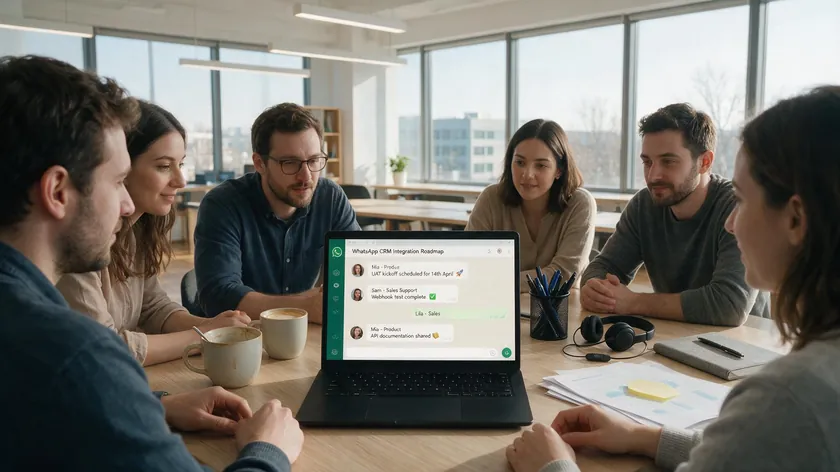
WhatsApp CRM integration is not only a technical connector—it is a strategic choice about where customer communication lives and how it drives pipelines.
Treat WhatsApp, alongside email and phone, as a primary CRM channel, with clear ownership, SLAs, and integration design, instead of letting it remain a side tool on someone’s personal phone.
Enhancing customer engagement starts with making sure every customer inquiry, regardless of channel, lands in the same system of record.
A practical next step: map one key journey—like new lead to qualified opportunity—and design your WhatsApp CRM integration specifically around that flow before trying to tackle every use case at once.
A well-implemented WhatsApp business CRM integration in 2026 reduces manual work, improves response times, and gives leadership better visibility into customer relationships. Start small, prove the data flow works, then expand.
Key Takeaways
- WhatsApp CRM integration means connecting a WhatsApp Business number or API to CRM software so contacts, message history, and deal or ticket data stay synced automatically—the WhatsApp Business Platform (API), not the free WhatsApp Business App, is what real integrations connect to.
- There are three main integration methods: native integrations built into CRMs like HubSpot, Salesforce, Pipedrive, or Zoho CRM; third-party connectors/middleware; and custom API/webhook builds—each with different trade-offs in setup time, flexibility, and maintenance.
- A native integration syncs in real time and shows WhatsApp inside the CRM’s own inbox; a bolted-on integration relies on extensions or delayed batch syncs—testing this directly with a real message is the fastest way to tell them apart.
- The most common integration failures are process problems, not technical ones: unstandardized phone numbers, missing consent tracking, and over-automation are avoidable with proper CRM preparation and testing before go-live.
- Compliance (consent, data residency, retention) should be designed into the integration from the start, not added after WhatsApp campaigns are already running.
Teams juggling WhatsApp conversations across multiple agents before they ever reach the CRM can simplify that handoff with w.app’s Multi-Agent tool, which lets a team share one WhatsApp number with clear conversation assignment—making the data that eventually syncs to the CRM cleaner and less duplicated from the start.
FAQ
Can I integrate WhatsApp with a CRM without using the official WhatsApp Business Platform?
Some tools still mirror the WhatsApp app via QR code, but these methods are fragile, limited for automation, and increasingly discouraged by Meta in 2026. Sessions expire, message history can be incomplete, and there is no structured data for the CRM to work with—no delivery receipts, no template support, and no reliable webhook events.
Serious CRM integration—logging structured WhatsApp messages, triggering automated workflows, and scaling to multiple agents—effectively requires the official WhatsApp Business Platform and API.
For long-term, compliant use, plan around WhatsApp Business API access even if you temporarily rely on lighter connections during early testing. The rest of this article assumes an API-based setup as the default for WhatsApp CRM integration.
What happens to my WhatsApp data if I switch CRMs later?
WhatsApp conversations are usually stored both by the WhatsApp provider (or BSP) and inside the CRM as activities or timeline events. Exporting this data depends on each system’s export tools and APIs.
Some CRM platforms offer straightforward CSV or JSON exports of conversation logs; others make it harder to extract structured WhatsApp history.
Before signing any contract, check whether you can export WhatsApp message logs and contact-level histories in standard formats. During a migration in 2026, many teams choose to keep historic WhatsApp data in the old CRM as a read-only archive while syncing only new messages into the new CRM account.
Data portability is a key evaluation criterion when choosing any WhatsApp CRM tool or integration approach.
Can WhatsApp CRM integration work if I use multiple CRMs at the same time?
Some organizations run parallel systems—for example, a sales CRM and a separate service desk—and route WhatsApp data to both via middleware or custom APIs.
This is technically possible but introduces risks of data fragmentation and conflicting records if the same WhatsApp number feeds multiple CRM systems without clear rules for ownership and updates.
The best practice is to define a single system of record for WhatsApp contacts, then use integrations to share only the specific WhatsApp fields each secondary system needs.
Multi-CRM setups are possible but require deliberate architecture so customer conversations do not become duplicated or inconsistent across systems.
How do WhatsApp message templates fit into CRM workflows?
Message templates are pre‑approved WhatsApp messages used mainly for outbound notifications and campaigns. CRM workflows reference these template IDs when sending automated WhatsApp messages—for example, a follow-up after a demo request or a payment reminder tied to an invoice status. Templates must be created and approved within the WhatsApp Business Platform, then surfaced inside the CRM so non-technical users can select them in automations or one-off sends.
In 2026, many CRMs will allow personalization variables in WhatsApp templates (name, order ID, appointment date), pulled directly from contact and deal fields at send time.
Keep a central catalog of approved templates so marketing, sales, and support all work from a consistent WhatsApp messaging library—this prevents duplicate template submissions and ensures consistent customer communication.
Is it possible to keep WhatsApp conversations private for some teams while still logging them in the CRM?
Most modern CRM software supports role-based access controls and record-level permissions, which can restrict who sees WhatsApp messages on sensitive accounts.
When designing WhatsApp CRM integration, administrators can often decide which conversations are logged in full detail versus summarized—for example, recording “WhatsApp interaction occurred” without the message body for certain account types.
Regulated industries in 2026—like healthcare or financial services—should involve compliance teams when configuring WhatsApp visibility rules and retention periods in the CRM.
Privacy is not only a legal issue but also a trust factor with both customers and internal teams when WhatsApp becomes a core CRM channel. Manage conversations with the right level of transparency, and you build trust across every stakeholder.