
Traditional contact forms collect data, then sit in an email inbox waiting for someone to notice. A WhatsApp form builder solves that by routing every submission into a WhatsApp chat you already check dozens of times a day.
This guide covers what a WhatsApp form builder is, when to pick one over a standard contact form, how to set one up step by step, and how no-code options compare to WhatsApp Flows and heavier integrations.
Table of Contents
- What Is a WhatsApp Form Builder?
- When Should You Use a WhatsApp Form Instead of a Traditional Contact Form?
- Core Benefits of Using WhatsApp Forms for Customer Interactions
- What to Include in an Effective WhatsApp Form
- How a WhatsApp Form Builder Works (Step-by-Step)
- Creating a WhatsApp Form With W.app
- Comparing WhatsApp Form Builder Options (No-Code vs. Heavy Integrations)
- Key Takeaways
- FAQ
- Do I need a WhatsApp Business API or Facebook Business Manager account to use a WhatsApp form builder?
- Can I embed a WhatsApp form on my website and still receive replies in WhatsApp?
- How are WhatsApp form responses stored, and can I export them?
- Are WhatsApp forms better than email contact forms for every situation?
- Can I use one WhatsApp form with multiple team members handling the responses?
What Is a WhatsApp Form Builder?

A WhatsApp form builder is a no-code tool that lets you create WhatsApp forms (contact forms, order forms, bookings, surveys) whose submissions arrive directly in a specified WhatsApp number’s chat.
It creates interactive forms and surveys delivered through WhatsApp chat messages instead of spreadsheets or dashboards. No-code setups are the norm; you design a questionnaire with a form editor, publish it, and start collecting responses without coding required.
The workflow is simple: a customer clicks a link or button, fills a short form, hits submit, and you instantly receive a formatted message in WhatsApp that includes all answers and the customer’s number.
Traditional online forms (Google Forms, generic contact forms) store responses in dashboards or email inboxes. You then need to open a separate app, find the lead, and reply. That gap costs time and leads. WhatsApp form builders automate data collection through chat messages, so the conversation starts the moment the form is filled.
Unlike Meta’s WhatsApp Flows feature (rolled out broadly in 2024 for Business API accounts), most WhatsApp form builders do not require Facebook Business Manager access or API approvals. A regular WhatsApp or WhatsApp Business app account is enough.
When Should You Use a WhatsApp Form Instead of a Traditional Contact Form?
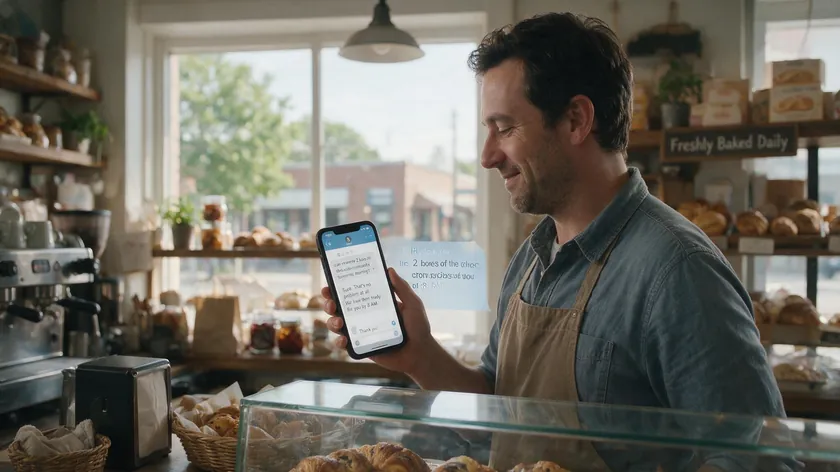
WhatsApp forms perform best when speed, personal follow-up, and mobile usage matter. If a visitor’s inquiry can wait 24 hours, a regular contact form works. If waiting costs you the sale, WhatsApp forms win.
Strong use cases include lead capture from landing pages and ads where sales reps message back within minutes; booking or appointment requests for clinics, salons, and coaches; product or food orders for small stores and restaurants; and pre-sales inquiries or customer support that benefit from ongoing chat.
For teams juggling high volume, pairing this with a WhatsApp lead generation setup keeps replies organized.
WhatsApp forms are especially potent in regions where WhatsApp dominates. A 2025 Kepios report found that 93.9% of Brazil’s internet users and 84.6% of India’s used WhatsApp. Even in the US, adult adoption reached 32% in 2025, up from 23% in 2021.
For legal notices, complex RFQs, or documentation-heavy B2B questionnaires, pair a classic web form with an optional WhatsApp follow-up rather than replacing the detailed form entirely.
Core Benefits of Using WhatsApp Forms for Customer Interactions

WhatsApp form builders shorten the gap between a customer’s intent and a real conversation. Over 3,000 businesses already use WhatsApp forms for sales and support. Here is why.
Faster Response Times
Form responses arrive in WhatsApp instantly. Staff reply from the same app they use on mobile and desktop; no need to log into a CRM or check email. WhatsApp forms improve lead generation with instant response delivery.
Automated workflows can trigger immediate responses after form submissions, confirming receipt before a human even picks up the phone.
Higher Engagement and Conversion
WhatsApp messages on well-managed opt-in lists see read rates of 90% or higher, far outperforming traditional email surveys. WhatsApp forms convert anonymous website visitors into named chats with verified WhatsApp numbers, improving lead-to-customer conversion rates.
A coaching institute in Bangalore saw form completion rise from 22% to 67% after switching from a landing page form to a WhatsApp form, with cost per lead dropping from ₹187 to ₹61. WhatsApp forms provide a two-way communication experience for users, enhancing engagement beyond a one-directional submission.
Mobile-First Experience
Mobile-friendly forms improve completion rates because users fill them on the same device they already hold. Forms are short and optimized for small screens. Users don’t need to create an account, wait for confirmation emails, or switch apps.
Friction is reduced as customers can fill out forms directly in WhatsApp without app-switching, and conversations remain in a single WhatsApp thread.
No WhatsApp Business API Required
You can receive form responses on a standard WhatsApp number or a WhatsApp Business app number without Meta’s Business API. No WhatsApp Business API is required for form responses. That means no approvals, no verification processes, and no per-message API pricing.
Structured Data With Conversational Follow-Up
The initial form keeps inputs structured (dropdowns for services, date pickers, budgets). Forms can also use WhatsApp’s interactive features like quick-reply buttons and lists. After submission, you switch to a natural chat for clarifications, upsells, or support. Data collected through WhatsApp forms can be integrated with CRMs for later analysis.
What to Include in an Effective WhatsApp Form
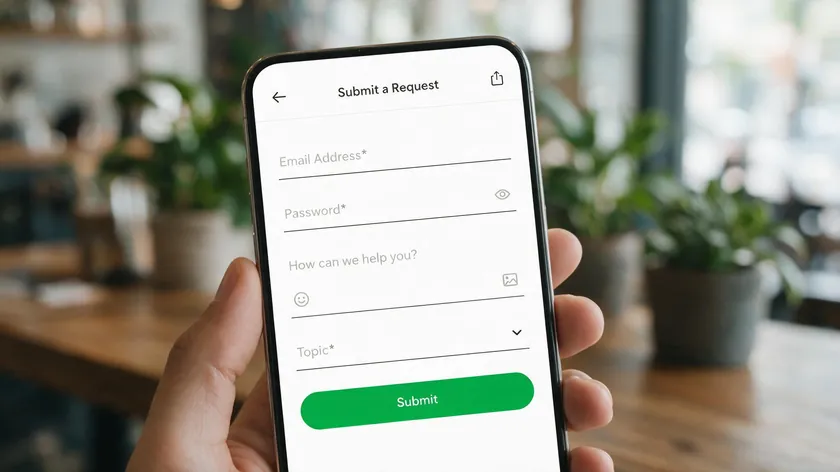
High-performing WhatsApp forms are short and focused. Businesses can create forms with up to ten questions, but fewer is usually better. Keep total fields under eight for most use cases, use clear labels with short helper text, and ensure every field is displayed properly on a 5-6 inch smartphone screen.
| Field | Required or Optional | Purpose |
|---|---|---|
| Full name or first name | Required | Personalization |
| WhatsApp number | Required | Auto-filled or confirmed if opened via WhatsApp |
| Description of need (“What do you need help with?”) | Required | Qualify the request. |
| 1-3 multiple-choice fields (service type, budget, date/time) | Required | Route or prioritize |
| Email address | Optional | Receipts or documents |
| Location or delivery address | Optional | Delivery-based services |
| Preferred contact time | Optional | Teams that don’t reply 24/7 |
Sample Fields for a Lead Generation Form
Name, WhatsApp number, “What are you interested in?” (dropdown), budget range (optional), and best time to be contacted (optional).
Sample Fields for an Appointment Booking Form
Name, WhatsApp number, service or treatment requested (dropdown), preferred date, preferred time window. Businesses can collect appointment details and confirm via WhatsApp, and WhatsApp forms can reduce no-shows by confirming appointments instantly.
Sample Fields for a Store Order Form
Name, WhatsApp number, product selection (dropdown or checklist), quantity, delivery or pickup preference.
How a WhatsApp Form Builder Works (Step-by-Step)
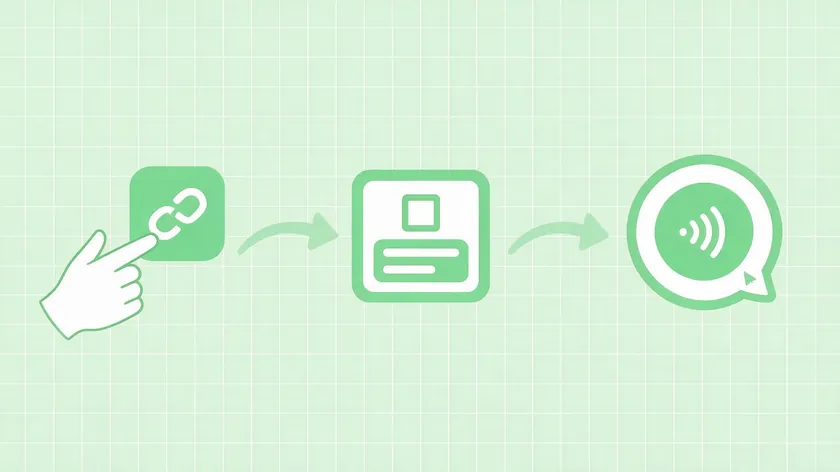
Here is how to create your first form in under ten minutes. WhatsApp forms can include up to ten customizable questions across any of these templates.
- Sign up and connect your WhatsApp number. Create an account on your chosen form builder. Enter the WhatsApp number that should receive form submissions. You can use a personal WhatsApp or WhatsApp Business app number; no API account is needed.
- Create a new form. Click “Create form” or a similar button. Choose a template category (contact forms, bookings, product orders, event registrations, surveys) or start from scratch. Name it clearly, e.g., “Website Lead Form Q3 2026.”
- Add and configure questions. Drag and drop fields: short text, long text, multiple choice, dropdowns, date/time. Mark required vs. optional. Place simple questions first, complex ones last. Forms without data exchange are quicker to build than dynamic forms that pull live data.
- Configure WhatsApp delivery. Specify which WhatsApp number receives the compiled message. Customize the message template format (e.g., “Name: {{name}} / Service: {{service}} / Message: {{message}}”). Decide if an automatic acknowledgement should be sent back to the customer. Responses from WhatsApp forms are sent directly to WhatsApp.
- Design and mobile preview. Adjust colors, the button type and text (e.g., “Chat on WhatsApp now”), and the call-to-action. Preview on mobile view. Check that labels and placeholders don’t break on smaller screens.
- Publish and share. Publish to generate a shareable link. Embed the form as a website button, floating widget, or QR code. You can embed WhatsApp forms on any website or landing page. Forms can be shared via links, social media, or email. Place the link in your Instagram bio, Google Business Profile, email signatures, and Facebook Business Manager ad creatives.
- Receive and manage form responses. Each submission arrives as a message in your WhatsApp chat list. Teams can reply from mobile or WhatsApp Web using templates or quick replies. Some tools also log responses in a dashboard or save them as CSV exports, while still delivering everything instantly to WhatsApp. WhatsApp forms enable businesses to collect leads and customer data within the app.
Creating a WhatsApp Form With W.app
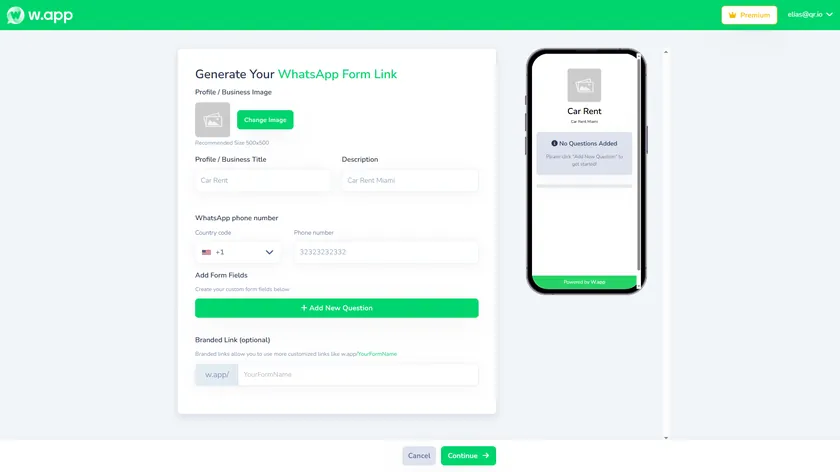
W.app’s own form builder follows the same steps outlined above, with a few conveniences built in. From your dashboard, click “Generate Your WhatsApp Form Link” to open the setup screen: add a profile image and business title, write a short description, then enter the WhatsApp number that should receive submissions.
From there, use “Add New Question” to build out your fields one at a time—short text, multiple choice, or date pickers. Each field you add updates the mobile preview on the right in real time, so you can see exactly what customers will fill out before you publish.
An optional branded link lets you swap the default random URL for something readable, like w.app/YourBusinessName, which is easier to share on printed materials, Instagram bios, or a QR code. Once every field looks right, click Continue to generate your shareable WhatsApp form builder link.
Comparing WhatsApp Form Builder Options (No-Code vs. Heavy Integrations)

Not every “form + WhatsApp” setup is equal. Some tools are purpose-built for WhatsApp delivery; others rely on third-party automation like Zapier, Pabbly, or custom webhooks.
No-Code, WhatsApp-First Builders
Tools like Formware and WhatsForm send responses directly to WhatsApp inboxes without extra services. Advantages: instant delivery, simpler pricing, easy setup, built-in templates for common WhatsApp forms.
You can create forms and receive WhatsApp messages within minutes with zero coding. Ideal for non-technical business owners who need to engage customers fast.
Generic Form Builders Plus Integration
Google Forms, Typeform, and Jotform can connect to WhatsApp using Zapier, Make, Pabbly, or Twilio. The downside: additional subscription cost, 5-15 minute delays in message delivery, and technical configuration (tokens, webhooks). Better suited for teams already invested in those platforms that need complex logic, long surveys, or file uploads.
API-Driven and Advanced Workflows
Advanced setups using Twilio or Pabbly Form Builder plus WhatsApp API allow multi-step automation, CRM sync, and conditional messaging. This adds flexibility but requires developer involvement and a steeper learning curve.
WhatsApp Flows vs. External WhatsApp Form Builders
WhatsApp Flows, created in Facebook Business Manager and accessible via WhatsApp Business API, let you build in-chat forms directly inside the WhatsApp interface. Flows require a verified Business API setup, Meta review of templates, and a higher technical and compliance bar.
Third-party WhatsApp form builders work for anyone with a normal WhatsApp or WhatsApp Business number; no API access required. The concrete difference: Flows run natively inside the chat thread (no browser redirect), while external builders open a web form that then sends the submitted data to WhatsApp.
| Type | Requires Business API | Setup Time | Best For |
|---|---|---|---|
| No-code WhatsApp-first builder | No | Minutes | Small, fast-moving businesses |
| Generic form builder + integration | No, but it needs Zapier/Make/Pabbly. | Hours, technical setup | Teams on existing platforms, complex logic |
| API-driven advanced workflow | Yes. | Days, developer involvement | Multi-step automation, CRM sync |
| WhatsApp Flows | Yes, verified Business API | Days to weeks, meta-review | Enterprises with existing API infrastructure |
Key Takeaways
A WhatsApp form builder is a no-code tool that lets you create forms whose responses arrive instantly in a regular WhatsApp or WhatsApp Business inbox, without needing the WhatsApp Business API or WhatsApp Flows. WhatsApp forms lead to higher completion rates compared to traditional web forms and improve engagement and conversion rates.
- WhatsApp forms are best when you need fast, conversational follow-up for leads, bookings, orders, or support instead of slow email-based contact forms.
- Modern WhatsApp form builders can be added as buttons or widgets on websites, shared as links or QR codes, and used alongside Facebook Business Manager campaigns without extra coding.
- Good tools let you collect only essential data (name, WhatsApp number, request details), then continue the conversation 1:1 in WhatsApp the moment you receive form responses.
- This article focused on third-party, no-code WhatsApp form builders. Meta’s native WhatsApp Flows require Business API access, template review, and a more complex setup.
If you want to build your first WhatsApp form without Business API access, W.app’s Form Links feature lets you do it in minutes. Start your free 7-day W.app trial and route your next form submission straight to WhatsApp.
FAQ
These answers cover practical setup, limits, and compliance questions not fully addressed above.
Do I need a WhatsApp Business API or Facebook Business Manager account to use a WhatsApp form builder?
Most WhatsApp form builders do not require Business API access or Facebook Business Manager. A normal WhatsApp or WhatsApp Business app number is enough to receive form responses.
You only need Facebook Business Manager and API access if you want to use WhatsApp Flows or run large-scale automated messaging campaigns with template approvals.
Can I embed a WhatsApp form on my website and still receive replies in WhatsApp?
Yes. Modern WhatsApp form builders let you embed forms as inline blocks, popups, or floating widgets on any website, WordPress page, or landing page builder. Regardless of how the form is embedded on your site, submissions are routed so you receive form responses directly inside your WhatsApp chat thread.
How are WhatsApp form responses stored, and can I export them?
Besides sending each submission to WhatsApp, most builders also store responses in a secure dashboard with timestamps and basic analytics. Exports (CSV or Excel) are commonly available, letting you download and import data into CRMs, spreadsheets, or marketing tools for later analysis.
Are WhatsApp forms better than email contact forms for every situation?
No. WhatsApp forms are better for time-sensitive, conversational interactions (sales, bookings, feedback, support). Email contact forms still suit formal, long, or documentation-heavy workflows. Many businesses use both: a WhatsApp form for quick inquiries and a classic contact form for detailed project briefs or legal communication.
Can I use one WhatsApp form with multiple team members handling the responses?
The simplest setup routes all responses to a single WhatsApp number that multiple agents access via WhatsApp Web sessions or shared devices.
Some WhatsApp Business management tools and CRMs allow multi-agent inboxes, routing incoming WhatsApp form responses to different team members based on rules while still using one public-facing WhatsApp number. This helps you manage volume as your team scales without missing a single conversation.