A WhatsApp Business greeting message is an automated welcome that the app sends the moment a customer messages your number for the first time—or again after 14 days of no activity in that chat.
It is the very first thing a new contact sees, and it shapes how they feel about your business before you even type a word.
This guide is built entirely around the free WhatsApp Business app, not the WhatsApp Business API. You will find more than 25 copy-ready WhatsApp Business greeting message examples, grouped by industry, that you can paste straight into your settings.
You will also learn the difference between a greeting message, an away message, and WhatsApp Business quick replies, with one clear comparison table so you never mix them up.
Every section includes setup steps, practical templates, and tips for writing short, effective messages. Used together, these three tools improve customer experience, cut your response time, and keep replies consistent—even if your entire support team is just you and one colleague.
Table of Contents
- What Is a WhatsApp Business Greeting Message
- How a Greeting Message Works in WhatsApp Business
- Greeting Message Versus Away Message Versus Quick Reply
- Core Elements of an Effective WhatsApp Greeting Message
- General WhatsApp Business Greeting Message Examples
- Retail and E-commerce Greeting Message Examples
- Service Business Greeting Message Examples
- Professional Services and Healthcare Greeting Message Examples
- Hospitality and Travel Greeting Message Examples
- Greeting Message Examples for Lead Capture and Sales
- How to Set Up a WhatsApp Business Away Message
- How to Use WhatsApp Business Quick Replies With Your Greeting Message
- Common Mistakes With WhatsApp Business Greeting Messages
- How W.app Fits Into Your WhatsApp Greeting Strategy
- Key Takeaways
- FAQ
- Can I set different WhatsApp Business greeting messages for different times of day?
- Does Changing My Greeting Message Resend It to Existing Customers?
- How Long Can a WhatsApp Business Greeting Message Be?
- Can I Use Different Greeting Messages For Different Customer Segments?
- Should I Write My WhatsApp Business Greeting Message in More Than One Language?
What Is a WhatsApp Business Greeting Message
A WhatsApp Business greeting message is an automated message that sends when someone contacts your business number for the first time and again when that same customer messages after 14 full days of inactivity.
Think of it as a digital handshake. It tells customers they reached the right place, shares basic info about what you do and when you answer, and prompts them to describe what they need. This instant acknowledgment shows customers their message was received.
This article covers only the free WhatsApp Business app. If you need the WhatsApp Business API instead, that topic is handled in our separate WhatsApp CRM integration article. For the official documentation on greeting messages, visit the WhatsApp Help Center.
Pricing and account creation are covered in our WhatsApp Business cost and how to create a WhatsApp Business account guides, respectively.
Throughout this article, you will see terms like WhatsApp greeting messages, WhatsApp auto reply, and business greeting messages. They all refer to the same family of automated messaging features inside the WhatsApp Business app.
How a Greeting Message Works in WhatsApp Business
Greeting messages are automatic, but they follow specific rules that often confuse first-time users. Understanding when the greeting fires—and when it does not—saves you from thinking the feature is broken.
A greeting message is sent when a customer messages for the first time ever, and again only if that chat has been completely inactive for at least 14 days. If a customer sends several messages within those 14 days, they will not receive the greeting message again during that period.
Your device running the WhatsApp Business app needs an active internet connection at the exact moment the customer writes. If your phone is offline, the greeting may fail to send.
One detail that catches many users off guard: the greeting message sends regardless of your listed business hours. At 2 AM on a Sunday, a new contact will still receive your greeting. That is why pairing it with a WhatsApp away message is important—together they set expectations when you are offline.
The 14-Day Rule and Trigger Events
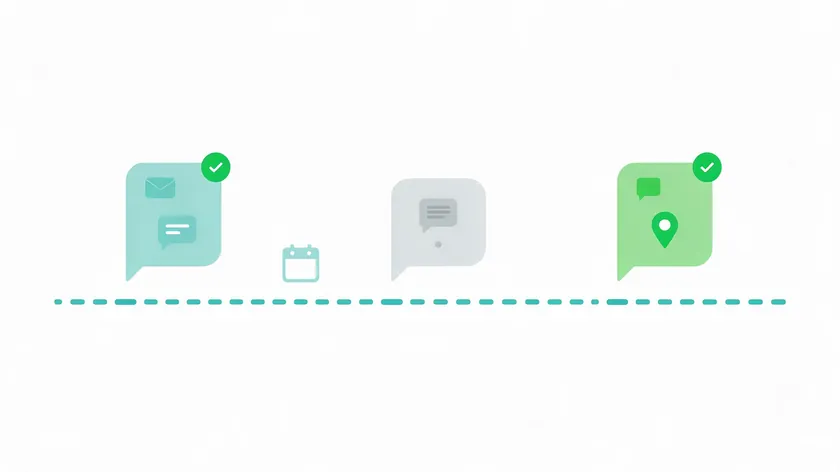
The greeting message triggers on exactly two events. Here is how the logic works:
- First message from a new customer: Someone who has never messaged your number before will immediately receive your automated greeting.
- First message after 14 days of inactivity: If neither side has sent a message in that chat for 14 full days, the next incoming message triggers the greeting again.
Editing the greeting text does not resend it to active chats. If you replied to a customer yesterday and updated your greeting today, that customer will not see the new version until the 14-day window resets.
Example timeline:
| Date | Event | Greeting Sent? |
|---|---|---|
| March 1 | Customer messages for the first time | Yes |
| March 5 | Same customer messages again (within 14 days) | No |
| March 20 | Customer messages after 15 days of silence | Yes |
One more edge case: if Meta Business Agent is connected to your number, greeting messages are automatically disabled. Disconnect the agent to re-enable them.
How To Set It Up
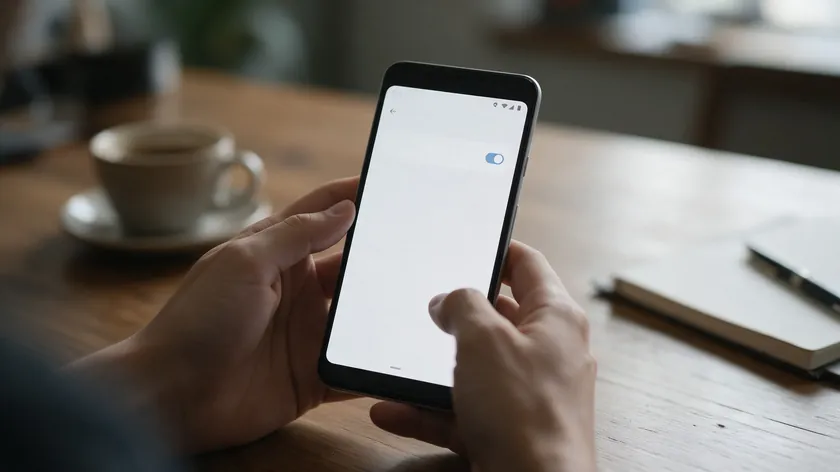
Exact menu names below are for Android, following the official WhatsApp wording. iPhone users should look for similar options under Business Tools or Settings.
- Open the Tools tab in WhatsApp Business.
- Tap Greeting message.
- Turn on Send greeting message.
- Edit the message text—paste one of the examples from later sections.
- Tap OK.
- Choose Recipients (covered in the next subsection).
- Tap Save.
To set up a greeting message, go to Business Tools in settings and follow the path above. Keep the text short and immediately useful. After saving, test by messaging your business number from a separate personal phone.
Use a number that has never messaged your business, since a chat that was active within the last 14 days will not trigger the greeting again.
You can combine this native setup with W.app Standard Links so customers start chats with a prefilled request, giving your team even more context before the greeting lands.
Choosing Recipients
WhatsApp lets you limit who receives the greeting message, and this setting is often overlooked.
The four official options are:
- Everyone—all customers who message. Best for simple setups.
- Everyone not in the address book—excludes people saved in your contacts. Keeps colleagues and suppliers from getting unnecessary greetings.
- Everyone except…—choose specific contacts to exclude.
- Only send to…—only selected contacts receive the greeting. Useful for testing or VIP campaigns with specific contacts.
If “Only send to…” is active but the customer is not in that group, they will never see the WhatsApp greeting message. This is one of the most common troubleshooting issues.
Most small businesses start with “Everyone” and narrow it later if internal or supplier chats receive unnecessary greetings.
Why a Greeting Message Is Not Sending
When a greeting message is not sending, it is usually a configuration or connection issue, not a bug. Run through these checks:
- Confirm that the Send greeting message toggle is enabled.
- Verify the phone has an active internet connection at the time the customer writes.
- Remember the 14-day rule—if the customer messaged within the last two weeks, the greeting will not fire.
- Review your recipient settings. A restrictive filter can silently block many contacts.
- Check whether Meta Business Agent is connected to the number, which disables greeting messages until disconnected.
Standard troubleshooting steps: toggle the feature off and back on, update the WhatsApp Business app to its latest version, and restart the device. For a definitive test, message your business number from a second phone number that has never contacted it. If the greeting arrives, the feature is working.
Greeting Message Versus Away Message Versus Quick Reply
WhatsApp Business greeting messages, away messages, and quick replies work together but solve different problems. Confusing them leads to gaps—customers who get a welcome at midnight but no indication of when you will actually reply, or agents who retype the same shipping policy ten times a day.
Greeting messages are automated welcomes. Away messages are automated “we are unavailable” replies. Quick replies are manually triggered shortcuts that agents insert during live chats. Automated greetings can reduce response times and improve transparency when paired with the other two tools.
The away message is strictly an auto reply for off-hours and busy periods, not a scheduled marketing message. If you need deeper scheduling options, our WhatsApp schedule messages guide covers that topic in full.
Using all three correctly helps set expectations and makes your customer experience more consistent without complex automation or chatbots.
Greeting vs. Away Message vs. Quick Reply Comparison Table
| Feature | Greeting Message | Away Message | Quick Reply |
|---|---|---|---|
| Trigger | First message from a new customer, or after 14 days of inactivity | Messages received while you are unavailable, based on the schedule you set | Manually typed shortcut (e.g., “/hours”) |
| Purpose | Welcome, set expectations, and collect initial info | Inform customers you are unavailable, and share the reply timeline | Answer repeated questions fast during live conversation |
| Who sends it | Automated by app | Automated by app | Agent or business owner |
| Typical length | 1–3 short sentences | Similar; mentions business hours and expected reply time | Short answer to a specific FAQ |
| Best use case | First impression, gathering basics | Nights, weekends, holidays | Price lists, shipping info, policy details |
When to Use a Greeting Message
- Best for making a positive first impression with new customers who initiate contact.
- Ideal for collecting basic info (order number, service type, preferred language) before a human replies.
- Useful for telling every contact what happens next—keeping customers informed from the start.
Include your business name, a short thank-you, a realistic response time, and a simple call-to-action like “Please tell us your question or order number.” Since the greeting sends 24/7, keep it generic enough to work inside and outside business hours.
The rest of this article provides a WhatsApp Business greeting message example for each major business type so you can implement one in minutes.
When To Use An Away Message
A WhatsApp away message is an automatic reply when you cannot respond—commonly on nights, weekends, public holidays, or during team meetings. It reassures customers that their message was received and that someone will follow up.
Include your working hours and a clear time frame like “We’ll answer within one business day” to set expectations. This article only covers away messages as off-hours auto replies. More advanced scheduling scenarios are discussed in our separate WhatsApp schedule messages guide.
Pair the away message with the greeting message so customers always receive at least one helpful reply, even when you are closed.
When to Use WhatsApp Business Quick Replies
WhatsApp Business quick replies are saved message snippets that agents or owners insert manually using short codes like “/hours.” They are not automated—someone has to type the shortcut to send them.
Typical uses include FAQs (delivery time, pricing, location), order-status instructions, and follow-up questions after the automated greeting message. Turn your most common manual replies into quick replies to keep messaging fast and consistent across your team.
Later sections include a few example quick replies that match the greeting message examples, so your entire workflow stays coherent.
Core Elements of an Effective WhatsApp Greeting Message
The best WhatsApp Business greeting messages are warm, concise, and actionable—not long paragraphs that customers scroll past. A well-crafted greeting message sets the right tone for every customer interaction that follows. The sections below apply these principles to real WhatsApp Business greeting message example templates grouped by business type.
Key Elements To Include
Every effective greeting message should cover these basics:
- Business name—state it immediately for brand identification so customers know they reached the right number.
- Thank-you or welcome—a brief line that makes customers feel valued.
- Response time or hours—set clear expectations for response times in the greeting, including during business hours.
- Call to action—a CTA should prompt customer responses. Ask for specific info: “Please share your question or order number.”
- Human tone—use a friendly and professional tone that matches your brand voice and business personality.
A strong greeting message should guide customers on what to do next. Greetings messages should also encourage customers to share their needs or questions and can even offer self-service options to guide customers while they wait.
Ideal Length, Tone, and Emoji Use
Concise greeting messages are easier to read on messaging apps, especially on small mobile screens. Aim for 1–3 short sentences, and move longer details into quick replies or follow-up messages.
Using emojis in moderation adds warmth to WhatsApp greetings, but they are not mandatory. A single wave 👋 or checkmark ✅ is enough.
Make sure the same tone appears in your quick replies and live messages so the shift from automated greeting to human conversation feels natural. Greeting messages should match the business personality and tone throughout.
General WhatsApp Business Greeting Message Examples
These general-purpose greeting messages work for most small businesses, freelancers, and local services. Effective WhatsApp Business greetings make customers feel welcomed and assure them of immediate assistance. Automated greetings improve customer engagement and response times, and personalized greetings increase customer engagement and trust even further.
Below are ready-to-use templates you can paste directly into your WhatsApp Business app settings.
For New Customers and First Contacts
These WhatsApp greeting messages are written for someone who has never chatted with your business before. WhatsApp greeting messages can be automated for new customers with zero manual effort.
Template 1 (Neutral)
Hi! Welcome to [Business Name]. 👋 We typically reply within 2 hours during business hours. How can we help you today?
Template 2 (Warm)
Thanks for reaching out to [Business Name]! We’re glad you’re here. Please tell us your question or what you’re looking for, and we’ll get back to you shortly.
Template 3 (Structured)
Hello! You’ve reached [Business Name]. Our support hours are Mon–Fri, 9 AM–6 PM. Please describe what you need and we’ll respond as soon as possible.
Template 4 (Brief)
Welcome to [Business Name]! Drop us your question and our team will respond shortly. 🙌
Each template identifies the business, sets a response time expectation, and asks the customer to share their need—the three essentials of an impactful greeting message.
For Returning Customers
These examples acknowledge repeat customers who message again after the 14-day gap. Greeting messages are sent to new customers or after 14 days of inactivity, so returning contacts will also see your greeting when the conversation restarts.
Template 5 (Warm return)
Welcome back to [Business Name]! 😊 Great to hear from you again. Please share your order number or question and we’ll pick up right where we left off.
Template 6 (Direct return)
Hi again! Thanks for messaging [Business Name]. Let us know what you need—order number, new inquiry, or anything else—and we’ll help you out.
Template 7 (Service-focused return)
Good to see you again! If you’re following up on a previous request, please share your reference number. For something new, just let us know. We’re here to help.
Keep the tone consistent with your initial greeting while making loyal customers feel recognized. Businesses with many returning contacts can adapt these further inside manual quick replies.
Retail and E-commerce Greeting Message Examples
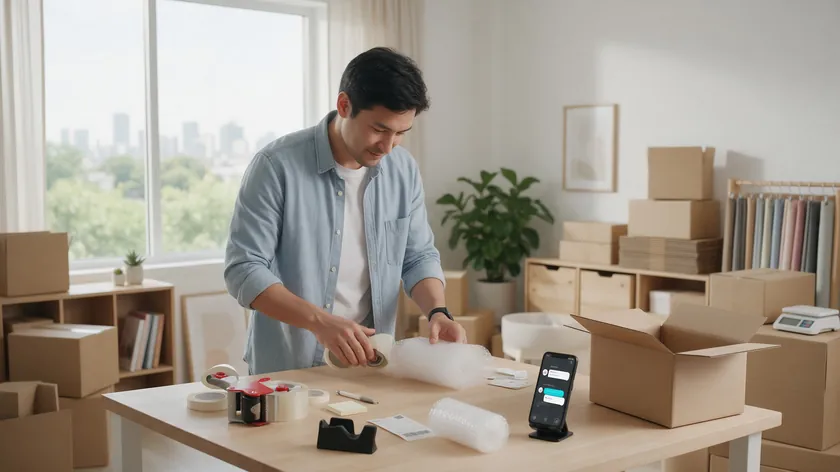
These templates suit online shops, local boutiques, and e-commerce brands selling physical products. Greeting messages help establish trust and reliability in customer interactions, especially when people are deciding whether to buy.
For Product Questions and Recommendations
Template 8
Hi! Welcome to [Business Name]. 🛍️ Looking for something specific? Tell us the product or category and we’ll help you find it within a few working hours.
Template 9
Thanks for messaging [Business Name]! Let us know your size, color preference, or budget range and we’ll send personalized recommendations.
Template 10
Hello! We’d love to help you find the right product. Please share what you’re looking for and we’ll reply during business hours (Mon–Sat, 10 AM–7 PM).
For Order Tracking and Support
Template 11
Hi! Need help with an order? Please share your order number and full name so we can look it up right away. We aim to reply within 1 business hour.
Template 12
Welcome to [Business Name] support. 📦 For order tracking, returns, or issues, send us your order number and we’ll investigate promptly.
Template 13
Thanks for reaching out! We’re sorry if something went wrong. Share your order details, and our support team will get back to you as quickly as possible.
These messages should remain empathetic and reassuring. Setting realistic expectations in greeting messages is essential for customer satisfaction, even for automated replies.
A Greeting That Points to Your Website Or Catalog
Template 14
Hi! Welcome to [Business Name]. Browse our latest collection at [yourwebsite.com] or tell us what you’re looking for and we’ll guide you. 🙂
This gently nudges customers toward your catalog without sounding like a promotional broadcast.
Quick Replies to Follow Retail Greetings
Set up quick replies for “shipping info” or “return policy” so agents can respond instantly after the greeting. For example:
- /shipping—”We ship nationwide in 3–5 business days. Express (1–2 days) is available at checkout.”
- /returns—”Returns accepted within 30 days. The item must be unused with original tags. Reply with your order number to start.”
Adjust the delivery times and return window to match your own policy before saving these replies.
Service Business Greeting Message Examples

These WhatsApp Business greeting messages fit consultants, agencies, fitness coaches, salons, and other appointment-based services.
For Appointment and Booking Requests
These templates suit salons, clinics, tutors, and similar businesses where booking is the primary goal.
Template 15
Hi! Thanks for contacting [Business Name]. To book an appointment, please send: 1) Service you want, 2) Preferred day, 3) Time window. We’ll confirm shortly!
Template 16
Welcome to [Business Name]! 💇 Ready to book? Let us know the service and your preferred date, and we’ll check availability for you.
Template 17
Hello! You’ve reached [Business Name]. We’d love to help you schedule a session. Please share the service type and a few dates that work for you.
The structure “1) Service, 2) Day, 3) Time” makes replies easy to process and cuts back-and-forth messages significantly.
For Quotes and Project Inquiries
These templates suit B2B services, freelancers, and agencies that need project details before giving a price.
Template 18
Thanks for reaching out to [Business Name]! To prepare a quote, please share a short description of your project, your timeline, and your approximate budget. We’ll reply within one business day.
Template 19
Hi! We’d love to learn about your project. Please tell us what you need, your deadline, and any important details. Our team will follow up with a detailed proposal.
Template 20
Welcome to [Business Name]. For a custom quote, please describe the scope and your preferred timeline. We’ll get back to you within 24 hours. 📋
A related quick reply could later offer a short service menu or portfolio link during the same conversation.
Quick Replies and Response Times for Service Businesses
Service businesses often rely heavily on WhatsApp Business quick replies for FAQs like pricing and cancellation policies. These should align with the greeting tone. Clearly note approximate response times to avoid missed customer expectations when you are with clients.
Example quick reply:
- /pricing—”Our pricing starts at $[X] per session. Packages available for 5 or 10 sessions. Want a detailed breakdown?”
Replace the price and package details with your own before saving this reply.
Professional Services and Healthcare Greeting Message Examples

These more formal templates suit law firms, clinics, accountants, and other regulated or sensitive services. Greetings here should prioritize clarity, next steps, and realistic timing over marketing or promotional events.
Formal and Confidential Greeting Templates
Template 21
Thank you for contacting [Business Name]. Your inquiry is important to us. Please share a brief description of your matter, and we will respond during office hours (Mon–Fri, 9 AM–5 PM). All messages are treated confidentially.
Template 22
Welcome to [Business Name]. We appreciate you reaching out. Please provide your name, contact details, and a summary of your inquiry. A member of our team will reply within one business day.
Template 23
Hello. You have reached [Business Name]. Kindly share the nature of your inquiry and any reference numbers. We will respond promptly during working hours. Your privacy is our priority.
Personalized greeting messages in this context mean acknowledging the seriousness of the inquiry and reassuring confidentiality, which helps customers feel acknowledged.
Emergency Wording for Patients and Clients
For healthcare providers and legal services, include a clear line about emergencies:
“This chat is not for emergencies. If you need urgent medical attention, please call [emergency number] or visit the nearest hospital.”
Add this at the end of your greeting to direct patients away from WhatsApp for time-critical situations.
Hospitality and Travel Greeting Message Examples
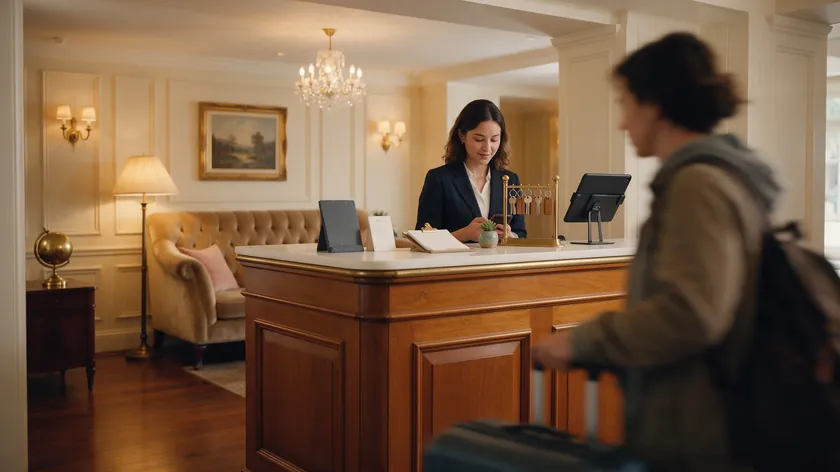
These templates are designed for hotels, guesthouses, tour operators, and travel agencies handling bookings and questions via WhatsApp. Keep the tone warm and welcoming, reflecting typical hospitality standards while staying concise.
Reservation, Check-In, and Travel Date Greetings
Template 24
Welcome to [Hotel/Business Name]! 🏨 We’d love to help with your stay. Please share your check-in date, number of guests, and room preference, and we’ll check availability.
Template 25
Thank you for contacting [Business Name]! Planning a trip? Tell us your travel dates, destination, and group size, and we’ll put together options for you.
Template 26
Hi! Thanks for reaching out to [Business Name]. For reservations, please send your preferred dates, number of guests, and any special requests. We’ll respond shortly.
Language Preferences and Special Requests
Template 27
Welcome! 🌍 We’re happy to assist in English or Spanish. Please let us know your language preference and share your booking details or questions.
This is especially useful for hospitality businesses serving international guests. Greeting messages can help collect customer information like language preferences and dietary needs upfront.
Quick Replies To Send Right After The Greeting
Quick replies can store standard check-in times, directions, or cancellation policies. Examples:
- /checkin—”Check-in is from 3 PM. Early check-in available upon request.”
- /directions—”We’re located at [address]. Here’s a map link: [link].”
Update the times and address so these replies always match your current details.
Greeting Message Examples for Lead Capture and Sales
Some WhatsApp Business greeting messages can double as a light lead-generation form if kept simple. Greeting messages can help collect customer information like email addresses without feeling intrusive.
Lead Capture Templates
Template 28
Hi! Thanks for your interest in [Business Name]. To send you the right info, could you share your name, email, and which service you’re interested in? We’ll follow up shortly.
Template 29
Welcome to [Business Name]! We’d love to help. Please share your name and what you’re looking for, and we’ll send you a personalized quote within 24 hours.
Template 30
Thanks for reaching out! To match you with the right solution, please tell us: 1) Your name, 2) Your email, 3) What you need. We’ll be in touch soon. 😊
Each example mentions how the information will be used—to send a quote, to follow up, or to match them with a solution—so the request feels transparent.
How Many Questions To Ask
Limit questions to 2–3 items maximum. A greeting message is not a survey. Asking for a name, an email, and the service of interest is enough. Follow-up questions belong later in the chat when the conversation is already flowing.
Too many questions in the first message cause drop-offs. Keep the experience comfortable and your customer engagement high.
How to Set Up a WhatsApp Business Away Message
A WhatsApp away message is an auto-reply you use when you cannot answer quickly—outside business hours, during holidays, or when your team is overloaded. It complements your greeting message by covering the times you are not actively monitoring chats.
Where to Find the Away Message Feature
In the WhatsApp Business app, navigate to Business Tools (on Android, look under the Tools tab) and find the Away message option. Toggle it on, choose when it should send, and select recipients the same way you did for the greeting.
What to Write in Your Away Message
Write a short message that states your unavailability, your working hours, and when the customer can expect a reply. For example:
“Thanks for your message! We’re currently away. Our support hours are Mon–Fri, 9 AM–6 PM. We’ll reply as soon as we’re back. 🙏”
This keeps customers informed and prevents frustration. Automated greetings can include business hours and response expectations, and the same principle applies to away messages.
Away Message Scope and Where W.app Fits
This article only covers away messages as off-hours auto replies. More advanced scheduling scenarios are discussed in our separate WhatsApp schedule messages guide.
W.app links can still point customers into WhatsApp at any hour, but the away message itself is always handled inside the WhatsApp Business app. W.app is the entry point; WhatsApp handles the automated message.
How to Use WhatsApp Business Quick Replies With Your Greeting Message
Quick replies are manual shortcuts that complement automated greeting messages for FAQs and repeated instructions. While greetings handle the first touch, quick replies cover everything that follows.
How To Create a Quick Reply
In the WhatsApp Business app, go to Business Tools, find Quick Replies, and add a new shortcut. Assign a keyword (like “/hours”) and type the saved message.
Quick Reply Examples That Match Your Greeting
Create quick replies for typical follow-ups after a greeting message:
- /hours—”Our support hours are Mon–Fri, 9 AM–6 PM, and Sat, 10 AM–2 PM.”
- /shipping—”Standard shipping takes 3–5 business days. Express available at checkout.”
- /quote—” To prepare a quote, we need: 1) Project scope, 2) Timeline, 3) Budget range. Please reply with these details.”
- /payment—”We accept bank transfer, credit card, and PayPal. Invoice sent after order confirmation.”
- /location—”We’re at [address]. Open Mon–Sat, 9 AM–7 PM. Map: [link].”
These ready-to-use templates keep responses fast and reduce the chance of inconsistent answers.
Keep Your Wording Consistent Across the Team
Using consistent wording across greeting messages and quick replies makes the business sound professional and organized—even with a small team. If your greeting says “We reply within 2 hours,” your quick replies should not promise “instant” answers. Consistency builds brand identity and keeps customer expectations aligned across all online interactions.
If several people answer the same WhatsApp number, our WhatsApp team inbox guide covers shared inbox and multi-device setup in detail.
Common Mistakes With WhatsApp Business Greeting Messages
Small changes to your greeting message can quickly improve customer experience and customer engagement. Here are the most frequent issues and how to fix them.
Greeting Mistakes And How To Fix Them
- Too long—Walls of text get skipped on mobile. Fix: Keep your greeting to 1–3 short sentences.
- No clear next step—The customer reads the greeting and does not know what to do. Fix: add a simple CTA like “Please share your question or order number.”
- Missing business hours or response time—The customer waits indefinitely. Fix: include your support hours or a reply time estimate.
- Overly robotic tone—Template language with no personality. Fix: write the way you would greet someone walking into your store.
- Asking for too much information—a long questionnaire in the first message. Fix: limit to 2–3 items and ask follow-ups later.
- Overpromising response time—Saying “we’ll reply instantly” when your team checks WhatsApp twice a day. Fix: set realistic expectations. Keeping customers informed with honest timelines beats false promises every time.
Start with the mistakes that apply to your current greeting and fix them one at a time.
How Often to Review and Test Your Greeting
Review your greeting message and away message every few months—especially before holidays, seasonal changes, or shifts in your service offerings. If your business hours changed, your greeting should reflect that.
Test changes one at a time so you can notice what actually improves reply quality and customer satisfaction. Message your own number from a second phone after each edit to make sure the greeting looks right on a real screen.
How W.app Fits Into Your WhatsApp Greeting Strategy
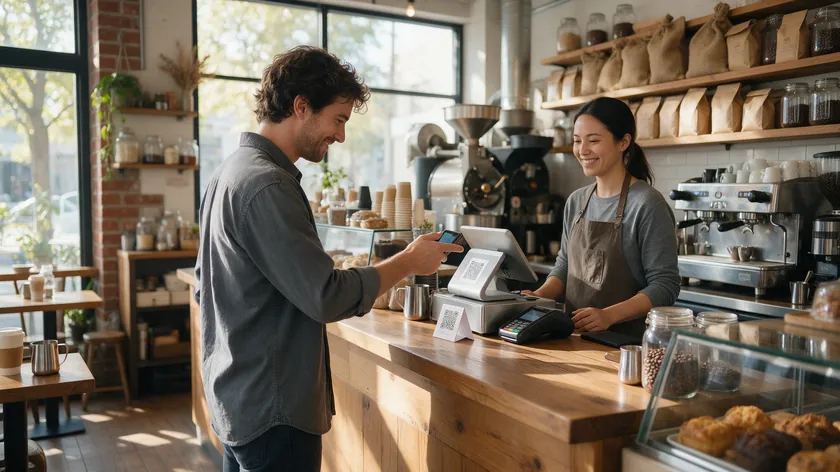
W.app does not send greeting messages, away messages, or WhatsApp auto replies—those stay inside the WhatsApp Business app. W.app handles what happens before the chat begins: getting people to your WhatsApp number with context already attached.
Standard Links With Prefilled Messages
W.app Standard Links let you create branded WhatsApp links with prefilled messages. Instead of a customer tapping a generic link and typing “Hi,” they arrive with a message like “I’d like to book an appointment on Saturday” already written in the text field.
This pairs well with greeting messages: the W.app link gets people into the chat with context, and the WhatsApp Business greeting message confirms they reached the right place. The combination means your team sees both the greeting and the customer’s specific request in the same thread.
For details on sharing your WhatsApp link and QR code, see our how to share WhatsApp number guide.
Multi-Agent Routing for Shared Numbers
W.app Multi Agent is a routing layer for when several people answer the same WhatsApp number. It distributes incoming chats to the right team member, while WhatsApp continues to send greeting messages as configured. This keeps customer interactions organized without replacing the native greeting or away message.
Your Next Step: Links and QR Codes
Once you optimize your WhatsApp Business greeting message and away message, upgrading your entry points to W.app links and QR codes is a natural next step. Better entry points mean more customer messages arrive with context, your team responds faster, and every new contact receives a consistent first impression.
Key Takeaways
- A greeting message fires on two events only: the first message from a new customer and the first message after 14 days of chat inactivity.
- Greeting messages, away messages, and quick replies are three distinct tools—use all three for a complete, semi-automated support flow inside the WhatsApp Business app.
- Keep your greeting short (1–3 sentences), include your business name and response time, and close with a clear CTA.
- You now have more than 25 WhatsApp Business greeting message examples you can copy and adapt by business type.
- Regular review and small tweaks to your greeting can quickly enhance customer engagement, streamline communication, and boost customer satisfaction without any extra tools.
Once your greeting, away message, and quick replies are set, make it easier for customers to start the chat. Create a branded WhatsApp link with W.app and let every new contact arrive with their request already written.
FAQ
Can I set different WhatsApp Business greeting messages for different times of day?
No. The WhatsApp Business app does not let you schedule different greeting messages by time of day. Only one active greeting message exists at a time, and it sends 24/7 whenever the trigger conditions are met.
You can manually change the greeting text when needed—for example, swapping to a holiday-themed message during a holiday season or other special occasions—but it will apply around the clock until you change it again. Time-based control is more suitable for away messages, which are built for off-hours and busy periods.
Does Changing My Greeting Message Resend It to Existing Customers?
No. Editing the greeting text only affects future triggers. Customers who have messaged within the last 14 days will not receive the updated version until they pass that inactivity window.
Update your greeting ahead of major events like peak seasons or promotional events so new contacts and reactivated chats see the fresh text. For announcements inside ongoing conversations, use quick replies instead.
How Long Can a WhatsApp Business Greeting Message Be?
WhatsApp Business allows a reasonably sized text greeting, but best practice is to keep it to 1–3 short sentences. Long paragraphs feel overwhelming on mobile screens and reduce customer engagement.
Focus on the essentials: who you are, when you will reply, and what the customer should send next. Move longer details into quick replies or follow-up messages.
Can I Use Different Greeting Messages For Different Customer Segments?
Within the free WhatsApp Business app, only one active greeting message text exists at a time for each number. Recipient options let you narrow who receives it (e.g., “Everyone not in address book”), but you cannot assign different texts to different groups.
Segment follow-up replies using quick replies based on the type of inquiry, while keeping the automated greeting universal. More advanced personalization and segmentation are typically handled through CRM integration or API workflows, which are covered in our separate WhatsApp CRM integration article.
Should I Write My WhatsApp Business Greeting Message in More Than One Language?
Including two languages in the same WhatsApp greeting message can be useful if your audience is clearly bilingual—for example, English plus Spanish. Keep each language’s text very short to avoid an overly long combined message on mobile. Place the primary language first and add a clear separator like a line break for readability.
After the greeting, continue the conversation in whichever language the customer chooses. This approach makes customers feel welcomed without doubling the length of your greeting unnecessarily.