
WhatsApp Messenger is designed for personal communication—casual conversations with friends and family where you send messages, make calls, and share files.
WhatsApp Business adds tools like a business profile, quick replies, and simple automation that help you handle customer chats more efficiently.
Both apps are free and can run on the same phone if you use two different numbers—one personal number for private chats and one business number for customers.
The key differences that matter most for a small business come down to professional image, messaging tools, basic statistics, and how organized your customer conversations feel compared to a personal account.
This guide walks you through every practical detail, including how to switch from a personal account to WhatsApp Business, step by step.
Table of Contents
- WhatsApp vs WhatsApp Business at a Glance
- WhatsApp Business vs WhatsApp: Comparison Table
- Core Difference Between WhatsApp and WhatsApp Business
- Who Should Use Which: WhatsApp Business vs Personal Use
- Business Profile and Verified Badge: How Your Account Looks to Customers
- Messaging Tools and Automation in WhatsApp Business vs Personal WhatsApp
- Devices, Numbers, and Linked Devices: How You Actually Log In
- How to Switch from Personal WhatsApp to WhatsApp Business Step by Step
- Customer Experience and Professionalism: WhatsApp vs WhatsApp Business
- Privacy, Security, and Boundaries When Using WhatsApp for Business
- WhatsApp Business Platform and WhatsApp API: Beyond the Basic App
- Pricing and Costs: Free Apps vs Paid Business Messaging
- Key Takeaways
- FAQ
- Is WhatsApp Business better than regular WhatsApp?
- What are the disadvantages of a WhatsApp Business account?
- What happens if I switch from WhatsApp to WhatsApp Business?
- Can I use both WhatsApp and WhatsApp Business?
- Can I use WhatsApp Business for personal chatting?
- Can WhatsApp Business see who viewed your profile?
- What is the 24-hour rule for WhatsApp Business?
- Which type of WhatsApp is best for a small business?
WhatsApp vs WhatsApp Business at a Glance
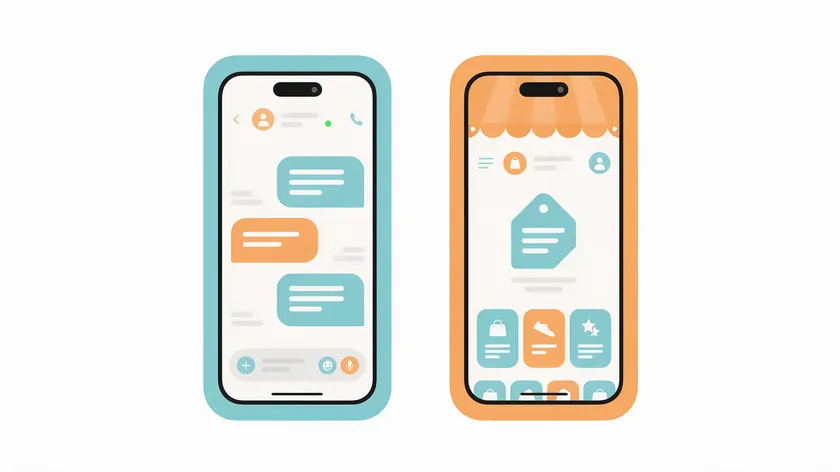
The simplest way to understand WhatsApp vs. WhatsApp Business differences in daily use: WhatsApp Messenger is your private space, and WhatsApp Business is your storefront. One is built for group chats with friends; the other is built for managing customer conversations.
Both apps look nearly identical on the surface—you still have chats, calls, and status. The difference is that the WhatsApp Business app layers on business tools: a detailed profile with opening hours, greeting and away messages, labels, a product catalog, and quick replies.
WhatsApp Business helps separate personal and business communication so you stop mixing customer orders with family photos.
WhatsApp Business is tailored for small-to-medium business owners who want a professional presence without complicated software.
Choosing between WhatsApp Messenger vs WhatsApp Business really depends on your message volume, whether you need a professional profile, and whether multiple people help with customer support.
WhatsApp Business vs WhatsApp: Comparison Table
Here is a quick overview of the WhatsApp vs. WhatsApp business differences across all three tiers. If you are skimming, this table tells you which column fits your situation right now.
| Feature | WhatsApp Messenger | WhatsApp Business App | WhatsApp Business Platform (API) |
|---|---|---|---|
| Intended use | Personal conversations | Small businesses | Larger businesses and small teams scaling up |
| Profile type | Name, photo, About | Business name, category, hours, address, website | Business profile, with business verification available |
| Messaging automation | None | Greeting message, away messages, quick replies | Advanced automation, chatbots, automated workflows |
| Product catalog | No | Yes | Yes, via integration |
| Device access | One phone + linked devices | One phone + linked devices | Shared team inbox through connected software |
| CRM integration | No | No | Yes, connects to other systems |
| Analytics | None | Basic message stats | Reporting through connected tools |
| Cost | Free | Free (optional Meta Verified in select countries) | Per-message fees by category and country |
| Verified badge | Not available | Available through Meta Verified in select countries | Business verification available |
The WhatsApp Business app is built for small businesses, while the WhatsApp Business Platform serves larger businesses that need complex automation and deep integration.
Core Difference Between WhatsApp and WhatsApp Business
The main difference between WhatsApp and WhatsApp Business comes down to identity and tools. WhatsApp Messenger centers on your private identity—your name, photo, and a simple About line.
WhatsApp Business centers on your brand: business name, business category, description, working hours, address, email, and website.
WhatsApp Business adds features that do not exist in personal WhatsApp. Labels help organize customer conversations by status—think “New Lead,” “Payment Pending,” or “Follow Up.”
You get quick replies for answering the same questions without retyping, greeting messages for first-time contacts, and away messages for after-hours. WhatsApp Business also includes catalog tools so customers can browse your products inside the chat.
Conversations in both apps are still end-to-end encrypted. Your customers chat with you the same way they would with any contact. What changes is the set of tools you get as the account owner.
WhatsApp Business is part of the wider WhatsApp Business Platform family, but the free WhatsApp Business app itself is the simplest entry point for any small business.
Who Should Use Which: WhatsApp Business vs Personal Use
This is not about listing every feature—it is about which app fits your situation. The question of WhatsApp Business vs personal comes down to how you interact with customers today and how you want that to feel tomorrow.
Small business owners choosing between WhatsApp vs WhatsApp Business differences should focus on growth without making things complicated.
When Personal WhatsApp Is Enough
If you run a very small side gig, handle fewer than a handful of customer messages per week, and your buyers are mostly friends or existing contacts, standard WhatsApp is fine.
A freelance photographer who books three or four shoots a month through personal contacts does not need a catalog or automated greetings. Private chats with known people work perfectly.
When WhatsApp Business Is the Better Choice

Once you start fielding regular inquiries about prices, business hours, or availability—especially from people who are not already in your phone—the business app earns its place.
Consider a neighborhood bakery that gets daily messages asking about today’s specials. A greeting message welcomes first-time contacts, a quick reply shares the menu, and a catalog lets customers browse pastries with photos.
A local repair shop can use labels to track jobs (“Awaiting Parts,” “Quote Sent”) and away messages to set expectations on weekends. These are real time-savers, not gimmicks.
Business Profile and Verified Badge: How Your Account Looks to Customers
When a customer opens your chat, the first thing they see is your profile. That first impression shapes whether they trust you enough to place an order or book a service.
Personal Profile vs Business Profile
A personal WhatsApp profile shows your name, a photo, and a short About line—fine for friends, but generic for a business.
A WhatsApp Business account lets you create a detailed business profile that includes your business name, a business category, a description, opening hours, a physical address, an email, and a website link.
WhatsApp Business also works with ads on Facebook and Instagram that open a chat when someone taps them, so potential customers can reach you straight from a social ad.
What the Verified Badge Means
The verified badge signals that a business has provided its details to Meta, and it adds protection against impersonation.
On the WhatsApp Business app, the badge comes through the Meta Verified subscription, which Meta has been rolling out in select countries, so it is not automatic just because you use the Business app.
For the full process and what to expect along the way, read our guide to verify your WhatsApp Business account.
The good news: small businesses can look professional and trustworthy without a verified badge. A complete, consistent profile with accurate hours, a real address, and a well-organized catalog can build trust even without a checkmark.
Messaging Tools and Automation in WhatsApp Business vs Personal WhatsApp
This is the most practical difference in day-to-day work. It determines how quickly and consistently every conversation lands in front of the right response—and whether your customer feels taken care of or ignored.
The WhatsApp Business app allows basic automation like greetings. Specifically, you get:
- Greeting messages sent automatically when a new customer starts a chat with you.
- Away messages triggered outside your set working hours or on a custom schedule.
- Quick replies that you recall with a shortcut instead of retyping.
- Labels for organizing chats by status.
- Catalog messages so customers can browse and order without leaving the chat.
The app’s built-in automation is basic: greeting messages, away messages, and quick replies. Complex automated workflows and CRM connections belong to the WhatsApp Business Platform.
WhatsApp Messenger, by contrast, has no built-in automation at all—every reply is manual, and there are no labels or quick-reply shortcuts.
These messaging tools reduce response time and help owners avoid rewriting the same answers dozens of times. For wording ideas, see these WhatsApp Business greeting message examples.
On the broader WhatsApp Business Platform, more advanced automation is possible, but the app itself focuses on simple built-in tools that most non-technical owners can set up in minutes.
Devices, Numbers, and Linked Devices: How You Actually Log In
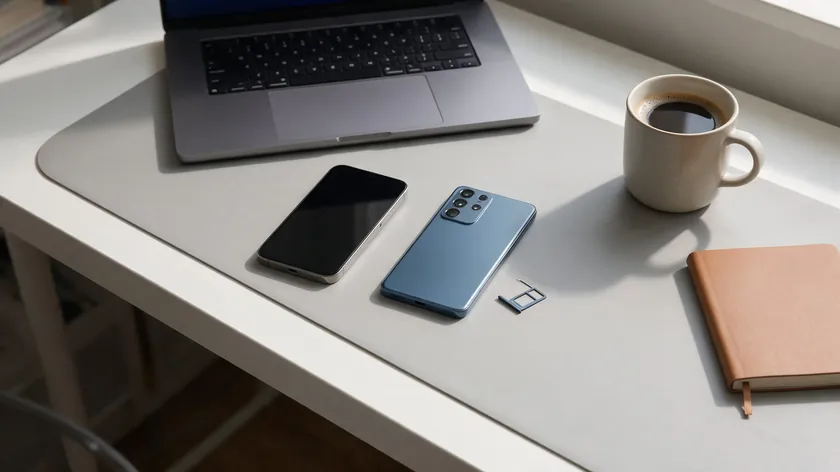
Misunderstanding how numbers and devices work is one of the fastest ways to lock yourself out of your own account. Here is how it actually works.
Numbers and Linked Devices
One phone number can be active in either WhatsApp Messenger or WhatsApp Business at a time—not both. But both apps can run on the same phone if each uses a different number, such as a dual-SIM setup or a separate line.
Both the personal app and WhatsApp Business allow linked devices, so you can answer from a computer or a secondary device. Your account can have up to four linked devices alongside your main phone.
Businesses that use Meta Verified can link up to 10 devices and agents, which helps when several employees reply to customers.
The WhatsApp Business API, by comparison, enables a shared team inbox where multiple human agents handle customer messages from different workstations—no single phone required. If more than one person answers customers on the regular app, see how WhatsApp Business works with multiple users.
Mixing Personal and Business Chats
Many owners are tempted to run everything—family, friends, and customers—inside WhatsApp Business on one number. Technically, you can chat personally from the business app, but the experience is optimized for customer conversations, not private life.
Your business profile, labels, and automated messages are all designed around customers, not friends.
The pros of mixing: fewer apps, a single number to manage. The cons: no separation between work and private chats, customers can see your personal status, and disconnecting after hours becomes much harder. Personal conversations get buried between orders and support requests.
Many small business owners keep personal and business life separate by dedicating one number to work in the business app and another to private contacts in WhatsApp Messenger.
If you must mix, consider how your business name appears to personal contacts and adjust your privacy settings accordingly.
The cleaner your boundaries, the better both your customer engagement and your personal life.
How to Switch from Personal WhatsApp to WhatsApp Business Step by Step

Switching from WhatsApp Messenger to WhatsApp Business is designed to be straightforward. You can move your personal number to the business app, and during setup WhatsApp Business lets you restore a backup of your chats, so you do not start from zero.
For the complete setup once you have switched, see our step-by-step guide on how to create a WhatsApp Business account.
Before You Switch
Plan the switch for a quiet time of day when message volume is low. Inform regular customers if you expect your profile to change noticeably.
Most importantly, back up your chat history first—go to your WhatsApp settings, find the chat backup option, and confirm it completes successfully.
If your phone storage is full, the backup may not finish, so check it before you continue.
Step by Step Switch
- Download the WhatsApp Business app from your device’s official app store.
- Open the app and agree to the terms.
- Enter your existing personal number—the app will send a verification code to confirm it.
- Follow the on-screen prompts to restore your backup and import existing chats.
- Set up your business profile: business name, category, hours, address, and description.
- Configure your greeting message and away messages.
- Add items to your product catalog if applicable.
Your contacts will see the same number they already know, but now under a business profile.
What Changes After You Switch
Once you are on WhatsApp Business, future chats use the new business tools—labels, quick replies, catalog, and automation. Customers see your business name and details instead of a simple personal profile.
Some tools, such as the catalog and labels, exist only in WhatsApp Business. If you ever plan to return to the personal app, check WhatsApp’s help center first for the current steps.
Customer Experience and Professionalism: WhatsApp vs WhatsApp Business

Will your customers notice if you switch to WhatsApp Business, and does it really matter? The short answer: yes, and yes.
From the customer side, chats still open and feel like normal WhatsApp messages. But instead of seeing a personal name and photo, they see a complete business profile with your business name, description, and opening hours.
That small change reinforces trust—customers know they are talking to a real business, not just a random contact.
Greeting and away messages set realistic expectations. When a customer texts at 10 PM and immediately receives an away message saying “We’ll reply when we open at 9 AM,” frustration drops.
Labels and quick replies help you follow up on leads and orders more reliably, which customers experience as faster, more organized service.
WhatsApp Business allows businesses to manage customer interactions professionally. Imagine a local salon that uses the app to confirm appointments, send a quick reply with pricing for popular services, and use labels to follow up on no-shows.
That level of organization is invisible to the customer—they just notice that the salon is responsive and reliable.
Privacy, Security, and Boundaries When Using WhatsApp for Business
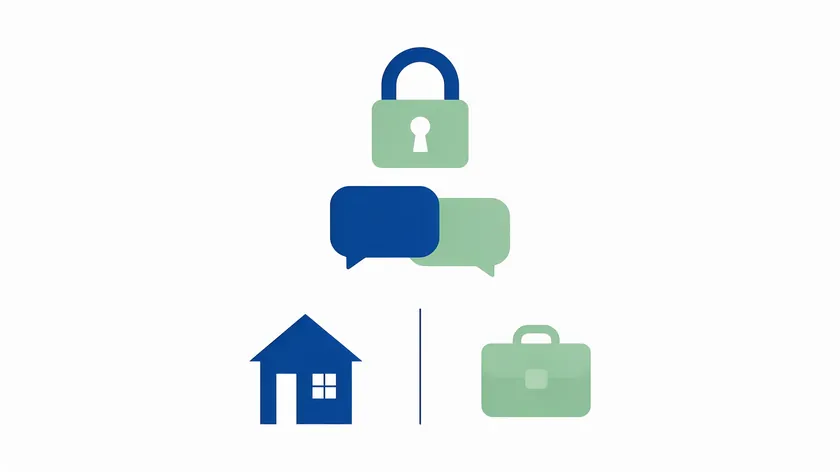
Both WhatsApp Messenger and WhatsApp Business use end-to-end encryption, so message content is protected in transit regardless of which app you choose. Conversations in the business app stay private between you and your customers, because end-to-end encryption keeps others from reading them.
Using separate numbers gives you practical privacy. If customers have your personal number, they may see your personal WhatsApp status and your last seen, depending on your privacy settings, and they can message you at midnight. A dedicated business number avoids all of that.
WhatsApp Business does not show you extra private data about customers. WhatsApp does not offer a feature that shows who viewed your profile, so you will not see that in the Business app either.
Set clear working hours in the app and activate away messages to protect your personal time. Your customers still feel reassured that they will get a response—just not at 2 AM.
WhatsApp Business Platform and WhatsApp API: Beyond the Basic App
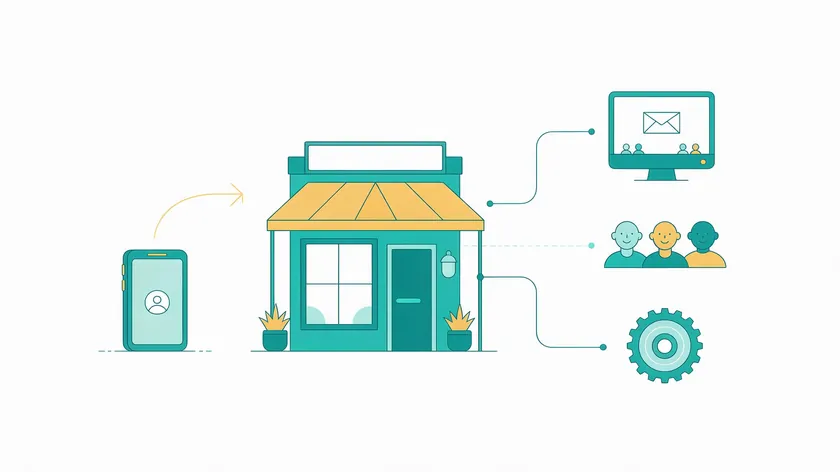
Most small businesses only need the free WhatsApp Business app. But it helps to know what the WhatsApp Business Platform and the WhatsApp API are, because they represent your next step if the business grows beyond what the app can handle.
A solution provider can help you connect to the API when the time comes, so you do not need to build the integration yourself.
What the Business Platform and API Add
The WhatsApp Business Platform, accessed via the WhatsApp Business API, lets larger businesses connect WhatsApp to software systems like CRM integration, help desk platforms, and marketing tools.
It enables a shared team inbox where multiple agents handle conversations simultaneously, and it connects to other systems your business already uses.
The WhatsApp Business API can automate entire customer journeys—from a first inquiry through purchase confirmation—using pre-approved templates and automated workflows. It supports complex automation workflows, including chatbot-driven support.
Business-initiated messaging starts at 250 unique users per 24 hours for new business portfolios and can rise to 2,000, 10,000, 100,000, and then unlimited as your business is verified and your message quality stays high, according to Meta’s messaging limits documentation.
There is no standalone “WhatsApp API app.” It runs behind the scenes and requires technical setup—usually overkill for a solo local business but essential for larger businesses handling hundreds of daily conversations.
If you are comparing options for your business, see our guide to choosing a WhatsApp API provider and what to look for.
The 24-Hour Rule and Messaging Windows
The “24-hour rule for WhatsApp Business” mainly applies to the WhatsApp Business Platform and API, not the free app. When a customer messages you, a 24-hour customer service window opens. Within that window, a business can reply freely without using message templates.
Once it closes, any follow-up—especially marketing or promotional outreach—requires pre-approved templates and may incur per-message charges.
Since October 1, 2026, Meta also charges for service messages (replies sent inside the window) once a business phone number has used its 1,000 free service messages for the month, according to Meta’s pricing documentation.
Template messages are charged per delivered message, with rates that vary by message category and country.
For everyday use of the free WhatsApp Business app, the 24-hour rule does not apply to your one-to-one manual chats. You can respond when ready without worrying about template categories.
If a small business starts exploring large-scale broadcasts or automated follow-ups through the Platform, reviewing Meta’s current pricing page for your country is essential.
The main takeaway for small and local businesses: respond to customer messages as promptly as practical. Faster replies mean better experience, regardless of any technical window rules.
Pricing and Costs: Free Apps vs Paid Business Messaging
Both WhatsApp Messenger and the WhatsApp Business app are free to download and use over Wi-Fi or your existing data plan.
The WhatsApp Business app is free to use for its core tools—profile, catalog, labels, greeting and away messages, and quick replies. WhatsApp Business free means no subscription fee for the app itself.
Costs enter the picture when you move to the WhatsApp Business Platform and API. Platform pricing is per message and depends on the message category and country, which mainly affects larger businesses doing marketing or large-scale support.
Optional upgrades such as Meta Verified are also offered in select countries, so check availability for yours.
For most small business readers, upgrading from a personal WhatsApp account to the WhatsApp Business app does not add subscription fees. The main “cost” is time spent setting it up and managing customer conversations well.
Still, consider indirect costs: more visibility means more customer messages, which means more time responding—or possibly needing help as volume grows. Commerce features like catalogs can drive orders, but they also drive inquiries. For a full breakdown, see our guide to WhatsApp Business cost.
Key Takeaways
- WhatsApp Messenger is built for personal conversations, while WhatsApp Business adds tools like a business profile, quick replies, and simple automation for customer chats.
- Both apps are free and can run on the same phone if you use two different numbers—one for personal, one for business.
- The key differences most important for a small business: professional image, messaging tools, basic statistics, and how organized conversations feel compared to a personal account.
- You can switch an existing personal WhatsApp number to WhatsApp Business and keep your chat history by restoring your backup during setup.
- For most small and local businesses with a single owner or small team, starting with the WhatsApp Business app is usually the simplest first upgrade from a personal account.
Once your account is on WhatsApp Business, make it easy for customers to start a chat.
W.app Standard Links let you create a WhatsApp link with a pre-filled message and track how many people click it, so you can share one link on your website, social profiles, and printed materials. Create your first link with W.app.
FAQ
Is WhatsApp Business better than regular WhatsApp?
“Better” depends on your use case. For personal chats, regular WhatsApp Messenger is simpler and has everything you need. For business use, WhatsApp Business is usually better because of its professional profile, quick replies, labels, and basic automation.
Small businesses who regularly receive messages about prices, hours, or product availability gain the most from switching. Customers can still message you the same way they message any normal contact—the difference is mostly on your side.
What are the disadvantages of a WhatsApp Business account?
For purely personal use, WhatsApp Business adds unnecessary tools and may confuse friends who see a business-style profile instead of your personal name. Having everything on one number can blur boundaries and make it harder to switch off from work.
The WhatsApp Business app also has limits: its automation is basic, and it does not offer the CRM connections available through the WhatsApp Business Platform.
As message volume grows, even WhatsApp Business can feel limited without the team features or deeper reporting available through the WhatsApp Business Platform.
What happens if I switch from WhatsApp to WhatsApp Business?
When you move your number from WhatsApp Messenger to WhatsApp Business on the same phone, you can restore your chat backup during setup, so you keep your chat history.
Your account will now appear as a business profile to others, and you gain access to tools like catalogs, labels, and automated messages. Business-only tools such as catalogs and labels exist only in the Business app.
Can I use both WhatsApp and WhatsApp Business?
You can run WhatsApp Messenger and WhatsApp Business on the same phone, but each must use a different phone number. A single number cannot be active in both apps on the same device at the same time—you must choose where that number lives.
Many owners keep one number for friends and family in the personal app and a separate business number for customers in WhatsApp Business.
Can I use WhatsApp Business for personal chatting?
Yes. The app allows you to chat with anyone, including friends and family—WhatsApp does not block personal conversations on a business account. However, mixing personal and business on one number can cause confusion.
Your business name and profile appear to everyone, and tools designed for customer tracking, like labels, can clutter your personal chats. If you must mix, review how your profile appears to personal contacts and adjust settings accordingly.
Can WhatsApp Business see who viewed your profile?
No. WhatsApp Business, like regular WhatsApp, does not show you a list of who viewed your profile or your profile picture.
You can see who viewed your status updates based on your privacy settings, just as in the personal app, but there is no extra tracking in the business app.
Switching to WhatsApp Business does not add a way to see who viewed your profile.
What is the 24-hour rule for WhatsApp Business?
For the WhatsApp Business Platform and API, businesses have a 24-hour window after a customer’s last message to reply freely in a service conversation. After that window closes, starting new conversations or sending promotions requires pre-approved message templates and may be billed differently.
Owners using only the free WhatsApp Business app for one-to-one manual chats generally do not need to worry about this rule in day-to-day use.
Which type of WhatsApp is best for a small business?
For most small and local businesses, the free WhatsApp Business app is the best starting point. It offers a professional profile, simple automation, and organizational tools at no extra cost.
WhatsApp Messenger can work for very small side businesses, but it quickly becomes messy as customer volume grows.
Only when a business handles high message volumes or needs deep integration and automation does it usually make sense to explore the WhatsApp Business Platform and API.