
WhatsApp for customer service means handling customer questions, order issues and follow-ups through WhatsApp conversations. Small teams can reply faster, avoid lost requests and skip the cost of a full helpdesk or CRM.
Small businesses can start with the WhatsApp Business app and add simple tools only when message volume grows.
The critical rule to understand early is the 24-hour customer service window: you have 24 hours from the customer’s last message to reply with free-form text. Miss it, and you need pre-approved templates to re-open the conversation.
Practical setup matters more than fancy software. Where you place WhatsApp entry points, how you route chats to customer service agents and how you handle first replies will determine whether customers trust the channel—or abandon it.
The rest of this guide is a step-by-step playbook for owners, ops managers and support leads ready to make WhatsApp a real support channel.
Table of Contents
- Why Use WhatsApp for Customer Service in a Small Team
- Choosing Between WhatsApp Business App and WhatsApp Business Platform
- Setting Up WhatsApp as a Clear Support Channel
- Designing a Fast, Reliable First Response
- Organizing Small Teams and Routing Conversations
- Handling Common Customer Service Journeys on WhatsApp
- Measuring and Improving Your WhatsApp Customer Experience
- Key Takeaways
- FAQ
- Can I offer customer service on WhatsApp only during business hours?
- Does it cost anything to reply to customers on WhatsApp?
- What kind of customer data is safe to handle over WhatsApp?
- Can I manage WhatsApp customer service from both my phone and my computer?
- How do I stop WhatsApp support from turning into a marketing spam channel?
Why Use WhatsApp for Customer Service in a Small Team

WhatsApp is a common communication channel for customers in many markets, especially for local and niche businesses. Customers already use it every day to message friends and family, so contacting a business there feels natural.
According to Meta’s State of Business Messaging report, 73.3% of consumers across 22 global markets prefer messaging when communicating with a business.
WhatsApp fits naturally into a modern contact center mix, but small teams get specific benefits: fewer phone calls, shorter email queues and a clear conversation history attached to every customer.
WhatsApp enables real-time communication with customers, yet it also allows asynchronous messaging—which offers convenience for users who message at midnight and agents who reply at 9 AM.
Key advantages for small teams include:
- Asynchronous communication lets agents respond without dedicated 24/7 staff, while customers message whenever they want.
- Rich media support means customers can send photos of damaged goods, and agents can reply with short how-to videos. WhatsApp supports rich media sharing including photos, videos and documents.
- Familiarity—customers already use WhatsApp with friends and family, so there is zero friction.
- Quick responses through saved replies and automated messages reduce repetitive typing.
- Handovers between agents are simple when the full chat history stays in one thread.
Together, these advantages let a small team deliver fast, personal support without extra headcount. The table below compares WhatsApp with traditional support channels.
| Criterion | Email / Phone | |
|---|---|---|
| Response speed | Minutes to hours; 24-hour window encourages fast replies | Phone demands immediate pickup; email stretches to days |
| Media sharing | Photos, video, voice notes, documents in-thread | Attachments in email; phone is voice-only |
| Conversation history | Continuous thread per contact with labels | Email chains can fragment; phone requires manual notes |
| Customer comfort | Daily-use app, feels personal | Email feels formal; calls can feel intrusive |
WhatsApp does not replace every support channel, but it can absorb a large share of routine questions—order status, availability, basic troubleshooting—if set up correctly.
Real-time customer communication through WhatsApp can improve customer service and retention across your business.
Choosing Between WhatsApp Business App and WhatsApp Business Platform
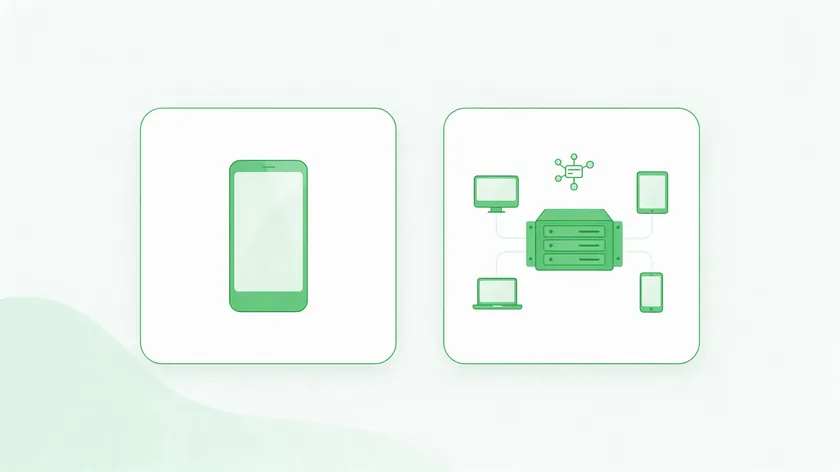
Small teams usually start on the WhatsApp Business app. Only some will later move to the WhatsApp Business Platform as their needs grow.
Your choice depends on business size, volume and how many agents need access. For a broader comparison of the two apps, see WhatsApp vs WhatsApp Business.
WhatsApp Business App for Small Teams
The WhatsApp Business App is designed for small businesses.
It is free and gives you a business profile, labels for organizing chats, quick replies and greeting or away messages. You can also link companion devices, such as a desktop or tablet, to the same account.
WhatsApp Business provides tools like Quick Replies and Automated Messages that cover most early-stage needs. WhatsApp Business allows automated responses for common customer inquiries right out of the box.
WhatsApp Business Platform for Growing Teams
The WhatsApp Business Platform is the API-based option built for larger businesses and growing teams. It supports multiple agents, deeper automation through artificial intelligence chatbots, and integration with CRM systems.
WhatsApp Business Platform supports integration with CRMs for larger businesses, and WhatsApp integrates with AI chatbots to automate responses and handle common queries.
For details, see our guides to choosing a WhatsApp API provider and setting up a WhatsApp CRM integration.
| Criteria | Solo / 2–3 Person Team | Growing Team (4–10) | Full Contact Center |
|---|---|---|---|
| Volume | Under 50 chats/day | 50–200 chats/day | 200+ chats/day |
| Routing | Manual or by schedule | By topic or language | Automated queue with skills |
| Reporting | Manual tracking | Basic metrics needed | Full analytics and dashboards |
| Best fit | WhatsApp Business App | App + routing tools | WhatsApp Business Platform |
Many small businesses stay on the app but add tools like W.app Multi Agent to spread incoming chats across several agent numbers instead of buying a full helpdesk. This bridges the gap before you need enterprise-level business solutions.
Setting Up WhatsApp as a Clear Support Channel

Making WhatsApp an official, visible support option is the difference between a useful channel and an informal side chat that nobody trusts. Customers need to know it exists, and they need to know what to expect when they use it.
Build a Complete WhatsApp Business Profile
Set up your business profile with your business name, logo, description, hours and a clear support expectation such as “Replies in under 2 hours, Mon–Sat.” This is the first thing customers see, and it signals that you take the channel seriously.
A complete profile helps you meet customers where they already are and lets them connect with businesses confidently. If you have not created one yet, here is how to set up a WhatsApp Business account.
Where to Add WhatsApp Entry Points
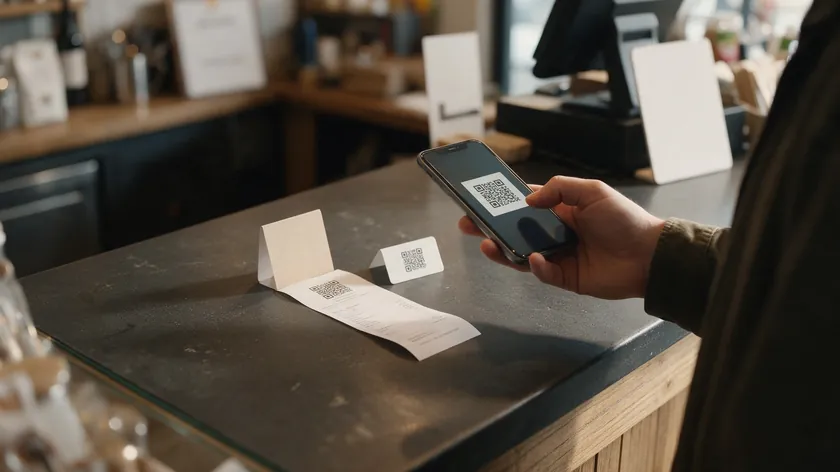
Place your WhatsApp link everywhere a customer might need help:
- Website contact page and checkout confirmation
- Email signatures
- Physical receipts and invoices
- Product packaging
- Store counter signs or table cards
Standard Links and QR codes from W.app are practical tools to place a WhatsApp support entry point on your website, printed materials and invoices—no coding needed.
Set Expectations in the First Automated Reply
Your greeting message should confirm the customer reached the right place, state expected response times and explain how to handle urgent issues. For ready-to-use wording, see these WhatsApp Business greeting message examples.
Designing a Fast, Reliable First Response
The 24-hour service window starts from the customer’s last message. Every minute you delay shrinks the time you have to respond freely.
Responding quickly via WhatsApp can enhance customer satisfaction and prevent customers from contacting multiple channels at once.
Use Quick Replies for Consistent Answers
Set up quick replies for your most common customer inquiries—order status, return policy, availability.
Create internal rules so any agent can send a consistent first response in under a few minutes. Automation can help manage common inquiries on WhatsApp without sacrificing a human touch.
Collect Context Before the Chat Starts with Form Links
W.app Form Links let you collect the customer’s name, order number and reason for contacting before the chat begins. This matters because customers expect the agent to already know who they are and what they need.
When the first agent already has context, the conversation skips the back-and-forth and delivers personalized service from the start. To see how this works, explore our guide to the WhatsApp form builder.
First Response Best Practices
- Confirm receipt of the message immediately.
- Restate the customer’s question so they know you understood.
- Give a realistic time estimate for resolution.
- Note if follow-up may move to another channel (e.g., email for documents).
Personalized messages improve customer satisfaction on WhatsApp. Even a short, honest first reply within minutes can prevent escalation and stop customers from reaching out through phone and email simultaneously.
Organizing Small Teams and Routing Conversations

The most common small-team problem is simple: one phone constantly buzzing, messages buried in a single device and no clarity on who owns which chat. Without routing, customer interactions fall through the cracks.
The WhatsApp Business app has basic limits when sharing one number across devices. For a deeper look at multi-user setups, read our guide on WhatsApp Business multiple users.
Simple Routing Rules for Small Teams
Define clear rules even for a team of three to five agents:
- By hours: morning shift handles all new chats until noon; afternoon shift takes over.
- By topic: sales questions go to one person, support to another.
- By language: if you serve multilingual customers, assign chats by language.
These rules address more complex issues before they snowball and help you scale without confusion. If you outgrow one phone, a WhatsApp team inbox is the natural next step.
Routing New Chats With W.app Multi Agent
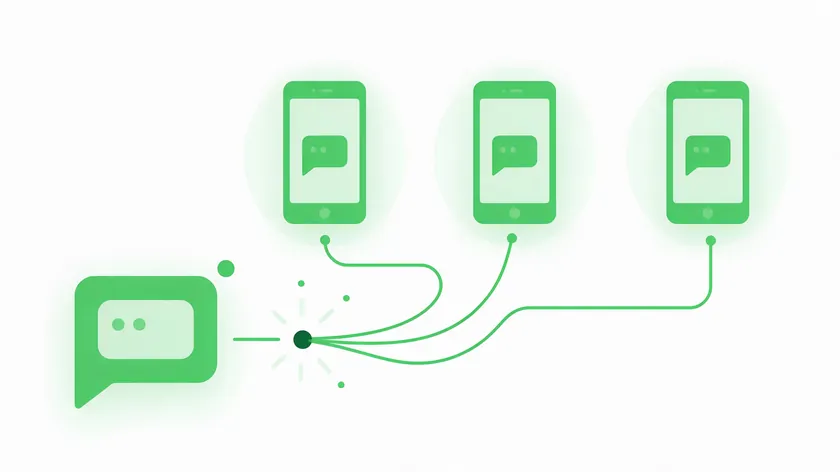
W.app Multi Agent sends each new click-to-chat to one of several agent numbers. Conversations start on the right phone from the beginning, without needing a complex shared inbox or ticketing system.
This is how companies with growing volume can distribute load across customer service agents.
Internal Coordination and Handovers
Use short tags in the first line when passing a chat: “[Shipping]” or “[Billing].”
Add a brief handover note like “Switching to Sara from returns—she’ll take over.” This keeps every person in the loop and preserves the customer experience during multi step processes at different stages of resolution.
Handling Common Customer Service Journeys on WhatsApp

Most small businesses see recurring patterns in WhatsApp messages: pre-purchase questions, order updates and post-purchase support. Mapping these journeys lets you decide what to automate and where a human takes over.
| Journey | What to Automate | When a Human Takes Over |
|---|---|---|
| Product fit questions | FAQ quick replies, catalog links | Custom sizing, complex issues, bundling advice |
| Appointment changes | Confirmation message, reschedule link | Double-bookings, cancellations with refund |
| Delivery status checks | Template with tracking link | Lost or damaged shipment |
| Post-delivery troubleshooting | Basic reset steps, how-to video | Defective product requiring return or replacement |
Small teams can use WhatsApp to combine text, photos and short video clips. Businesses can use rich media features like images and videos in messages—customers send pictures of damaged goods, and agents reply with quick how-to clips.
WhatsApp allows businesses to automate responses for efficiency on routine queries while keeping the human touch for anything that requires judgment.
Document these flows in a simple internal playbook so new agents learn WhatsApp expectations quickly and deliver value from day one.
For online stores, see how a WhatsApp chatbot for e-commerce handles these journeys, and browse more workflows in our WhatsApp business use cases guide.
Measuring and Improving Your WhatsApp Customer Experience
Even very small teams can track a few basic metrics to know if WhatsApp support is working. You do not need a full CRM—just a simple spreadsheet and a weekly check-in.
| Metric | Review Rhythm | Concrete Action |
|---|---|---|
| Average first-response time | Weekly | Adjust staffing hours or add an away message |
| WhatsApp conversations per day | Weekly | Spot volume spikes and plan coverage |
| Issues resolved in one conversation | Monthly | Update saved replies or improve Form Link fields |
| Customer satisfaction (1–5 rating) | Monthly | Identify weak journeys, retrain agents |
Collect qualitative feedback directly in WhatsApp after a resolved case. Send one short follow-up question with a 1–5 rating scale rather than a long survey. This keeps it quick for users and gives you actionable data.
Metrics should guide small operational changes—like improving a template or changing routing—rather than chasing vanity numbers.
Organizations that integrate WhatsApp feedback into weekly reviews can enhance response times and unlock the full potential of the channel.
Businesses can connect WhatsApp with CRM systems for improved customer interactions as they grow, and you can integrate WhatsApp with existing tools when the data justifies it.
Key Takeaways
- Pick the right WhatsApp Business option for your current scale—the app is free and covers most early needs.
- Place clear entry points on your website, receipts, packaging and email signatures so customers know where to reach you.
- Design fast first responses using quick replies and Form Links to collect context before the chat starts.
- Route chats across agents with simple rules or tools like W.app Multi Agent to avoid missed messages.
- Small teams can start with the WhatsApp Business app and simple routing tools, then add automation and the Platform only as volume grows.
- Document simple rules so every customer gets a consistent experience, no matter which agent answers or what channel they use.
- Start small with one or two clearly defined use cases, then expand once volume and patterns are clear.
Put this guide into action this week: set up a dedicated WhatsApp service number, add clear entry points and write your first response rules.
If your team is already fielding growing support volume, W.app Multi Agent can distribute incoming clicks across several agent numbers without a full ticketing system.
FAQ
Can I offer customer service on WhatsApp only during business hours?
Yes. WhatsApp does not require 24/7 coverage.
State your service hours clearly in your business profile and set an away message that tells customers when to expect a reply. Many small businesses successfully engage customers during defined hours only.
If an issue is urgent and falls outside your hours, your away message should explain how the customer can reach you through another channel—like email or an emergency phone line—until the next business day.
Does it cost anything to reply to customers on WhatsApp?
Regular (non-template) messages you send inside the 24-hour customer service window, after the customer writes first, are free. The WhatsApp Business app itself is also free.
Meta confirms this in its WhatsApp pricing documentation, which also explains when templates are charged.
Templates sent outside the window can be charged, so for per-message costs and template fees, see our guide to WhatsApp Business cost.
What kind of customer data is safe to handle over WhatsApp?
WhatsApp offers end-to-end encryption for security, which protects messages in transit.
However, businesses still need internal rules about who can see chats and where customer data is stored. Not every person on the team should have unrestricted access to sensitive conversations.
Avoid collecting full payment card details or highly sensitive personal data in chat. Instead, direct those steps to secure payment pages or forms.
This protects both the customer and your account standing with WhatsApp. New features in account security continue to improve, but internal policies matter just as much as encryption.
Can I manage WhatsApp customer service from both my phone and my computer?
The WhatsApp Business app supports linked devices including WhatsApp Web and desktop apps. This is helpful for agents who type faster on a keyboard and want to access chats from a computer during working hours.
Test notifications carefully when switching between phone and desktop. If notifications are muted on one device, you risk missing messages. A quick daily check ensures both devices stay synced and nothing slips through.
How do I stop WhatsApp support from turning into a marketing spam channel?
Customers contact support expecting help, not promotions. Sending unsolicited bulk messages can damage trust and violate WhatsApp policies, which can restrict your account. Keep service and marketing separated at all times.
Send follow-up offers only when a customer has clearly opted in or requested updates. A support conversation is not permission to add someone to a promotional list.
Respecting customer intent is how you maintain a strong customer experience and keep WhatsApp as a trusted support channel.