Retail customers in 2025 expect answers on the same mobile device they use to browse, compare, and buy. WhatsApp business messaging for retail gives stores a way to meet that expectation inside a channel shoppers already open dozens of times a day.
This guide covers the platform features every retailer should know, the specific challenges multi-location chains face when scaling WhatsApp, and how tools like Multi Links, Multi Agent, and Form Links keep conversations organized and converting.
Table of Contents
- Why WhatsApp Business Messaging Matters for the Retail Industry in 2024–2025
- WhatsApp for Retail Industry vs Traditional Retail Channels
- Core WhatsApp Business Platform Features Retailers Commonly Use
- Product Catalogs and Rich Media Shopping Journeys
- Abandoned Cart Recovery and Promotion Campaigns on WhatsApp
- Order Tracking, Delivery Notifications, and Post‑Purchase Support
- Returns, Refunds, and Exchange Journeys Over WhatsApp
- Chatbots, Auto‑Replies, and Human Handoffs in Retail
- From Single Store to Multi‑Location: The Real WhatsApp Challenge in Retail
- Designing WhatsApp Entry Points for Every Store, Branch, and Channel
- How w.app Multi Links Keeps Multi‑Location WhatsApp Traffic Organized
- Routing Customer Conversations to the Right Store Team with Multi Agent
- Capturing and Qualifying Retail Leads with Form Links (Without Losing Them)
- Blueprint: WhatsApp Business Messaging for a Multi‑Branch Retailer
- Compliance, Opt‑Ins, and Customer Experience Best Practices
- How to Get Started with WhatsApp Business Messaging for Retail Using w.app
- Key Takeaways
- FAQ
- How is the WhatsApp Business App different from the WhatsApp Business Platform for retail brands?
- Can I connect WhatsApp with my existing POS or retail CRM?
- How much does it cost to use WhatsApp Business messaging for a retail business?
- Does WhatsApp work for in‑store retail as well as e‑commerce?
- What metrics should retail businesses track to measure WhatsApp success?
Why WhatsApp Business Messaging Matters for the Retail Industry in 2024–2025
The global retail market sat at roughly USD 30–32 trillion in 2024 and is projected to climb past USD 48 trillion by 2033. Inside that growth, consumer expectations have shifted hard toward instant, mobile-first communication. Shoppers no longer tolerate waiting 24 hours for an email reply about a size swap or a stock check.
WhatsApp’s 2+ billion users give it unmatched reach, and the numbers back up the channel’s strength: WhatsApp messages often exceed 90% open rates and are usually read within minutes. Compare that to crowded email inboxes where open rates hover around 20–30%.
Research also shows that customers receiving messages are 7.2 times more likely to shop and that 49% of WhatsApp users interact with brands multiple times per week. That kind of recurring brand engagement is hard to replicate on any other channel.
Both online retailers and brick-and-mortar chains are adopting the WhatsApp Business Platform to keep pace with competitors. E-commerce brands use it for cart recovery and personalized messages.
Physical stores use it for local stock checks, click-and-collect coordination, and after-visit follow-up. Whether you run a single digital storefront or a 200-store chain, the channel fits.
WhatsApp for Retail Industry vs Traditional Retail Channels
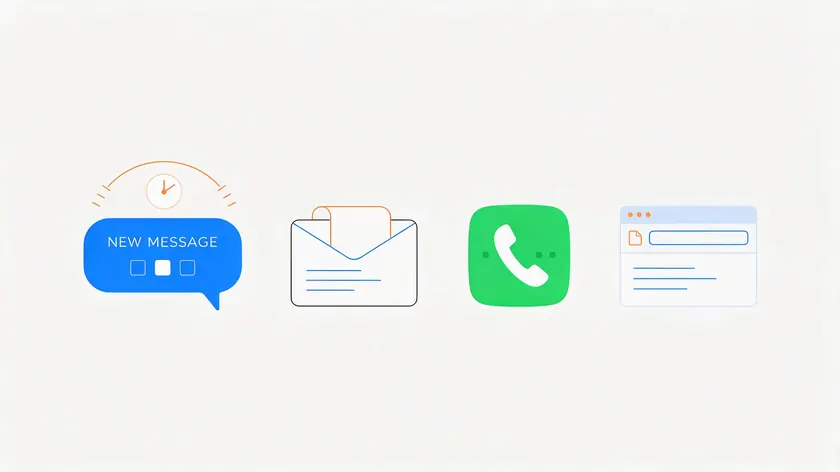
From a shopper’s perspective, what matters is speed, convenience, and not having to repeat themselves. Here is how WhatsApp stacks up against the alternatives retail customers encounter most often.
| Metric | SMS | Phone | Web Chat | ||
|---|---|---|---|---|---|
| Response speed | Messages read within 3–5 min on average | Hours to days; often buried | Fast notification, similar to WhatsApp | Immediate if answered; often missed | Real-time if the agent is online; often queued |
| Context retained | Full conversation history in one thread | Scattered across threads and folders | No threading; plain text only | No written record unless recorded | Session-based; lost on page close |
| Cost | Per-conversation API pricing; higher value per message | Very low per send; low ROI per message | Higher per-message cost in many markets | High staff cost per call | Platform license + agent time |
| Customer engagement | 35–60% reply rates; rich media, buttons, voice notes | 1–10% reply rates | Lower reply rates than WhatsApp | Synchronous; not scalable | Varies; limited to site visitors |
WhatsApp preserves full conversation history, which means store staff never have to ask a customer to repeat their sizing preferences, issue details, or order number. That alone eliminates a friction point that 60% of customers cite when they abandon brands due to slow responses.
For large retail businesses handling hundreds of daily inquiries, WhatsApp reduces call center load and back-and-forth emails.
Retail marketing messages on WhatsApp—promotions, back-in-stock alerts, and local store events—typically see far higher engagement than comparable email campaigns sent to the same audience.
Core WhatsApp Business Platform Features Retailers Commonly Use
The capabilities below live in the WhatsApp Business Platform and the WhatsApp Business API, configured through your own tech stack or your BSP. w.app does not build or host these features. Think of them as the foundation that any retail business should explore before layering on multi-location tools.
Key use cases retailers typically set up via their API provider or custom integration:
- Product catalog browsing—turning WhatsApp into a lightweight digital storefront for apparel, beauty, electronics, or groceries
- Abandoned cart recovery—automated nudges when shoppers leave items behind
- Order tracking and delivery notifications—proactive updates from confirmation to doorstep
- Returns and refunds workflows—guided flows for exchanges, damage reports, and label sharing
- Chatbots and auto-replies—handling FAQs, welcome messages, and routing complex inquiries to human agents
Retailers should work with their WhatsApp API provider or development team to configure these flows correctly. Each feature is covered in more depth below.
Product Catalogs and Rich Media Shopping Journeys
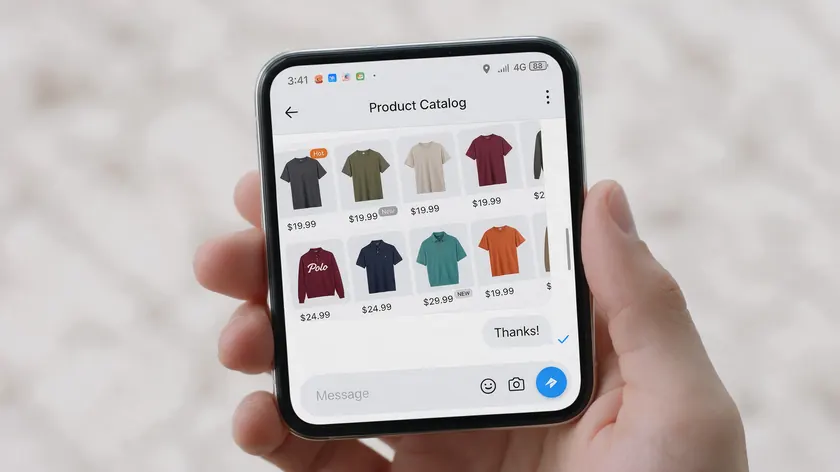
A WhatsApp catalog turns the app into a browsable storefront where retail customers can scroll through products, tap into variant details, and add items to a cart—all without leaving the chat.
This is especially effective for apparel, beauty, electronics, and grocery retailers where visual browsing drives purchase decisions.
Retailers can sync product data (images, pricing, and variants) from e-commerce platforms like Shopify, WooCommerce, or Magento into a WhatsApp catalog via their API provider.
WhatsApp allows retailers to create product catalogs for easy browsing, and keeping that catalog data accurate—stock levels, seasonal pricing, location-specific availability—is critical to avoiding a poor customer experience.
Rich media inside chats helps bridge the gap between in-store and remote shopping. Short product videos, lifestyle photography, and even 360° views give shoppers a tactile sense of what they are buying.
Using interactive messages with buttons like “View Size Guide” or “See Similar Styles” reduces friction, guiding potential customers to the right product in fewer messages.
Retailers can boost conversion rates by sending tailored promotions via WhatsApp alongside these catalog experiences, connecting browsing to buying in the same thread.
Abandoned Cart Recovery and Promotion Campaigns on WhatsApp
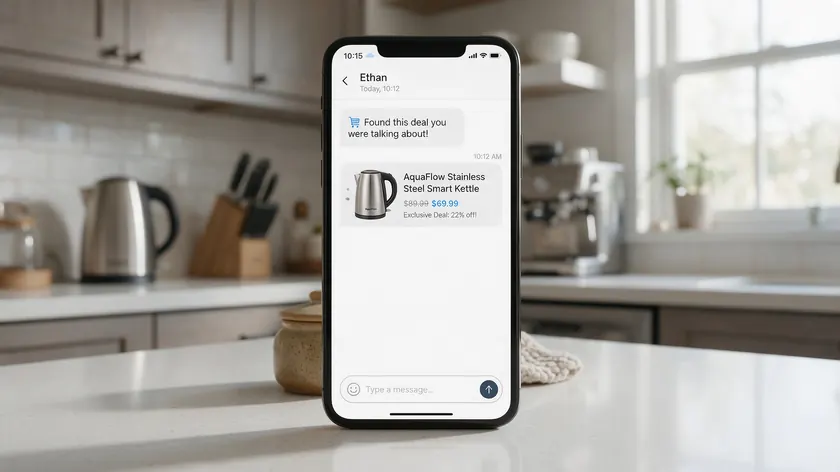
Cart abandonment rates in retail hover around 70–75% globally, climbing even higher on mobile devices. WhatsApp can reduce cart abandonment rates significantly because it reaches shoppers in a channel they actually check.
Retailers connect their e-commerce platform to WhatsApp so that cart events—add-to-cart, checkout started, abandoned—trigger automated reminders.
Using WhatsApp Business reduces cart abandonment by sending automated reminders about abandoned carts at the right moment, typically within a few hours of the drop-off.
An effective abandoned cart sequence on WhatsApp might include:
- A product image with the item name and price
- A simple CTA button (e.g., “Complete Purchase”)
- Optionally, a limited-time incentive like exclusive discounts or free shipping if the first message goes unanswered
Personalized messages increase purchase likelihood by 80%, which is why segmenting these flows by purchase history, product category, or store location matters.
The same infrastructure supports broader marketing campaigns—holiday sales, new collection drops, and loyalty rewards—using approved message templates on the WhatsApp Business Platform.
Retailers can use WhatsApp broadcast lists to send messages to multiple contacts, but only after securing proper opt-ins.
Order Tracking, Delivery Notifications, and Post‑Purchase Support
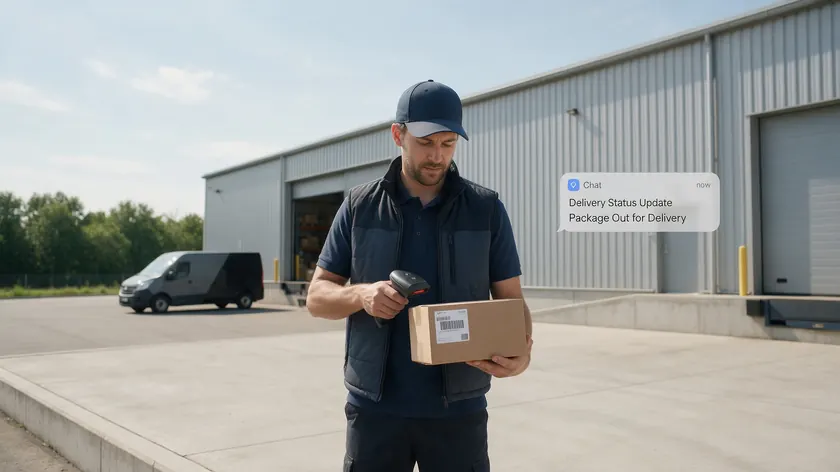
Customers in 2025 expect proactive tracking information, not a single “your order shipped” email buried in a promotions tab. Retailers can send order confirmations and delivery updates via WhatsApp, where they are almost guaranteed to be seen.
The standard post-purchase flow works as a numbered sequence:
- Order confirmation—item details, quantity, total cost
- Payment confirmation—receipt or payment reference
- Dispatch notice—carrier info with a tracking link
- “Out for delivery” or “Delivered”—final-mile updates, sometimes with proof of delivery
Retailers can automate order confirmations via WhatsApp, and WhatsApp supports automated messages for greetings and order confirmations at each stage.
Because all updates live in the same WhatsApp thread, customers can ask about failed deliveries, wrong addresses, or product issues without hunting for old emails. Retailers can send real-time order updates via WhatsApp, keeping everything in one place.
Connecting WhatsApp to internal order management or logistics systems requires integration work. For details on syncing customer data between systems, see the dedicated WhatsApp CRM integration guide.
Returns, Refunds, and Exchange Journeys Over WhatsApp
How a retailer handles returns can make or break brand loyalty. A smooth exchange process keeps loyal customers coming back even when something goes wrong.
Personalized customer support can be provided through WhatsApp, enhancing customer experience during what is otherwise a frustrating moment.
Retailers can use WhatsApp to initiate return requests, share return labels, provide step-by-step instructions, and confirm refund status—all within a single conversation.
This keeps the customer journey intact rather than scattering it across phone support calls, email threads, and web forms.
Simple menu-style interactive messages make the process fast. Buttons for “Return Item,” “Exchange Size,” or “Report Damage” help route the customer to the correct flow without forcing them to explain the issue in paragraph form.
WhatsApp allows retailers to automate common customer queries in these scenarios, handling routine requests while escalating complex inquiries to a human agent.
Actual refund processing still happens in the retailer’s payment and ERP systems. WhatsApp is the communication layer, not the financial system. But as a communication layer, it dramatically reduces the back-and-forth that erodes customer satisfaction.
Chatbots, Auto‑Replies, and Human Handoffs in Retail
Forty percent of users want companies to provide customer service on WhatsApp, and they do not restrict that expectation to business hours. WhatsApp enables 24/7 instant support through chatbots and quick-reply templates, allowing customers to get answers about store hours, stock availability, or delivery status at any time.
Common chat automation patterns in retail include:
- A welcome message when a customer starts a new WhatsApp chat
- Away messages with expected response times outside business hours
- FAQ bots answering sizing, shipping, and policy questions
- Rules that route complex inquiries to live agents based on keywords or confidence thresholds
The importance of smooth human handoff cannot be overstated. VIP customers, large orders, and sensitive complaints need a personal touch that no bot can replicate.
WhatsApp Business messaging helps retail businesses engage customers with fast, personal, and automated communication—but the handoff from bot to human must preserve context so the customer never repeats themselves.
Deeper automation design and chatbot setup are typically done with the retailer’s API provider or internal tech team, not via w.app. For advanced automation architecture, including multi-user access for larger teams, the WhatsApp Business API documentation is the right starting point.
From Single Store to Multi‑Location: The Real WhatsApp Challenge in Retail
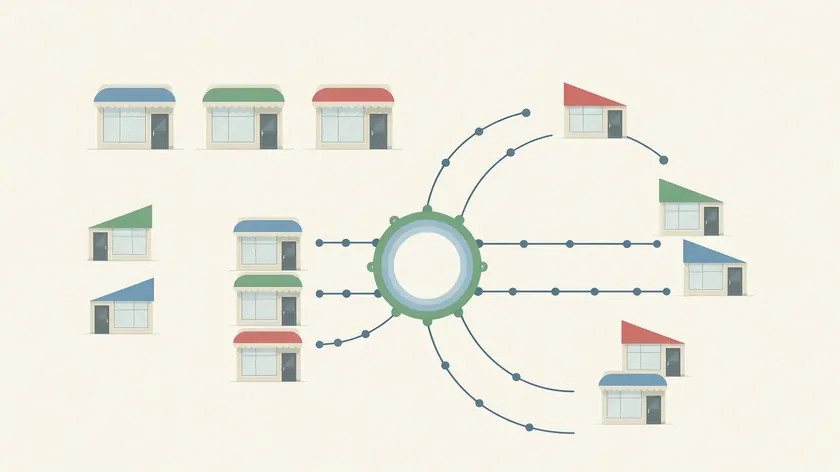
A single-store retailer with one WhatsApp number can manage customer conversations without much structure. But once you scale to 5, 20, or 200+ outlets, everything breaks.
Each store running its own WhatsApp Business App number creates fragmented data, inconsistent branding, and zero visibility for headquarters.
A case study of a 40-store retail chain in Morocco found that per-store numbers led to average response times of 24 hours, brand inconsistency, and leads falling through the cracks.
After consolidating to a unified API number with smart routing, response time dropped to roughly 4 minutes, and drive-to-store revenue increased 45%.
The problem compounds as customer discovery channels multiply. When shoppers find your brand via Google Maps, Instagram, local search, or in-store signage, each store effectively needs its own WhatsApp entry point.
Without proper routing, leads from London get handled by a team in Manchester. Outlet-specific offers get sent from the head office WhatsApp number.
Sixty percent of customers abandon brands due to slow responses, and misdirected messages are the fastest path to slow responses.
This is where the real challenge—and the real opportunity—sits. Managing many WhatsApp entry points without turning every store into an isolated island requires a different layer of tooling.
Designing WhatsApp Entry Points for Every Store, Branch, and Channel
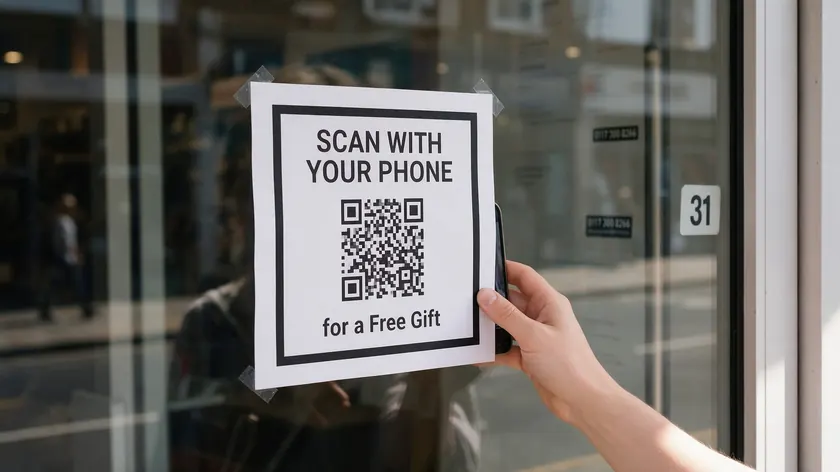
An “entry point” is any touchpoint where a customer begins a WhatsApp conversation: QR codes at physical locations, a WhatsApp link on a Google Business Profile, click-to-WhatsApp ads on social media marketing platforms, or buttons embedded on your website.
Multi-branch retailers can assign a unique WhatsApp link or QR code to each store, department, or campaign. Think “Downtown Boston Store—Footwear” or “Mall of Dubai—Electronics.” Each link maps to a specific team or routing rule so the conversation starts in the right place.
These links belong everywhere customers discover the brand:
- In-store signage (windows, fitting rooms, checkout counters)
- Receipts and product packaging inserts
- Email signatures and local ad creatives
- Store-level Instagram bios and Google Maps listings
- WhatsApp ads driving traffic to specific locations
With proper tracking, retailers can see which locations, channels, or campaigns generate the most WhatsApp conversations.
This data helps optimize retail marketing spend and allocate staff coverage—allowing customers to connect WhatsApp with the right branch from the start.
How w.app Multi Links Keeps Multi‑Location WhatsApp Traffic Organized
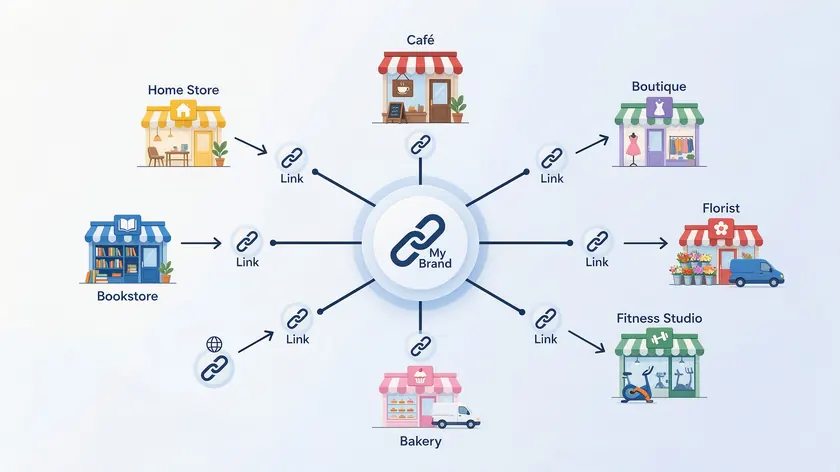
Multi Links give retailers one branded base URL—like https://w.app/brand—that branches into many child links per store, team, or campaign.
Each child link (e.g., /brand-ny-5th-ave, /brand-berlin-alexanderplatz) points to the correct WhatsApp number or routing destination without requiring new domains or complex short URLs.
A retailer with dozens of branches generates unique Multi Links for each location. Every link stays under the same branded umbrella, preserving brand consistency across markets while giving each store its own trackable entry point. You can segment customers by location just by looking at which link they used.
Operational benefits include:
- Centralized management of all links from a unified dashboard
- Consistent branding across every market and language
- Ability to update destination numbers or forms without reprinting QR codes
- Performance tracking per link—messages initiated, response time, conversion
A concrete example: a fashion chain in 2025 uses different Multi Links on window posters for “New Arrivals,” “Personal Styling,” and “Click & Collect Queries.” Each link routes to a different team or workflow, and all three are tracked separately.
Marketing knows which poster drove more customer conversations. Store managers know which service type gets the most demand. No guesswork, no lead generation lost to generic inboxes.
Routing Customer Conversations to the Right Store Team with Multi Agent

Fast replies from the correct local team reduce drop-off dramatically, especially for high-intent questions like stock checks, same-day pickup, or appointment bookings.
WhatsApp Business API enables multi-agent access for larger teams, but the routing logic determines whether that access actually translates into faster, better service.
Multi Agent lets multiple stores or support teams share one WhatsApp number while ensuring each chat is assigned to the appropriate agent, branch, or department behind the scenes.
A 12-store retail chain in Delhi NCR implemented this kind of structure and saw median reply time drop from 38 minutes to 4 minutes, a 47% increase in repeat customers, and significant monthly GMV flowing through the WhatsApp channel.
Typical routing rules for multi-location retail include:
- Entry-point based—assign based on which Multi Link or QR code was scanned
- Hours-based—if a store is closed, route to the nearest open branch or central team
- Topic-based—product category, service type, or conversation topic selected by the customer
For deeper mechanics on how team inboxes and multi-agent access work, see the dedicated team inbox and multiple users guides.
Capturing and Qualifying Retail Leads with Form Links (Without Losing Them)
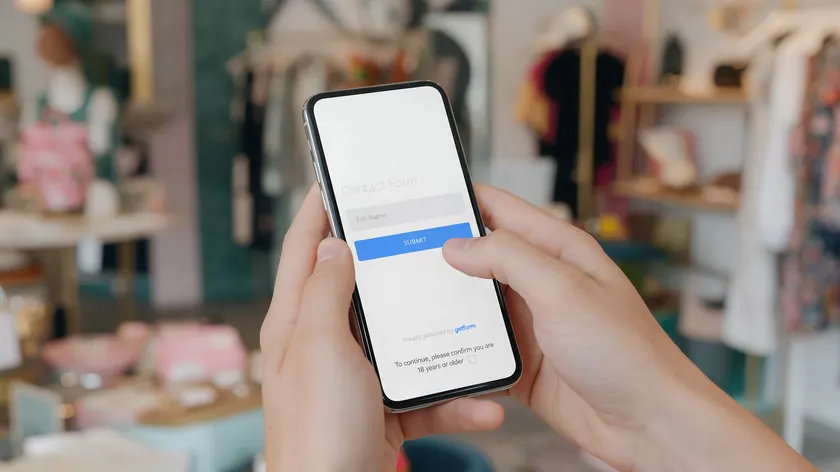
Form Links embed a short form before or alongside a WhatsApp conversation to gather structured information upfront.
This is especially useful for high-consideration retail—furniture, luxury fashion, electronics, and personal styling—where qualified leads quickly mean the difference between a sale and a ghost.
A Form Link might capture:
- Preferred store location
- Budget range
- Product category or service type (alterations, click-and-collect, personal styling session)
- Desired appointment time
Responses feed directly into routing logic. TV inquiries go to the electronics team in the nearest branch. Styling requests go to senior associates. Using customer segmentation this way eliminates manual triage and cuts response delays.
Form Links are critical during peak traffic. When dozens of shoppers scan a QR code during a Black Friday 2025 event or a new-store opening, not every lead can get an immediate live response.
Form Links ensure capture even when the queue is long—the customer’s details are logged, the right team is notified, and follow-up happens systematically. No lead leakage, no lost potential customers.
Blueprint: WhatsApp Business Messaging for a Multi‑Branch Retailer
Consider a fashion and lifestyle retailer with 25 stores across the UK rolling out WhatsApp business messaging for retail between late 2024 and mid-2025. Here is a practical deployment sequence.
Define Entry Points
Each store gets QR codes on fitting-room mirrors, front doors, and receipts. Google Maps listings and store-level Instagram bios each receive a unique Multi Link. Link names map clearly to store identifiers (e.g., /brand-birmingham-bullring). Click to WhatsApp ads target shoppers within each store’s catchment area.
Set Up Routing and Response Workflows
Multi Agent routes new customer interactions based on the store link used and working hours. Local associates reply first—not HQ. If no one responds within 10 minutes, escalation paths push the conversation to a regional manager or central support. Service level targets: first response within 15 minutes during business hours.
Deploy Form Links for High-Value Queries
Personal shopping appointments, bespoke orders, and complex returns use Form Links to collect details before the WhatsApp chat opens. The form assigns the lead to senior staff and opens the thread with context already attached. Automated workflows confirm the submission and set expectations on response time.
After entry points, routing, and lead capture are running, the retailer layers on advanced features via their API provider: WhatsApp catalog integration, abandoned cart triggers, and order notification sequences.
Analytics from the unified dashboard track response time, conversation volume, and conversion per store—informing customers which locations are performing and where to invest next.
Real-world reference: a 17-store sports retailer in India followed a similar phased approach, implementing location-based routing and abandoned cart flows that resolved many store queries automatically and reduced manual workload.
Compliance, Opt‑Ins, and Customer Experience Best Practices
Strong WhatsApp performance requires respecting Meta’s messaging policies and local privacy laws. In the EU and UK, GDPR applies.
In California, CCPA. Eighty-six percent of customers prefer brands with an authentic image, and nothing erodes authenticity faster than unsolicited promotional messages or sloppy data handling.
Explicit Opt-Ins Are Mandatory for Marketing Messages
Explicit opt-ins are mandatory for marketing messages. Collect consent via website forms, checkout checkboxes, in-store QR codes, or printed forms. Language must clearly distinguish marketing from transactional messages.
Obtain Customer Opt-Ins and Follow WhatsApp’s Messaging Policies
Businesses should obtain customer opt-ins and follow WhatsApp’s messaging policies—this is non-negotiable. Violations can reduce deliverability or restrict access to the API.
Message Frequency Matters
Message frequency matters. Limit promotional broadcasts, focus on helpful service-oriented WhatsApp messages, and always provide a simple way to opt out (e.g., “Reply STOP”).
Segment Customers by Interests, Purchase History, and Location
Segment customers by interests, purchase history, and location rather than blasting the same offer to everyone. WhatsApp messages enhance re-engagement by sending timely and relevant messages, not volume.
For detailed breakdowns of WhatsApp Business API pricing, conversation categories, and per-message costs, see the WhatsApp Business cost overview.
How to Get Started with WhatsApp Business Messaging for Retail Using w.app
Start with three decisions: which locations to include first, what your goals are (lead capture, store traffic, faster support, or all three), and how you will measure success.
WhatsApp Business messaging improves customer service and sales through direct communication, but only if you build the structure to support it.
A retailer can use w.app to create branded Multi Links for each store, add Form Links where lead generation and qualification are needed, and connect those to Multi Agent for routing.
Set up your complete business profile, configure a WhatsApp business profile with accurate store details, and assign your first batch of links.
The recommended approach:
- Start with 3–5 flagship stores or one region
- Place QR codes and WhatsApp links on signage and multiple channels
- Measure response times, conversation volume, and customer feedback for 30–60 days
- Expand to more locations, adding advanced features as confidence grows
Even small businesses with just a few locations benefit from this structured approach rather than letting every branch run its own WhatsApp number independently.
Explore Multi Links, Multi Agent, and Form Links at w.app to see how they fit your multi-location retail operations.
Key Takeaways
- WhatsApp business messaging for retail is no longer experimental—it is a core channel for customer acquisition, support, and repeat purchases in the retail industry, with open rates up to 98% and reply rates that dwarf email and phone support.
- The WhatsApp Business Platform gives retailers a direct, high-intent channel for customer conversations across marketing, sales, and support, consistently outperforming email and SMS on engagement metrics.
- Standard API features—catalogs, abandoned cart flows, order tracking, returns, and chatbots—are powerful but must be set up via the retailer’s own systems or their BSP, not by w.app.
- The real operational challenge for chains with multiple stores is routing each customer conversation to the right local team without leaking leads or fragmenting the brand experience.
- w.app solves the multi-location problem with Multi Links (unique branded entry points per store), Multi Agent (routing conversations to the correct branch team), and Form Links (qualifying leads before they hit the queue).
- A phased rollout starting with flagship stores, measuring response times and volume, and then expanding is the most reliable path to WhatsApp success at scale.
Turn every store into a trackable WhatsApp entry point. Set up a Multi Link per location, route conversations with Multi Agent, and qualify leads with Form Links—all from one w.app account.
FAQ
How is the WhatsApp Business App different from the WhatsApp Business Platform for retail brands?
The WhatsApp Business App is a free mobile tool designed for single-store operators or very small teams. It supports a basic WhatsApp business profile, a simple WhatsApp catalog, and manual replies from one mobile device.
The WhatsApp Business Platform (API) is built for scale—it supports higher message volumes, advanced automation, multi-agent access, and integration with CRM, ERP, and e-commerce platforms.
Multi-store retailers typically need the business platform plus tools like w.app to manage multiple agents, locations, and campaigns in a structured way through a business account that can handle complexity.
Migration from the app to the API is possible via a BSP. For guidance on selecting the right provider, see the WhatsApp API provider guide.
Can I connect WhatsApp with my existing POS or retail CRM?
Yes. Many retailers connect the WhatsApp Business Platform to POS, CRM, or loyalty systems through CRM integration so that associates can see purchase history and customer preferences during WhatsApp conversations.
This context helps inform customers accurately and deliver personalized support without asking repeat customers to re-explain their history.
Technical integration details—APIs, webhooks, middleware—are covered in the WhatsApp CRM integration article. w.app focuses on entry points, routing, and lead collection (Multi Links, Multi Agent, Form Links), which sit alongside whichever CRM or POS the retailer already uses.
How much does it cost to use WhatsApp Business messaging for a retail business?
There are two cost layers: Meta’s per-conversation pricing (which varies by country and message category—marketing, utility, or service) and any fees charged by your chosen WhatsApp Business Solution Provider.
Retailers should review Meta’s official documentation and their provider’s pricing to estimate monthly spend based on projected volumes.
For detailed breakdowns, see the WhatsApp Business cost article rather than relying on generalized estimates.
Does WhatsApp work for in‑store retail as well as e‑commerce?
WhatsApp is effective for both. Brick-and-mortar stores use it for local stock checks, click-and-collect coordination, appointment booking, loyalty rewards programs, and after-visit follow-up. E-commerce brands use it for cart recovery, order updates, and conversational commerce through their WhatsApp channel.
Multi-location retailers get the best results by combining in-store QR codes (linked via Multi Links) with online touchpoints like website buttons, social media marketing profiles, and click-to-WhatsApp ads.
Performance can be measured by tracking store-specific conversations, footfall uplift, and in-store conversions attributed to WhatsApp interactions.
What metrics should retail businesses track to measure WhatsApp success?
Key performance metrics for WhatsApp communications include message open rates and customer satisfaction scores, but retailers should go deeper:
- First-response time by store or team
- Conversation volume per location and campaign link
- Abandoned cart recovery rate
- Revenue influenced by WhatsApp conversations (average order value, repeat purchases)
- Opt-in growth and opt-out rates
- Campaign click-through rates for promotional messages
Segment results by store, region, and campaign link using Multi Links to identify which locations convert WhatsApp conversations into visits and sales most effectively.
Continuous testing of message templates, timings, and entry points—and iterating based on what customer engagement data reveals—is what separates retailers who use WhatsApp from those who grow with it.